

60-Second Summary
Choosing to gate or ungate content requires balancing lead capture against reach and trust. This summary outlines the trade-offs and how tools like Leadfeeder’s form and file tracking let you combine both approaches without sacrificing pipeline visibility.
Key takeaways: Gated content drives identifiable, high-quality leads and enables direct outreach; ungated content boosts visibility, SEO, and trust. Use a mix to maximize both lead generation and discoverability.
Standout strategies & tactics: Gate high-value, conversion-focused assets and keep educational/SEO content open; enable Leadfeeder form tracking for submitted forms and file tracking for ungated downloads to reveal company intent.
Real-world lessons & frameworks: Treat file downloads (e.g., pricing PDFs) as high-intent signals, segment visitors by behavior, and prioritize timely, personalized outreach to convert intent into pipeline.
Implementation & privacy note: Configure Leadfeeder’s Form Tracking and File Tracking settings, choose data collection preferences, and ensure GDPR-compliant deployment (DPA, legitimate interest balancing, opt-outs) when identifying company visitors.
*This summary was created with AI assistance, using our original content.
You’re here because you have likely asked yourself two important questions: Do I lose leads when I ungate my content? And how do I keep my pipeline consistently full of qualified leads for my sales team? These are common concerns for marketers and business owners who are trying to balance visibility, engagement, and revenue.
In this piece, we will tackle those questions directly and break down what actually happens when you gate or ungate your content. You will gain a clear, practical understanding of the trade-offs involved, enabling you to make confident, informed decisions for your business without second-guessing whether you are sacrificing leads or missing out on opportunities.
What is gated content? Understanding gated vs ungated content
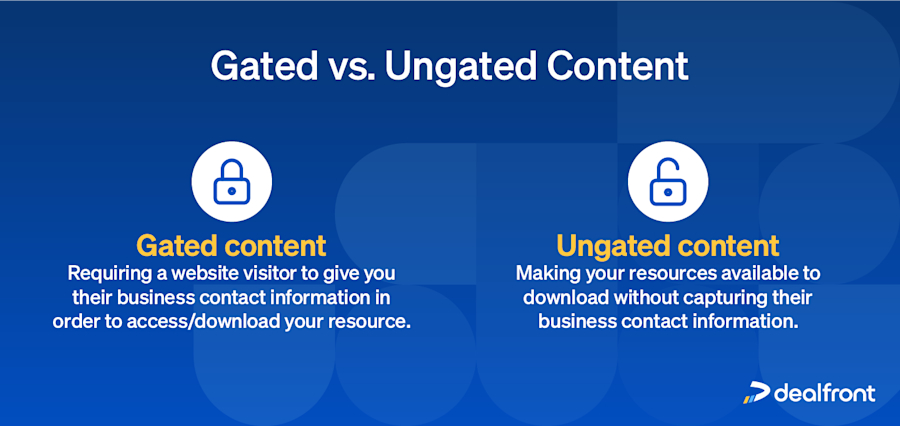
Gated content requires visitors to submit contact information before accessing content. When visitors land on your website, they'll encounter a call to action (CTA) or a pop-up that presents an enticing offer (often information). In exchange for their information, they gain access to the content.
This CTA or pop-up can guide them to a landing page, where they'll find more details about the content on offer. It's worth noting that, with inbound marketing, gated content is typically free and doesn't require a paywall. To unlock the content, users merely need to provide their contact information, usually their name, phone number, and/or email address.
Typically, the purpose of gated content marketing is lead generation. Marketers craft targeted content to attract potential leads. Businesses don't use gated content for brand awareness or visibility campaigns because the nature of hidden content doesn't generate high traffic.
Ungated content is basically the opposite of all of that. You can offer downloadable content without requiring your visitor to fill out a form or leave any information with you. The big concern here, of course, is that marketing teams don’t have a way to see who is accessing the content, so there are no leads to track. But, before you completely write off offering ungated content, there are a few things that work in its favor.
So how do you choose what’s right for your business?
Benefits of gated content
Gated content examples are common in lead generation, where users exchange their contact details for access to valuable resources. In fact, recent research shows that 77% of marketers rate lead quality as high or very high, indicating that content strategies focused on capturing qualified leads remain a priority in 2026.
Gated content helps businesses capture leads, better understand their audience, and support more direct sales outreach.
Aids your lead generation: Gated content captures visitor contact information, increasing the number of identifiable leads. Different types of content can provide a steady flow of prospects to your sales team and attract potential customers within your target audience.
Enhances your customer segmentation: Get demographic information from your website visits to refine your buyer personas and target ideal customers more accurately.
Eases direct communication: By obtaining a prospect’s contact information, you can be the one reaching out with email campaigns. This way, you don’t have to rely on the prospect to initiate contact with you.
Main takeaway: Gated content offers additional opportunities to engage your audience on your terms and motivate them to take action.
Cons of gating content
Gated content can be effective for lead generation, but it also comes with several trade-offs that can impact visibility, performance, and user experience. These limitations often influence how widely your content is shared and how easily new audiences can discover it.
Reduced reach: Getting backlinks can be difficult because website owners are less likely to link to pages with little content. They may also not want to share content that requires their audience to give their information to your company.
Limited SEO benefits: Fewer backlinks lead to lower SEO rankings. And when gating content, you “no-index” the page it’s on, telling Google you don’t want it to crawl the page.
User friction: People are skeptical about sharing their information, even when the content promises to be good. Gated content also interrupts the flow of your visitor’s search for information.
Main takeaway: Gated content reduces your reach, limits SEO benefits, and creates barriers between you and your prospects.
Pros of ungating content
Ungating content aims to make information freely accessible to users without requiring them to submit personal details. This approach is often used to increase reach, improve discoverability, and build trust by removing barriers between the audience and the content they seek.
In fact, 76% of businesses reported that content marketing boosted both lead generation and brand awareness, supporting the idea that widely accessible content can drive demand.
Increased visibility: Ungated content attracts more traffic and engagement by removing access barriers. Why? Because you’ve removed the barrier to your prospect finding the answers they need.
Website traffic and brand awareness: More content means search engines have more to crawl and rank, leading to more people finding that content. The more people who find your content, the higher your brand visibility.
Main takeaway: Ungated content brings higher engagement, traffic, and brand awareness. It also builds trust because the customer gets answers to their questions without having to fill out a form.
Cons of ungated content
While ungated content improves reach and visibility, it also introduces challenges that can affect revenue potential and competitive advantage. Without a barrier to access, it becomes easier for others to consume, reuse, or even replicate your content, which can weaken your overall positioning.
Monetization will be harder: Freely accessible content means there is no value exchange, making it difficult to generate direct revenue from the content itself.
Competitors can also access your content: They could use it as inspiration or to mimic your position and messaging. They can also use it to exploit gaps in your content strategy.
Unique selling propositions: Expanding on the previous point, having your content proliferate across the web with different branding means you’ll lose what makes you unique.
Main takeaway: Ungated content makes it hard to generate revenue, and when competitors can also access your content to mimic you, you lose your unique positioning.
Gated content strategy: the case for both gated and ungated content
Ultimately, you want to find the middle ground between creating value for your business and for your customer. Sure, collecting prospective customers’ information is essential in lead generation, but you’re also creating a barrier between you and their need for information.
On the other hand, you can use the information you collect to provide a more personalized outreach because you can see what they’re interested in. This, in turn, lays the groundwork for trust between you and your prospects, ideally turning them into customers!
What can you do to make sure your lead generation doesn’t stagnate, and also not turn away prospects by constantly asking them to fill in forms? Because when you have the right tools to support your strategies, you don’t really have to choose.
Enter Leadfeeder form tracking and file tracking
Turn page views into pipeline
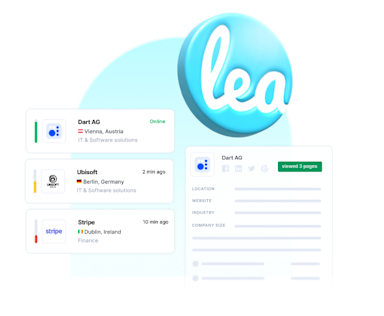
Identify anonymous companies visiting your website and automatically send them to your CRM for sales teams to convert.
Discover LeadfeederWhat is form tracking?
Form tracking lets you identify companies that visit your website and gain insight into all their visits. This valuable intelligence allows you to track visitors' past and future behavior when they submit a form.
How does form tracking work in Leadfeeder?
Leadfeeder’s form tracker feature can track any form submission on your website and can help with the following:
It can identify leads that displayed interest in your offerings when they submitted a form.
You get insights into all past and future visits from the same account, allowing you to offer a more personalized experience with your brand.
A form submit event is shown in your lead activity timeline when a submission is identified, so you won’t miss out on any opportunities.
By implementing Leadfeeder's form tracking, you gain valuable insights into account interactions on your website, enabling you to identify potential leads and optimize your sales and marketing efforts.
Here’s what you have to do to enable form tracking within Leadfeeder:
On the platform, click the Settings icon (the gear) to see 3 options.
Click Company and in the left-hand navigation, select under general “Website Tracker”.
You should now see this:
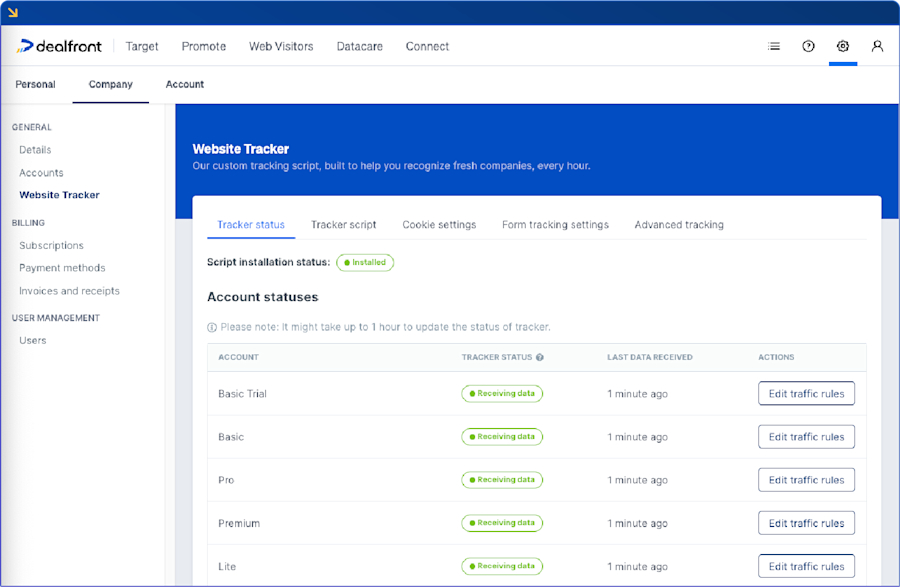
Now, click Form tracking settings, then click the Form Tracking button to activate it.
The Data collection preference lets you define how Leadfeeder collects data. Configured fields only mean you can select the parameters you want to collect. These can be things like the company email or phone number. There’s also the All input field and the Disabled options.
Now, click Form tracking settings, then click the Form Tracking button to activate it.
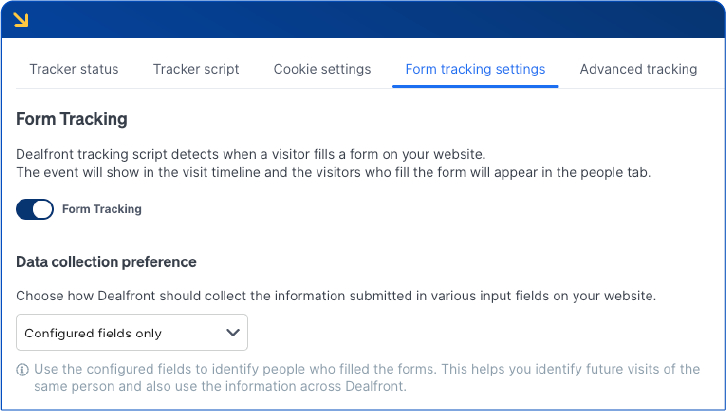
Web Visitors Form Tracking The Data collection preference lets you define how Leadfeeder collects data. Configured fields only mean you can select the parameters you want to collect. These can be things like the company email or phone number. There’s also the All input field and the Disabled options.
What is file tracking?
File tracking lets you identify the companies that have downloaded your ungated file, for example, a .pdf or .doc, even if they don't enter any firmographic information.
How does file tracking work in Leadfeeder?
After you activate file tracking in Leadfeeder, you can still see which company downloaded your ungated content. The tracker script detects when a visitor downloads content from your website. You can select the specific type of files you’d like to track:
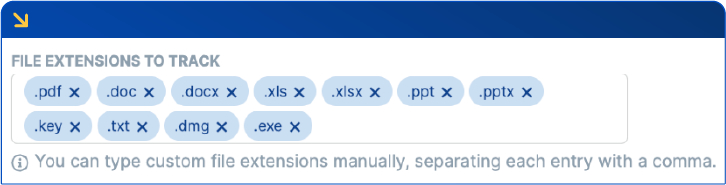
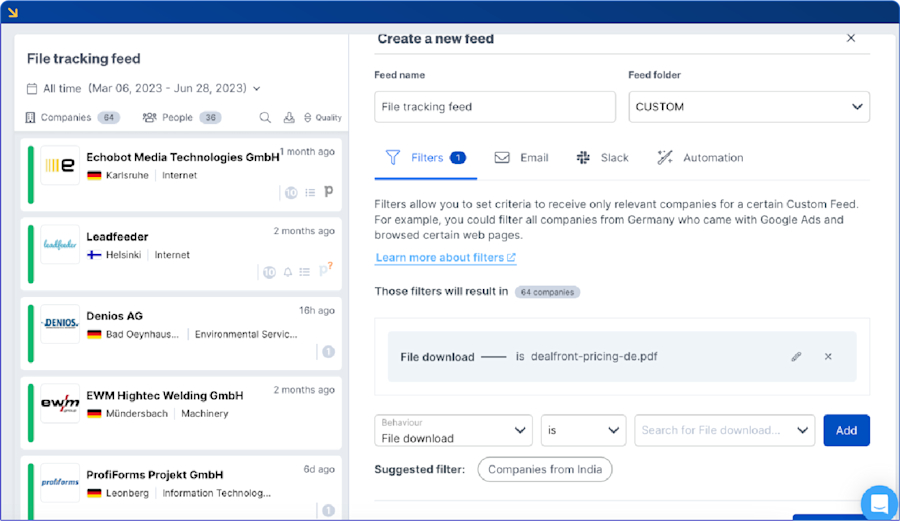
As you can see, there is a wide variety of file types that you can opt to track. To do that, you would create a custom feed within the tool with a filter such as “File Download is {File Name}”. Then, you can see which companies have downloaded it.
This next example shows how we track Leadfeeder pricing downloads. As you can see, 64 companies have downloaded it, which makes them high-intent leads. Why? We can assume that their interest in our pricing indicates they aren’t just being superficial.
Apart from the tool's technical aspects, you may be concerned about data privacy and its implications for your customers. Is being able to discover company information compliant with data privacy regulations such as the GDPR?
Here’s a quick rundown of our platform in the context of data privacy:
Are the tools compliant with applicable EU privacy laws?
Disclaimer: The legal situation surrounding privacy laws in the EU is complex and cannot be comprehensively covered in this article. This piece is not intended as and cannot replace legal advice, but is rather a suggestion to inform yourself further. In case of doubt, please seek advice from a legal specialist.
Our tools can be used in a GDPR and privacy-compliant way. Regarding the underlying processing activity, we operate as a data processor, and you act as a data controller. This relationship is governed by our data processing agreement, which you can download from our Privacy Center.
The activity of tracking IP addresses of web visitors to understand and identify which companies have visited clients’ websites can, in most cases, be based on legitimate interest (Article 6(1) (f) GDPR).
We can’t perform the required interest balancing test for you. However, we can provide you with sufficient information to enable you to perform the required balancing of interest test:
If Leadfeeder is implemented on the website of a client, the following information is collected:
Source and Medium Source, Medium, Campaign, Keyword, if applicable (from UTMs or Google Analytics)
Visitor ID number (as set by a cookie, i.e., only in the cookie solution)
IP address
Visitor behavior (e.g., pages visited, time and date of visit, duration of visit)
No sensitive personal information is collected.
The data collected from visitors to your website is limited to what is strictly necessary to perform the processing activity.
The data is adequate, accurate, and up to date.
People visiting your website can easily object to processing by installing and configuring appropriate ad blockers or using NoScript plugins in their browsers.
We process any personal data of your website visitors solely on your behalf in a secure, separate data bucket.
Take a look at our GDPR information and our Privacy Center to learn more about data security for both you and your customers. If you are interested in how the Leadfeeder technology works, and how to implement it with or without cookies, please read our Website Tracker help center article on data processing roles.
Gated content best practices: the best of both worlds
The debate between gated and ungated content has been ongoing in the world of content marketing. After weighing the pros and cons, we think it's clear that finding the balance between gated and ungated content is the way forward. Especially when you’re supported by the right tools.
Ungate your content to remove barriers your visitors may have when looking for information. Also, by unblocking your valuable information, you can increase visibility, drive higher website traffic, boost brand awareness, and increase content sharing. With ungated content, more people can access the information they need, and you position yourself as a thought leader and industry expert.
Gated content helps keep lead generation flowing and provides opportunities for direct, personalized communication. If you choose to ungate your content, you don’t have to worry about losing leads with Leadfeeder’s website tracking capabilities.
The takeaway from all of this is that you need to offer the right combination of gated and ungated content to optimize your marketing strategies, which in turn boosts your business results.
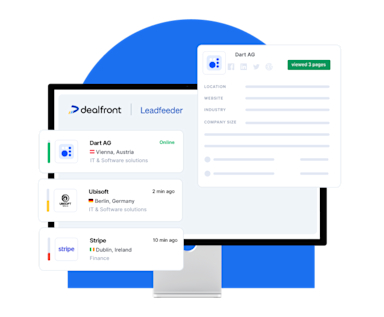
Your website visitors are already showing intent.
Leadfeeder identifies which companies they work for, what they looked at, and when to reach out -- then gives your team the contacts to follow up with. Trusted by 15,000+ B2B teams. Try it free.
Start Discovering Now