


Sales automation software helps teams remove manual, repetitive tasks from the sales process. These tools use rules, triggers, and customer data from your CRM and other systems to automate tasks such as lead capture, follow-up messaging, qualification, reporting, and pipeline updates.
Most solutions fall into two categories:
Standalone automation platforms built specifically for sales
CRM suites with automation features built in
Used well, sales automation creates a hybrid workflow where software handles admin-heavy tasks while reps focus on relationships, strategy, and closing.
Below, we break down the top 12 tools, including their strengths and weaknesses, pricing insights, and who each is best suited for. These tools are great options for leveraging top sales automation for your reps and teams.
Disclaimer:
This comparison is intended for guidance purposes only and has been provided in good faith and to the best of our knowledge using the information available at the date of publication. All ‘Trademarks’ are property of their respective owners. We are not endorsed by, directly affiliated with, maintained, authorised, or sponsored by any trademark holder referenced herein.
1. Leadfeeder
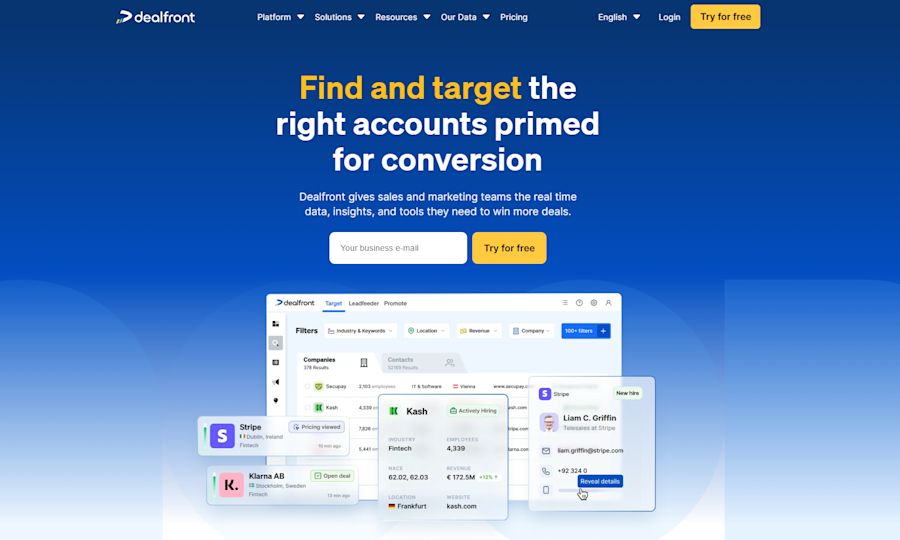
One of the best examples of sales automation software is Leadfeeder. This sales automation software helps you identify B2B customers, including providing access to direct contact details and analysis of buying intent, enabling you to easily communicate with these prospects.
These leads are largely generated from visitors to your website, and Leadfeeder automatically sends them to a CRM, ensuring the process is as streamlined as possible. When it comes to automating lead generation, there aren’t many better options than Leadfeeder.
In addition to generating leads, Leadfeeder provides comprehensive company profiles that reduce the time your teams spend on prospect research. When they have all the information they need about a prospective client at their fingertips, they can focus their time and energy on nurturing the client relationship and closing the deal.
Pros
Highly accurate B2B company identification
AI-supported intent and lead scoring
Automated CRM syncing
Deep firmographic and technographic data
Cons
Best suited to B2B; not ideal for B2C teams
Data coverage is still expanding globally
Best for: B2B teams wanting reliable lead identification and automated prospecting
Avoid if: You primarily sell to consumers
Pricing: Tailored to each company’s needs
2. Salesforce
One of the most widely used sales automation tools is Salesforce. This is because it doubles up as an all-in-one CRM platform. It prioritizes managing customer data, which can boost many different aspects of sales productivity.
It gives you access to a full overview of each customer’s activity, communication history, and purchasing experience. From this core data about your leads, you can automate sales events such as follow-up messaging.
Pricing ranges from $25 per user, per month to $300 per user, per month, depending on the features you’ll need.
Pros
Extensive automation rules and workflow builder
Deep integrations with almost every major tool
Highly customizable
Cons
Can be complex to configure without admin support
Pricing grows quickly with add-ons
Connecting to other systems (e.g., legacy CRMs, custom tools, external apps) can be cumbersome and technically demanding
Best for: Mid-to-enterprise sales teams needing a flexible, customizable CRM
Avoid if: You want a lightweight tool with small-team simplicity
Pricing: $25–$300/user/month, depending on tier
3. HubSpot Sales Hub
Just as popular as Salesforce is HubSpot. This also combines a CRM platform with sales automation tools, which are specifically defined in its HubSpot Sales Hub software.
This includes important features such as lead management, email automation, and automatic sales reports. As these are closely integrated with the CRM, your workflow can be as smooth as possible.
Pros
Easy to use and onboard
Native marketing + sales alignment
Strong reporting
Cons
Automation depth increases only at higher plans
Can get expensive as contact volume grows
Limited customization & flexibility for complex processes or workflows
Best for: Teams wanting an all-in-one sales + marketing CRM
Avoid if: You need advanced custom workflows on a budget
Pricing: From $95/user/month
4. Clearbit
Clearbit is closely linked to HubSpot, as they share an ownership group. However, it provides some key features unavailable on HubSpot Sales Hub.
Clearbit uses AI to improve your identification of target buyers, allowing you to refine your strategy for handling new leads and streamlining your customer data so it is as useful as possible for your needs.
Pros
Good B2B enrichment data
Real-time intent signals
Strong integrations with HubSpot & Salesforce
Cons
Pricing is custom and can be high for small teams
Works best within existing CRM workflows
Data for smaller businesses, startups, or niche industries can be sparse, inaccurate or outdated
Best for: Companies needing richer data and targeted segmentation
Avoid if: You have a very limited tech budget
Pricing: Volume-based
5. Bombora
If you want to prioritize winning over customers in the early part of their customer journey, Bombora could be the right automation software for your needs.
This is because Bombora monitors target accounts as soon as they show intent to make a purchase in your sector. It lets you see which of these accounts are researching your competitors, so you can target them. This makes Bombora useful if you want to gain a competitive advantage.
Pros
Strong intent data
Useful for early-stage pipeline building
Helps target competitor-curious accounts
Cons
Works best when paired with ABM tools
Not a full automation platform by itself
Intent signals can be ambiguous or noisy; not a guarantee of buying readiness
Best for: Companies running ABM or targeting in-market buyers
Avoid if: You need workflow automation more than intent data
Pricing: Custom
6. Clari
While some of these examples focus on actively managing your sales process and customer data, Clari is more useful for data analysis. It uses machine learning algorithms to automate the production of high-quality analytics reports from your sales data.
This means that Clari can be used for precise sales forecasting and to provide performance insights that you can use to improve your sales team's skills.
Pros
Highly accurate forecasting
Great for revenue operations
Automated insights into risks and opportunities
Cons
Not designed for frontline sales automation
Pricing can be complex
UI is not always intuitive, and customizing dashboards or reports can be restrictive.
Best for: RevOps teams and leaders needing deep analytics
Avoid if: You need simple task automation for reps
Pricing: Six pricing tiers
7. Mailtastic
If you work in a combined sales and marketing department—or are looking for a platform that can automate elements of both sales and marketing—Mailtastic could be useful for your organization.
This platform focuses on email marketing, using CRM data to send campaigns triggered by events. This allows you to leave sales messaging to the platform and schedule automated marketing emails.
Pros
Great for sales + marketing alignment
Uses CRM data for triggered messaging
Cons
Primarily an email tool, not full sales automation
Requires CRM integration for best results
Fundamentally, it’s an email-signature/marketing-banner tool rather than a full sales or marketing automation platform
Best for: Teams running high-volume email campaigns
Avoid if: You need broad pipeline automation
Pricing: Scaled to business size
8. 6sense
6sense is another example of complex AI being used in sales automation. It uses predictive artificial intelligence to identify leads that are most likely to make a large purchase. This will then implement account-based marketing, where these accounts automatically receive personalized messaging.
This means that 6sense can be used to boost your amount of large sales, helping you to quickly improve turnover and ROI.
Pros
Powerful predictive models
Strong ABM capabilities
Automated multi-channel outreach
Cons
Steeper learning curve
Pricing can be high for small teams
Contact-level data can be inaccurate and outdated
Best for: Enterprise ABM teams
Avoid if: You’re a small sales team with simple workflows
Pricing: Four tiers, including a free plan
9. VanillaSoft
VanillaSoft is all about making communication with your leads as easy as possible. It automates lead prioritization, so your sales reps are matched with leads most relevant to their experience and skills.
It also automates some of the most repetitive tasks included in sales communication, such as dialing numbers and scheduling emails. It even offers scripts and coaching to help to upskill your sales reps—useful if you want to improve your sales comms.
Pros
Good for high-volume SDR workflows
Automated dialing & email scheduling
Strong coaching features
Cons
More focused on outbound than full-funnel automation
Some users report that the system occasionally slows, freezes, or has dialer/VoIP issues
More limited third-party integrations and friction when integrating with external systems
Best for: SDR and inside-sales teams
Avoid if: You need deep analytics or ABM features
Pricing: From $110/month
10. Docebo
Another sales automation platform that is useful for employee development is Docebo. This focuses on delivering training and development programs to your sales teams, allowing you to manage and track content for your employees to boost their knowledge and skills.
This can be integrated with systems, such as your CRM platform, to make your training relevant to your specific context. This will also streamline your workflows, as training will not require many new, unfamiliar platforms.
Pros
Streamlines training workflows
Great for fast-growing companies
Integrates with CRMs
Cons
Not a traditional sales automation platform
Expensive for small teams
Best for: Large teams needing scalable onboarding
Avoid if: You only need process automation
Pricing: Starting around $25,000/year
11. DocuSign
Creating and signing contracts has traditionally been one of the most time-consuming tasks in sales. DocuSign, however, offers an automated approach to managing digital documents.
It includes e-signature tools, automated workflow routing, and high levels of encryption and authentication to ensure security and compliance. DocuSign is great if you just want to automate your document management.
Pros
Fast digital signatures
High security
Automation for routing and approvals
Cons
Limited to document workflows
DocuSign’s pricing, especially beyond basic plans, can be expensive
Weak document-creation or editing features and rigid workflow/template logic
Best for: Sales teams needing faster contract turnaround
Avoid if: You want a full sales automation suite
Pricing: From $25/user/month
12. Gong
Gong is a sales automation tool that aims to drastically increase the data you have about individual customers.
It captures and records every customer interaction, then uses this data to produce actionable insights. That means that you receive notifications when the data suggests you’re about to lose a deal.
Gong is a useful solution for companies looking to better understand their customers and leads. It can be used alongside an effective CRM to produce more information about each lead in that CRM.
Pros
Deep deal insights
Automated alerts on at-risk opportunities
Strong coaching capabilities
Cons
Not a full automation tool; more analytics + intelligence
Requires significant effort to set up and integrate properly with a steep learning curve
An expensive solution, especially for small or growing teams, due to a substantial base/platform fee plus per-user licensing
Best for: Teams wanting better win rates through insights
Avoid if: You need task automation
Pricing: Varies by company size
Sales Automation Tools Compared
Below is a comparison table summarizing the essential details of each tool.
Tool | Key Features | Data Sources | Integrations | Pricing | Best For |
|---|---|---|---|---|---|
Leadfeeder | Website visitor ID, intent data, CRM sync | First-party + proprietary B2B data | Major CRMs | Custom | B2B lead generation |
Salesforce | Lead routing, workflows, CRM | CRM + connected apps | Very large ecosystem | $25–$300/user | Mid-enterprise CRM automation |
HubSpot | Email automation, CRM, reports | CRM, marketing data | Strong native + partner apps | From $95 | SMB–mid market |
Clearbit | Data enrichment, scoring | B2B firmographic & intent | HubSpot, SFDC | Custom | Targeting + segmentation |
Bombora | Intent data | Third-party research signals | ABM platforms, CRMs | Custom | Early-stage pipeline |
Clari | Forecasting, RevOps analytics | CRM + activity data | CRM systems | Multi-tier | Revenue operations |
Mailtastic | Email campaign automation | CRM | CRMs + email providers | Scaled | Email automation |
6sense | Predictive AI, ABM | Proprietary intent + CRM | Marketing + sales stack | 4 tiers | Enterprise ABM |
VanillaSoft | Lead routing, dialing | CRM + form data | CRMs | From $110 | SDR teams |
Docebo | LMS automation | LMS + CRM | CRMs | From $25k | Large teams |
DocuSign | Contract workflows | Uploaded docs | CRMs + legal tools | From $25 | Contract automation |
Gong | Conversation analytics | Call/email/meeting recordings | CRMs | Custom | Insight-driven selling |
5 Reasons to invest in sales automation software
Now that you know how sales automation software works, you might still be wondering what all the fuss is about. After all, investing in new tools can be a significant expense.
However, sales automation has the potential to radically transform your workflow and efficiency as a sales team.
Here are the biggest benefits that you’ll see when you invest in the right sales automation tool:
1. Increase productivity
The most obvious reason to use sales automation in your business is the increased levels of productivity that it can bring to your sales teams.
Think for a second how long it would take you to complete all of the tasks that we discussed earlier in this guide—now consider how you could use that time more wisely.
When you implement automation effectively, some of the most time-consuming manual tasks will be almost entirely removed from your workflow.
This will let you focus less on basic administrative tasks, so your most valuable assets—your employees—can prioritize the activities they’re paid to complete. Things like creating and implementing sales strategies and closing deals with customers. You’ll soon see a better return on investment for your employees.
An example of this is the success Norwegian company SuperOffice has achieved with Leadfeeder. Thanks to Leadfeeder’s up-to-date, accurate B2B information, 360° company profiles, and trigger event alerts, SuperOffice has seen a 70% reduction in research time across its marketing, sales, and service teams. This allows them to focus their energy on more mentally demanding tasks without risking missing new prospect opportunities.
2. Boost sales
Once your employees can fully focus on closing deals, they’ll also recognize that sales automation has made it easier for them to convert.
Sales automation tools will monitor customer data throughout the customer journey, for instance, so reps can easily access it.
This expands the information sales reps have when they enter a discussion with potential customers. Everyone on your sales team will then be able to use more customer data to shape their messaging, helping boost your sales through a stronger sales approach.
3. Improve customer retention
In the world of sales and marketing, it's easy to focus entirely on attracting new customers and finalizing first-time purchases. However, overlooking existing customers would be a huge mistake. They represent a significant opportunity for upselling, cross-selling, and repeat purchases.
This means that using sales automation to improve customer retention is a further significant benefit. These automation tools make retention much simpler, as many key retention elements can be automated.
A great example of this is through post-purchase messaging.
Rather than scheduling and writing follow-up emails to customers in the weeks after a sale, you can automate this process as soon as the sale is confirmed. This minimizes the risk of human error, thereby increasing the likelihood of effective customer retention.
4. Generate analytics reports
If you want to improve your strategic sales decisions, you’ll need to have as much information and data as possible. This will mean that your decisions will be supported by evidence—and more likely to be effective—than if they had been based on instinct or guesswork.
However, collecting data and turning it into an analytics report that can be accessed and understood by everyone is a difficult and time-consuming task. Fortunately, sales automation software can automate this process.
As sales automation tools already work with all of your sales data, it’s easy for these tools to quickly build reports according to your unique needs. This means you can easily communicate your sales data and analytics to leaders across the organization, improving strategic decision-making.
5. Refine customer experience
The final reason you should invest in sales automation software comes back to the most important aspect of sales: the customer.
You can have the most streamlined sales workflow in your sector, but this will mean nothing if it doesn’t lead to a tangible improvement in customer experience.
Sales automation software, however, can quickly improve your customers' experience. They will receive quotes and proposals more quickly, as these are aspects of the sales process that are commonly automated. Additionally, they will be able to speak to sales reps more easily if those reps have more time on their hands.
Although some people worry that automation will remove the human element of sales, the fact is that it frees your sales team to engage more often, one-to-one, with your customers. This will only improve the customer experience in your business, leading to better long-term sales.
What is the difference between CRM and sales automation?
When it comes to streamlining and automating customer-facing processes, it can be easy to get confused about the difference between CRM and sales automation tools. This is especially true as some CRM tools also include sales automation features.
However, CRM is a more general approach to managing customer interactions, including their data, which is used by marketing, customer service, and sales teams. This is unlike sales automation, which is only used to complete sales.
Here are the key differences between CRM and sales automation:
Function | CRM | Sales Automation |
|---|---|---|
Data management | CRM systems are first and foremost a system to store and manage customer data, such as contact information and purchase history. | While sales automation tools might include some data repository features, they will focus on using data stored elsewhere to support sales. |
Lead management | Lead management is made easier by CRM systems, but this isn’t necessarily built into the features of a CRM tool. | Sales automation tools are built to manage leads, with lead capture and qualification key functions of a sales automation tool. |
Automation | CRM systems will include lots of automation, helping you to improve efficiency. | Similarly, sales automation tools will be largely automated. However, this is with the focus of improving sales productivity. |
Integration | The best CRM tools can be integrated into a range of different tools, such as email platforms and analytics tools. | Sales automation tools are often integrated into a CRM, as this allows the sales automation platform to use the data on the CRM. |
Integrating sales automation into a CRM
As we highlighted earlier, sales automation tools are often integrated into a CRM. This makes it much easier to feed accurate, up-to-date data into your sales automation platform, as the CRM automates the entire data collection and management process.
Additionally, many sales automation tools are part of a broader CRM platform. Integration in this way can be useful if you want to simplify your investment in sales automation, as it lets you handle data management and sales automation on a single platform.
Top sales automation use cases
If you’re still wondering if sales automation will be a useful solution for your company, you might want to consider some of the most widely seen practical examples.
Here are the top sales automation use cases:
1. Lead nurturing
When it comes to sales, we all know that lead generation is crucial. Nurturing those leads is also pivotal—especially if you want to boost customer retention. Lead nurturing can be made easy and straightforward with sales automation.
With the right sales automation tool, you will automatically be sent a list of leads that are most in need of tailored messaging to convert them into loyal customers. Sales automation also allows you to automate email messages, meaning that nurturing those leads manually is no longer something that you have to worry about.
2. Personalization
Another important aspect of digital sales is personalization. More and more customers are expecting personalized experiences when shopping online, making it important to know how to craft unique customer journeys for each client.
While this might sound time-consuming and labor-intensive, sales automation offers an easy route to personalization. You can automatically select customer data and divide your audience into segments, which then receive automated content relevant to their demographics or interests.
3. Contact with customers
Gone are the days when sales reps had to manually dial numbers and cold-call clients to make a sale. Sales automation tools have thankfully made the process of contacting customers as simple as possible—they identify leads most likely to make a purchase and assist you when contacting them.
4. Logging customer details
Once you’ve made a sale, it’s important to log it in your CRM so your business has accurate sales data for analysis.
Sales automation tools are able to log this automatically, so that you don’t have to worry about recording customer details and can instead focus on delivering the best customer experience possible.
How does sales automation software help sales reps?
Higher productivity: Sales reps will be able to spend more of their time closing deals and building customer relationships, rather than completing administrative tasks.
Access to data: Sales automation tools give reps an overview of each customer’s purchase history and marketing success rates, enabling them to leverage this when closing deals.
How does sales automation software help sales managers?
More effective teams: The main way in which sales managers benefit from sales automation tools is the fact that their teams will be more productive at work.
Automated workflows: As a sales manager, you’re responsible for the overall workflow of everyone in your team. Sales automation makes these workflows as simple as possible.
How does sales automation software help sales leaders?
Easier performance management: With sales automation, sales leaders can easily access sales data. This makes it easier for leaders to monitor performance across a sales team.
Access to coaching: This data can help leaders identify weaknesses across a sales department, making it easier to provide relevant coaching to sales reps and managers.
How to choose sales automation software
When you’re choosing sales automation software, you shouldn’t just go for the first tool that you see.
Here are our three key steps for choosing the right sales automation tool for your business:
1. Set your goals
As we saw earlier, sales automation tools have a huge range of functions. That means you should always start by setting specific goals.
What do you want to achieve by using sales automation? How does this link to your company’s overall improvement plan? What KPIs will you use to measure success?
2. Research using your priorities
These goals will allow you to focus your research.
If you want to improve B2B sales, for instance, you should look for tools specifically designed for B2B companies. Your priorities might also include pricing details—make sure to include them in the search process.
3. Monitor and review
Setting goals at the start of the process will help you see whether you’ve been successful. Once you’ve chosen a tool, measure its performance against your goals—if it isn’t performing well enough, you should find another tool. This is especially useful if you are using a free trial of the software.
What makes a great sales automation tool?
The perfect sales automation tool depends entirely on your specific business context. However, there are some common features in every great sales automation tool:
Integration: You want your software to easily integrate with your CRM and other data management tools your business already uses.
Accuracy: When it comes to customer data, you expect this data to be accurate and up-to-date. Sales automation tools need to be accurate when they’re updating data.
Links to marketing automation: The best sales automation tools have clear links to marketing tools. This means that work isn’t duplicated between sales and marketing teams, allowing both departments to benefit from automation.
The future of sales automation software
If you’re new to sales automation, it’s possible that the very idea of an automated sales workflow seems futuristic enough! However, sales automation is a quickly developing industry.
As is the case with most areas, AI is revolutionizing sales automation and is already integrated into a range of automation tools. Generative AI, for instance, can be used to produce automated email messages for customers.
Similarly, predictive AI is widely used to target leads most likely to make a purchase based on their prior purchase history. This means AI can be used to refine your sales processes—it’s certainly the future of sales automation worldwide.
Embrace the benefits of sales automation software and close even more deals
It isn’t always easy being a sales rep. However, sales automation software can make life easier for sales teams in companies of any size and in any industry.
If you’re looking for a sales automation solution that offers the best features alongside a reasonable pricing structure, there aren’t many better options than Leadfeeder’s automated sales prospecting tool.
This combines the best automated tools to provide comprehensive sales software for all companies.
So, what are you waiting for? Start boosting your sales productivity today with sales automation!
FAQs about sales automation software
FAQs about sales automation software
Is sales automation software suitable for businesses of all sizes?
Most sales automation tools offer different pricing structures to account for businesses of all sizes.
What are some common challenges businesses may encounter when implementing sales automation software?
Many companies struggle if they aren’t able to integrate their sales automation software with their CRM.
How can businesses ensure the successful adoption of sales automation software among their sales teams?
If sales automation software is to be adopted successfully, you need to fully train your sales teams to use the tools to their full potential. Make sure to communicate the benefits as clearly as possible.
What are the costs of implementing and using sales automation software?
Costs will depend on the type of sales automation software that you are using. In general, however, the best providers should make their pricing clear and understandable at the outset.
What security measures are in place to protect sensitive sales data within the software?
Costs will depend on the type of sales automation software that you are using. In general, however, the best providers should make their pricing clear and understandable at the outset.
How often is sales automation software updated or improved?
This will depend on the provider’s development cycle; however, most sales automation tools will receive updates on a regular basis.
What kind of customer support and training options are available for users of sales automation software?
Most sales automation platforms come with onboarding options so that everyone is able to use the tools effectively.

Senior Director GTM Execution @ Leadfeeder
Marvin Karis is a go-to-market leader at Leadfeeder with deep experience across sales leadership, revenue operations, and GTM execution. His work focuses on helping revenue teams turn data and buyer signals into structured processes that generate predictable pipeline.
Having worked closely with sales and marketing teams across the Leadfeeder platform, Marvin brings a practical understanding of how companies use lead data, enrichment, and automation to prioritize accounts and engage prospects more effectively.