That’s the challenge this Playbook solves.
With Leadfeeder's AI-powered Contacts feature, you no longer have to rely on guesswork or outdated job titles. Instead of searching for exact matches, you can describe what your buyer does, and let AI identify the right people based on job function, responsibilities, seniority, and context.
This Playbook shows you how to:
Use AI search to describe your real buyer’s function
Build hyper-relevant contact lists across your ABM accounts
Personalize outreach at scale with role-specific messaging
Improve campaign match rates and conversion
Why job titles don’t cut it in B2B
In theory, job titles should make things simple, but in practice, they’re vague, inconsistent, and misleading. One company’s “Head of Growth” might oversee partnerships while another’s “VP of Marketing” might be focused solely on brand. There’s no standard title taxonomy across industries or companies, which means you’re often:
Missing key buyers because their title doesn’t match your filters
Targeting the wrong contacts who lack decision-making authority
Burning time and budget on outreach that doesn’t convert
What you actually want to know is:
Who owns paid acquisition?
Who manages the company’s vehicle fleet?
Who’s in charge of ESG reporting?
These are functions, not titles. And until now, finding that information required hours of manual research… But not anymore.

Meet Leadfeeder's AI Contacts: Role-based prospecting, powered by AI
Leadfeeder's AI Contacts lets you find the right people based on what they do, not just what they’re called.
And it’s simple. All you need to do is type in a plain-language query like:
“Who runs lead gen in France?”
“Who is responsible for fleet maintenance?”
“Find someone leading ESG initiatives in Germany”
Our AI interprets your query and scans job descriptions, responsibilities, and company context to return relevant, high-fit contacts, fast.
It’s perfect for:
ABM campaigns
SDR prospecting
Regional go-to-market
Channel or partnership teams
You describe the role and our AI will find the list of contacts for you.
Step 1 – Define the role you’re actually targeting
Start by moving beyond rigid job titles. Instead, define your ICP (ideal customer persona) based on:
What they own (e.g. lead generation, partner management)
What metrics they’re responsible for (e.g. pipeline, conversion rate)
Their influence in the buying process
Examples:
Old: Marketing Manager New: Responsible for generating pipeline and running paid acquisition
Old: Sustainability Director New: Leads ESG reporting and green compliance in DACH
Old: Operations Manager New: Manages logistics and fleet procurement in France
Think in terms of function, not title. Use this mindset to power your searches.
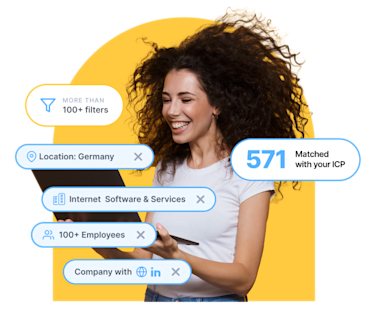
Identify and land your dream customers
Find the right prospects, accelerate your sales pipeline, and land your ideal customers even faster.
Start Sales ProspectingStep 2 – Use AI Contacts to find role-based buyers
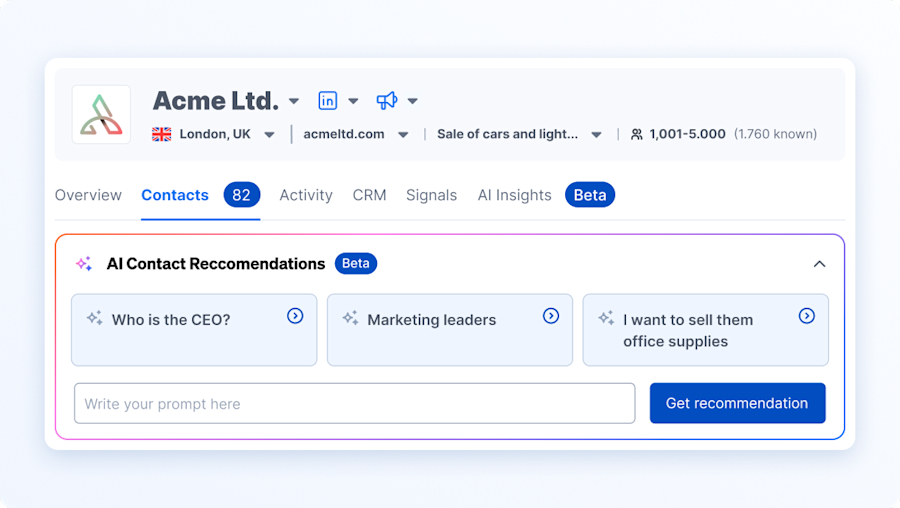
Go to Contacts → AI Contacts Recommendations in Leadfeeder.
Input a natural-language query like:
“Looking for someone running demand generation for SaaS companies in the UK”
Then apply some additional filters for precision:
Country or region
Industry
Company size
Department or seniority
AI will return a tailored list of contacts who:
Match the job function, not just title
Belong to ICP-fit companies
Can be immediately added to outreach lists
Pro Tip: Save your best-performing queries as templates for future use.
Step 3 – Build targeted lists by use case
Once you’ve used AI Contacts to find role-relevant buyers, it’s time to organize them into lists that reflect your go-to-market motion.
Whether you're building an ABM campaign, empowering SDRs, launching region-specific plays, or identifying partner leads, AI-powered contact search helps you group the right people in the right way.
Here’s how to tailor your contact lists for different use cases:
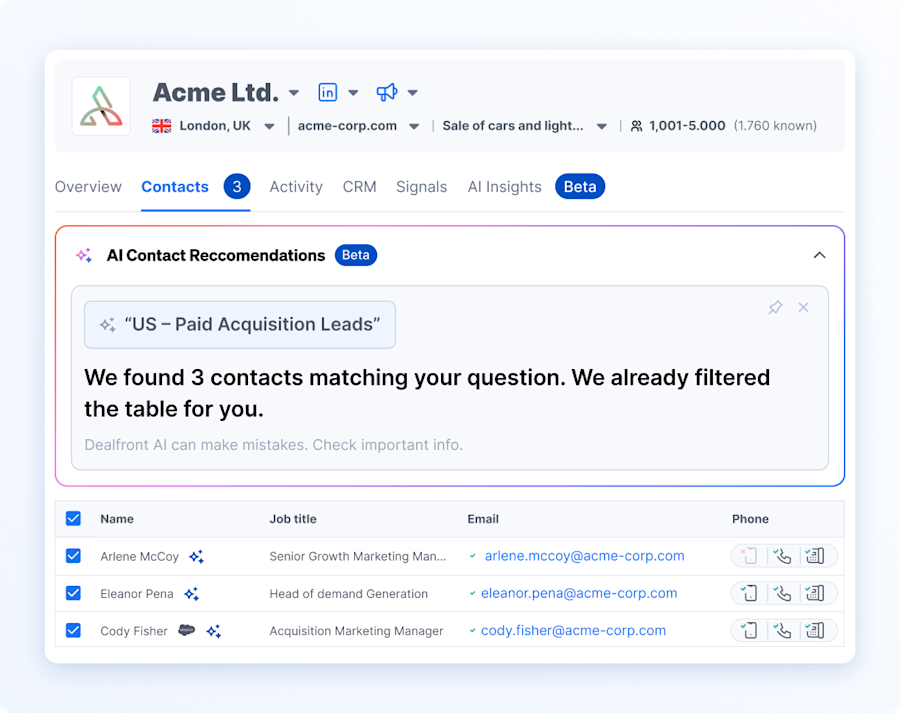
1. Build segmented ABM lists
Use AI search results to build account-specific lists grouped by job function, geography, or solution relevance and turn AI-powered search results into segmented, campaign-ready lists:
"UK – Paid Acquisition Leads"
"Germany – ESG Decision-Makers"
"France – Fleet Operations Contacts"
From here, you can:
Add company filters like revenue or tech stack
Tag contacts with campaign relevance
Use these lists across outbound, retargeting, or direct mail
This ensures you’re targeting: the right role and at the right company
2. SDR prospecting to prioritize your daily outreach lists
SDRs can use AI Contacts to generate focused lists for their daily prospecting workflows.
How:
Search by buyer function (e.g. "Who runs outbound sales in SaaS companies")
Filter by region, industry, or company size
Tag contacts by funnel stage or play type (e.g. cold, warm, intent)
Then you can:
Push directly to your CRM or sales engagement platform
Use role-specific messaging to improve relevance
Focus on the contacts most likely to respond today
The goal is to give SDRs better starting points, so they spend more time selling and less time guessing.
3. Regional GTM or Partnerships must surface the right local contacts
When expanding into new markets or growing partnerships, local relevance matters. Use AI Contacts to find the right person in-region, fast.
Examples:
“Who owns partnerships in the Nordics?”
“Find someone running GTM operations in DACH”
“Who manages channel sales in France?”
“Show me the partner marketing lead for retail companies in the UK”
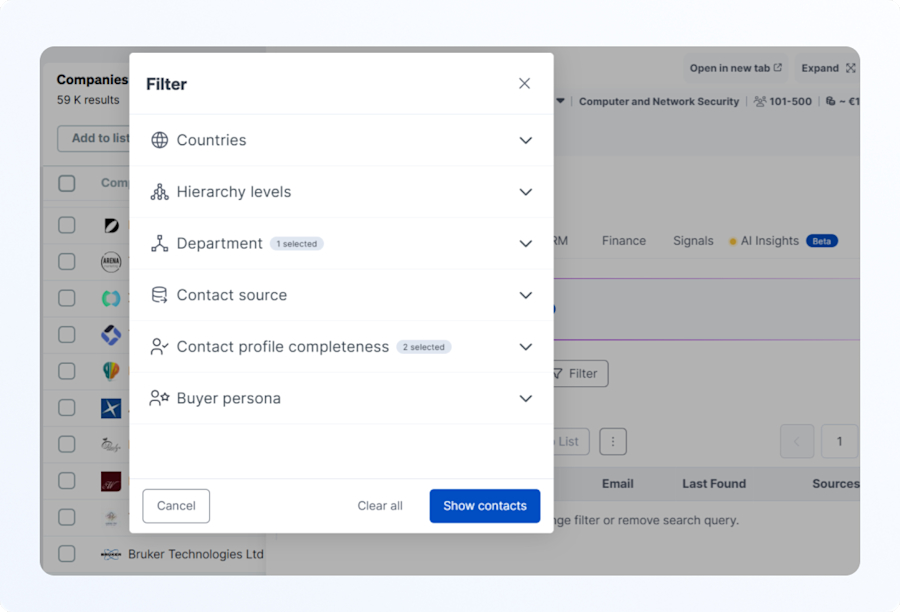
Then layer on filters such as:
Location: Country, region, or language
Industry: e.g. retail, SaaS, manufacturing
Department: Partnerships, business development, operations
Company size: Tailor for SMB, mid-market, or enterprise
From here, you can:
Tag contacts by region or partner type (e.g. reseller, VAR, affiliate)
Prioritize by strategic value or readiness
Route to partner or regional reps for follow-up
Launch territory-specific outreach or co-marketing plays
Now you can empower your GTM and partner teams with locally relevant, functionally accurate contacts, so they can move faster and close stronger.
No matter your go-to-market motion, whether it’s ABM, outbound prospecting, regional expansion, or partner development, AI-powered contact search helps you start with precision. By following these steps you’ll have now built smart, segmented lists of real decision-makers based on what they do, not just what they’re called.

Step 4 – Personalize outreach by role
Generic job-title outreach doesn’t cut it, so instead, tailor your messaging based on the function they actually perform.
Tailor messaging based on what they do.
Instead of:
“I saw you’re a Marketing Manager…"
Try:
“I noticed you're responsible for demand programs. We've helped teams reduce CPL by 25% across similar paid channels. Want to see how?”
Instead of:
“We offer vehicle management tools.”
Try:
“We help logistics leaders cut maintenance costs. I saw you're involved in vehicle ops—worth a look?”
Add personalization tokens such as:
Region
Role responsibility
Funnel stage
That’s how you scale relevance without sacrificing speed.
Step 5 – Sync to CRM and launch
Once your contact lists are built:
Push them to your CRM or outbound tool
Use tags to track which campaigns they're part of
Sync role descriptions as notes or custom fields
Then activate your campaigns:
Email sequences based on their role
LinkedIn ads matching their job function
Retargeting campaigns based on list membership
Keep refining your approach based on performance and engagement.
Effective B2B outreach prioritizes understanding roles over titles. With Leadfeeder's AI Contacts, you can find the person who actually does the job you’re solving for. It’s faster, more accurate, and more effective.
So, while AI handles the search, you can focus on the conversation.
What’s next: Steal our AI Contact search prompts
With Leadfeeder's AI-powered Contact Search, you don’t need to guess job titles or keyword-match your way through LinkedIn. Just describe the role, responsibility, or function you’re trying to reach in plain language, AI does the rest.
Use natural prompts like:
“Who is responsible for…”
“Find someone managing…”
“Show me someone leading…”
Think beyond job titles and focus on what the person does, where they’re located, and which industry or company type they work in.
Common B2B use cases
Marketing & Demand Gen
“Find someone responsible for paid social”
“Who manages demand generation in the UK?”
“Show me someone leading content marketing for a SaaS company”
“Who owns ABM for enterprise accounts?”
Why it works: Titles like “Growth Lead,” “Digital Marketing Manager,” or “Performance Marketer” vary widely, but AI focuses on the job scope, not the label.
Sales & Partnerships
“Who’s the decision-maker for partnerships in the Nordics?”
“Find someone in charge of reseller relationships”
“Who leads outbound sales in Germany?”
Why it works: Ideal for outbound teams building strategic ABM lists, expanding regionally, or mapping partner ecosystems.
Operations & Logistics
“Who manages warehouse logistics in the DACH region?”
“Find someone overseeing supply chain operations in France”
“Who runs fleet operations for delivery companies?”
Why it works: Perfect for identifying behind-the-scenes roles with non-standard or localized job titles.
HR & People Ops
“Show me who handles HR ops in the Netherlands”
“Find someone leading employee engagement”
“Who’s responsible for internal training?”
Why it works: HR titles often vary dramatically. This approach zeroes in on responsibility, not HR job title semantics.
Sustainability & ESG
“Find the person leading ESG strategy in retail companies”
“Who owns sustainability initiatives for manufacturing firms?”
“Who manages carbon reporting or emissions tracking?”
Why it works: Sustainability roles are relatively new and inconsistently titled. AI cuts through that noise by targeting function over form.
Tech, Product & Engineering
“Find someone responsible for API integrations”
“Who leads product operations?”
“Show me who runs QA in software companies”
Why it works: These roles often sit across engineering, IT, and product, with inconsistent titles. AI interprets the intent, not just the text.
Pro tips
Use location cues for regional targeting: “...in DACH”, “...in the UK”, “...for France”
Add function qualifiers for clarity: “Find someone leading…”, “Show me who owns…”, “Who manages…”
Be plainspoken! The AI works best with natural language, not jargon.
With these prompts and best practices, your team can quickly build high-precision contact lists that go beyond job titles and hit real buyer intent.
Expected results
By switching from title-based prospecting to role-based targeting with Leadfeeder's AI Contacts, your team can expect measurable improvements across every stage of the funnel.
Here’s what this approach unlocks:
Higher reply and engagement rates
Increased match quality for ABM campaigns
More meaningful personalization at scale
Faster access to real buyers