Beyond measuring traffic, these tools provide deeper insights into visitor behavior, engagement, and user journeys. With this information, businesses can improve website performance, refine marketing strategies, and create better experiences for their audience.
However, with so many website analytics platforms available today, choosing the right tool can be challenging. Each solution offers different features, pricing models, and levels of complexity, so it is important to find one that matches your specific goals and business needs.
To help you decide, we have compiled a list of 35 web analytics tools to understand your site visitors better and optimize your website performance. Let us explore the tools that can turn your website data into actionable insights.
Disclaimer: This comparison is intended for guidance purposes only and has been provided in good faith and to the best of our knowledge using the information available at the date of publication. All ‘Trademarks’ are the property of their respective owners. We are not endorsed by, directly affiliated with, maintained, authorized, or sponsored by any trademark holder referenced herein.
1. Leadfeeder
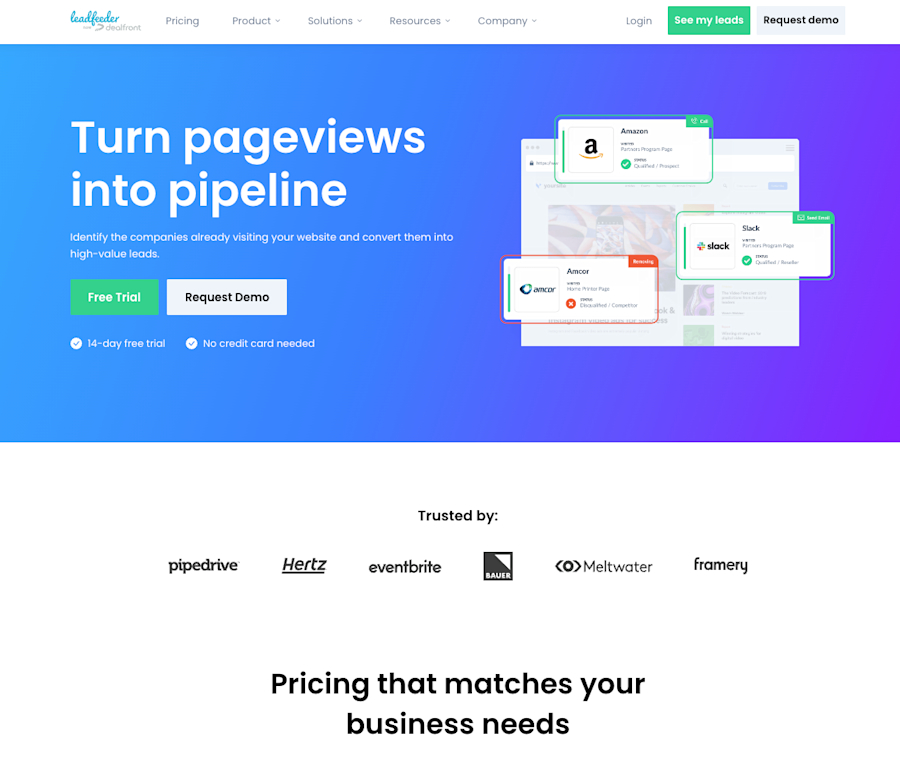
Leadfeeder is a powerful website analytics platform that helps businesses identify, understand, and engage with the companies visiting their websites in real time.
Tracking the behavior of visiting companies provides insights into their interests, allowing users to optimize their websites for improved engagement and to create data-driven lead prospecting lists for high-quality conversions.
The website visitor identification solution offers features such as live visitor tracking, flexible filtering, and automatic lead scoring. It also offers powerful contact insight, email marketing integrations, website forms tracking, and real-time notifications, making it an ideal analytics tool for website performance optimization.
Whether you're an e-commerce business looking to increase sales or a B2B company trying to generate more leads, Leadfeeder is the perfect website analysis tool to help you achieve your goals.
Take your website to the next level with Leadfeeder by Leadfeeder!
Pricing: 14-day free trial, paid plans starting at €99/month.

Website Visitor Identification Guide
The people visiting your website don’t have to be a mystery
DOWNLOAD2. Google Search Console
One of the most popular web analytics tools, Google Search Console, helps track your website's performance and ensures compliance with Google's Webmaster Guidelines. Additionally, it provides insights into attracting more visitors from Google Search to your site.
GSC also provides a number of tools and reports to help you fix issues, verify your site's presence on Google search results, and even learn how Google crawls your pages.
Pricing: Free.
3. Google Marketing Platform
Google Marketing Platform (GMP) helps you better understand how your marketing efforts are performing. It’s different from Google Analytics in that it focuses less on website statistics and more on various marketing channels.
Google Marketing Platform consists of a robust set of tools that allows you to run detailed reports, manage tags, implement surveys, and optimize your paid ad campaigns. For example, with Google Optimize, you can conduct A/B tests on your landing pages to identify the most converting version.
Pricing: GMP’s rates are not publicly available. To learn more, contact GMP.
4. Semrush
Semrush offers a robust suite of SEO tools that let you view the results of your SEO marketing efforts. It is designed to enhance online presence and uncover valuable marketing insights.
By performing competitor analysis, reviewing your backlinks, and digging deep into the data, you can learn how to outrank the competition. In addition to looking at backlinks, you can monitor your brand name, perform keyword gap analysis, and monitor your social media and social network efforts.
Pricing: Monthly subscriptions start at $117.33 and top out at $416.66/month.
5. Ahrefs
Ahrefs is an SEO toolset that lets you do everything from keyword research to backlink monitoring, all in one place. Ahrefs pulls back the curtain on your website's traffic and helps you see what search engine optimization and marketing opportunities are hiding in plain sight.
Ahrefs allows users to research keywords, track competitors' SEO performance, and monitor overall website health.
Pricing: Ahrefs offers different pricing options. The Lite subscription starts at $99/month.
6. HubSpot
HubSpot’s new free CMS platform and website builder includes in-depth website analytics to help optimize your site for conversions and the customer journey. HubSpot's traffic analytics tool lets you view website traffic data and break each channel down by source, topic cluster, device type, country, and more.
Since the platform has such in-depth reporting, any developer or business can optimize their entire website. They can do so by analyzing past performance and implementing incremental improvements to enhance the user experience.
Pricing: Contact HubSpot for details of business and enterprise packages.
7. Hotjar
Hotjar is an all-in-one analytics and feedback tool that helps you understand how users act on your website.
Hotjar monitors where people click, their scrolling behavior, inputs, mouse movements, and a heatmap of where they spend the most time on the page.
Pricing: You can use Hotjar’s Basic package for $0/forever, but it’s limited to 35 daily sessions. If you need more, the pricing starts at $32/month.
8. Adobe Analytics Cloud
Adobe Analytics Cloud provides advanced features for tracking and analyzing customer behavior across digital channels.
It helps businesses understand user interactions and improve customer experiences with detailed reports and visualizations. It also enables insights into customer behavior by optimizing marketing strategies.
Pricing: To view pricing, visit Adobe Experience Cloud.
9. MixPanel
Mixpanel is a platform that provides user analytics on user behavior. It is used by businesses to understand how their customers interact with their website, mobile app, and products.
Mixpanel's web analytics software is divided into three tools. Convert helps users to understand how their conversion rates vary by segment, Engage measures active usage and in-product data, and Retain provides in-depth retention analysis.
Pricing: Mixpanel has a free starter plan. Paid plans start at $28/month.
10. SimilarWeb
What if you could have eyeballs on the website analytics of your competitors — legally, of course? SimilarWeb is a website data collection company that uses multiple data points to compile a comprehensive dataset that can be used to gain actionable insights into your competitors.
The mathematicians and data scientists at SimilarWeb have built a robust data platform that provides valuable insights for marketing, sales, and research.
Pricing: Packages start at $125/month.
11. Visual Website Optimizer (VWO)
The web analytics tool, Visual Website Optimizer (VWO), lets you run A/B tests on different graphical and textual on-page elements.
It also lets you record visitor sessions for playback analysis. For example, one company used the live user recording feature of VWO to discover a critical shipping error that appeared randomly throughout the day. As a result, the bounce rate on that page decreased by almost 45 percent.
Pricing: VWO offers a free trial of its web analytics tool and asks you to contact them for rates.
12. Rebrandly
Determining the ROI of various marketing channels can be tough. Rebrandly lets you create custom URLs and track and analyze them using over 100 parameters.
Rebrandly integrates with Google Analytics, allowing you to redirect, track, and analyze website traffic.
It also helps you understand the true value of your marketing efforts and eliminate traffic sources that aren’t converting.
Pricing: Rebrandly has a limited free option and tops out at $365/month.
13. PageSpeed Insights
In this day and age of high-speed internet, your site must keep up. Your website might still experience long loading times despite a fast internet connection. Most internet users won't wait more than a couple of seconds for a page to load. And that’s where PageSpeed Insights comes in.
PageSpeed is a free Google site analytics tool that allows you to see how fast (or slow) your web pages load. A slow website could be caused by many factors, such as network latency, poor server optimization, or large image/file sizes.
According to a study conducted by Portent, a B2B website loading in one second experiences a conversion rate that is three times higher than a site that takes five seconds to load.
Pricing: Free.
14. Intercom
Does your organization have a web app for iOS or Android? Intercom offers a set of robust tracking and website analytics tools that will help you better understand who’s using your web app.
With just a couple of lines of JavaScript code, you can track and interact with your web app users in a matter of minutes. Intercom doesn't just give you stats — it helps onboard new clients, announce new features, and improve the overall customer experience.
Pricing: starts at $39/month with an enterprise-level package available for $139/month. Intercom has a 14-day free trial.
15. Domo
The different departments of any given organization often find themselves (and the data they create) siloed. It’s usually up to the IT department to run comprehensive database reports that can offer actionable business intelligence from site analytics.
Domo connects databases, systems, and people so that all departments are seeing the same web analytics data. This not only simplifies the lives of department heads but gives the leadership team a proverbial 90K foot view of any department with a few clicks of the mouse.
In many organizations, various departments often end up siloed, keeping their data isolated. Typically, it falls on the IT department to use website analytics services to generate detailed database reports and provide useful business insights.
Domo connects databases, systems, and people so that all departments see the same web analytics data. This not only simplifies the lives of department heads but also gives the leadership team a 360° view of any department with a few mouse clicks.
Pricing: Domo offers a 30-day free trial with unlimited users and provides pricing upon request.
16. Segment
As time goes by and companies grow, so does their customer database. Problems can arise when this data becomes cumbersome, isolated, and segmented.
Additional problems can occur when there is no standard data governance plan in place. Abbreviations and word variations can cause confusion and lead to misleading web analytics reporting.
Segment attempts to solve these problems by serving as an infrastructure for collecting, cleaning, and controlling customer data. It also integrates with a long list of tools, including Google Analytics, Salesforce, and Facebook Pixel, to name a few.
Pricing: There is a 14-day free trial available. Pricing available from the Segment sales team.
17. PaveAI
Another free web analytics tool that the Leadfeeder team loves. If you’ve used Google Analytics at any length, you’ve probably seen line after line of referrer spam appearing in your reports.
Most people remain unaware that spammers and their evil bots visit their websites, inflating page views by hiding within the traffic reports. PaveAI removes this fake web traffic from your analytics reports, thereby giving you a clear view of your traffic levels.
It works in conjunction with Google Analytics and uses the Management API to continually add new filters once referrer spam is detected.
Pricing: Free.
18. Pingdom
Much like Google PageSpeed Insights, Pingdom tests your website for various factors that could slow it down. Going one step further, this website analytics program will also monitor your site and server for latency issues.
You can manage and monitor your website’s performance, uptime, and user interactions which in turn will give you peace of mind when you’re away from the office.
Pricing: Pingdom offers a 14-day free trial with pricing starting at $10/month.
19. Screaming Frog SEO
This free web analytics tool is much more than looking at who is visiting your website. Screaming Frog SEO Spider is a powerful tool for website analysis in search engine optimization (SEO). Its primary function is to crawl websites — much like search engine bots — to gather data and provide insights that can help optimize a site for better search engine rankings.
All you need to do is simply enter your website's URL. In just a few minutes, based on your site's size and the bot's crawl speed, you'll have a comprehensive technical SEO audit ready. You can also find and fix broken links, check for 404 pages, and analyze your onsite SEO.
Screaming Frog SEO can also help pinpoint the exact locations of errors identified by tools such as Google PageSpeed Insights and Pingdom.
Pricing: The website analytics tool has a free version that’s limited to crawling 500 URLs. The paid version starts at $209 per year.
20. Woopra
Customer data is the lifeblood of any company. Woopra lets you parse and analyze data, giving you a better understanding of what your customers are doing. It accomplishes this by mapping out the customer journey and answering complicated questions.
Woopra also integrates with over 50 platforms, including MailChimp, Slack, and MySQL. Having the capacity to gain a comprehensive understanding of your customers' activities is crucial for delivering a top-notch customer experience.
Pricing: Ranges from free to $999/month. An enterprise plan is also available.
21. Moz
Moz gives you the same basic functionality as Semrush. You can view backlinks, analyze the competition, and explore potential linking opportunities. It also allows you to find new keywords and content ideas by looking at your and your competitors' websites.
When used with Google Analytics, Moz can help you discover new search engine keyword opportunities that drive both traffic and sales.
Pricing: There’s a 30-day free trial, and pricing starts at $49/month.
22. Cyfe
Cyfe functions as the go-to business dashboard tool. It allows users to merge their data and visualize trends. It is a specialized marketing analytics tool for automating data extraction from multiple unrelated sources. It also offers real-time dashboards for seamless monitoring.
To use Cyfe, no coding experience is required. There are pre-built widgets that automatically connect you with a wide range of other online web analytics services.
Cyfe saves you from having to log in to multiple websites to get a clearer picture of what’s happening at any given moment.
Pricing: There’s a 14-day free trial, and pricing starts at $19/month.
23. Kissmetrics
Kissmetrics is a customer engagement platform that focuses on analytics and marketing tools. It aims to help you get a clearer picture of which marketing campaigns are working and which aren’t.
The main work of this tool is to track and analyze customer data before and after purchase to improve conversion rates, retention, and the overall user experience on websites and mobile apps.
Pricing: Prices start at $25.99/month.
24. Chartbeat
ChartBeat is a tool designed for businesses that publish active content on their websites. It analyzes customer behavior and interactions with content, offering real-time insights into the number of visitors on each page.
That’s not all. Chartbeat also provides insights into audience engagement metrics, such as scroll depth and time spent on pages. It identifies traffic sources, monitors social media mentions, and provides tools to optimize content performance and audience engagement.
Additionally, Chartbeat helps understand audience demographics and behavior patterns to refine content strategies.
Pricing: Available from their sales team.
25. Parse.ly
Parse.ly is a platform that helps publishers and content creators understand audience behavior. It tracks and analyzes user interactions with the website’s content. This provides insights into which articles or topics perform best, audience demographics, engagement metrics (like time spent on different pages), and traffic sources.
As a result, you’re able to make better marketing decisions once you get a clearer picture of what aspects of your site are keeping your visitors more engaged. This, in return, helps reduce bounce rates and increase conversions.
Pricing: To learn more about their pricing, contact their team, as rates are offered on a case-by-case basis.
26. UserTesting
Website analytics tools are excellent for uncovering hidden insights about visitors. The downside is that they can’t show or tell you what your customers think.
UserTesting takes website analytics one step further by having real people use and review your app or website while it's recorded on video. Companies use UserTesting to improve their digital products based on user insights and feedback.
Pricing: Reach out to the UserTesting team to learn their pricing.
27. Facebook Audience Insights
Is Facebook part of your marketing strategy?
If so, Facebook Audience Insights can provide invaluable information on your likes, follower counts, comments, and other data points. With this tool, businesses can explore specific demographics, interests, behaviors, and purchase activities of their target audience or broader user segments.
It will help you increase user engagement by giving you the tools to determine what is and isn’t working.
Pricing: Free.
28. GoSquared
GoSquared focuses on measuring how long a unique visitor has been active on your website. Unlike other website analytics tools, it uses a unique method to determine how long a user spends on your site.
When someone first visits your website, a "ping" is sent to GoSquared. That ping is repeated back and forth until the person leaves your website. It works silently in the background and doesn’t disrupt the user experience.
By measuring time spent on site in this way, you can get a much more accurate picture of exactly how long people are staying on your website.
Pricing: Starts at $9 to $99/month. An enterprise plan is available.
29. AW Stats
AW Stats is an open-source web analytics tool that provides a visual representation of your data. It’s great for reviewing file transfer protocol, email, and log file statistics.
The only downside to this tool is that it will require some coding or server knowledge to implement. If you have an internal IT department or IT company on retainer, it’s probably best to let them handle the installation of this powerful site analytics software.
Pricing: Free.
30. Crazy Egg
Crazy Egg is a website analytics tool that helps you optimize your site to be more user-friendly, engaging, and conversion-oriented. Using heatmaps and A/B testing, Crazy Egg shows how people engage with your site, empowering you to enhance its design for better conversions.
You can use Crazy Egg to track clicks, mouse movements, and scrolling on your site. This allows you to build a heatmap showing how far down your pages visitors are reading and where they are clicking. You can also test different versions of your pages and optimize them based on which performs best.
Wrapping up, you should consider CrazyEgg if you are looking to improve your website's performance. It is easy to use, explains everything in detail, and has all of the features you need to boost your website's user engagement.
Pricing: Starts at $49/month with access to 75,000 tracked pageviews, 50 snapshots, and 500 recordings per month. It also has an enterprise package.
31. Zuko
Zuko is a form optimization and tracking analytics tool. It helps you get more out of your forms. Zuko can enhance conversions by streamlining user form completion. It also reduces errors by displaying warnings for input issues and tracks form usage, providing insights into user behavior.
As you know, the more complicated your form, the more complicated your analytics and optimization will be. That's why Zuko is a great example of a web analytics tool that can help you optimize your forms.
Pricing: A free trial is available. Pricing for this tool starts at $40/per month.
32. Mouseflow
Mouseflow is an online video analytics tool that helps website owners understand how users interact with their websites. It provides insights by recording and analyzing user sessions, including mouse movements, clicks, scrolls, etc.
You can use Mouseflow to automatically generate heatmaps for all pages, so you can see how your visitors interact with your site and optimize accordingly. And if you want more information about the people who visit your site, Mouseflow offers form analytics to help you get it.
Pricing: Subscriptions start from $31/month.
33. Amplitude
Amplitude is a product analytics solution that makes it easy for teams to get fast insights into user behavior, performance, and retention, so they can build better products.
Amplitude helps boost engagement, growth, and revenue. It provides your teams with self-service product data, empowering them to understand their product's users and ways to improve it.
Pricing: The starter pack is free, but the paid plan starts from $49/month.
34. FullStory
FullStory is a digital experience intelligence platform that captures every user interaction with total privacy. FullStory’s features include on-demand conversion funnels, advanced search options, replays of actual user sessions, and a suite of robust debugging and developer tools.
The FullStory analytics engine also automatically indexes digital interactions with websites or applications. This empowers teams to measure, validate, and take action on each user experience at scale.
Pricing: You can get a business plan with a 14-day free trial, or visit FullStory for more pricing options.
35. ChartMogul
ChartMogul is focused explicitly on subscription analytics. ChartMogul helps subscription-based businesses track key metrics like monthly recurring revenue, customer churn rates, and customer lifetime value.
By consolidating data from various sources, it enables valuable insights and informed decisions to optimize growth strategies.
Pricing: The Starter plan is free. Contact the sales team for pricing information on paid options.
Website Analytics Tools Comparison
The table below provides a quick comparison of the website analytics tools discussed above. It summarizes their key features and any pricing information mentioned in the article, making it easier for you to review the options.
Tool | Category | Best Use Case | Free Plan/Pricing |
Leadfeeder | Behavior / Lead analytics | Identifying companies visiting your B2B website and generating sales leads | 14-day free trial, paid from €99/month |
Google Search Console | SEO | Monitoring search performance, indexing issues, and keyword visibility in Google | Free |
Google Marketing Platform | Marketing / Behavior analytics | Managing and measuring digital marketing campaigns across channels | Contact sales |
Semrush | SEO | Keyword research, backlink analysis, and competitor SEO insights | $117.33 to $416.66/month |
Ahrefs | SEO | Tracking backlinks, keyword rankings, and competitor SEO strategies | From $99/month |
HubSpot | Behavior / Marketing analytics | Tracking traffic sources, leads, and marketing funnel performance | Contact sales |
Hotjar | Behavior analytics | Heatmaps, session recordings, and user interaction insights | Free plan available, paid from $32/month |
Adobe Analytics Cloud | Behavior / Customer analytics | Enterprise-level analysis of customer journeys and digital interactions | Contact sales |
Mixpanel | Product analytics | Tracking how users interact with apps and digital products | Free plan available, paid from $28/month |
SimilarWeb | SEO / Competitive analytics | Benchmarking website traffic against competitors | From $125/month |
VWO | Behavior / Conversion optimization | Running A/B tests and analyzing user behavior to improve conversions | Free trial, contact sales |
Rebrandly | Marketing / Link analytics | Tracking branded link performance across campaigns | Limited free plan, paid up to $365/month |
PageSpeed Insights | SEO / Performance analytics | Measuring and improving website loading speed and performance | Free |
Intercom | App/web analytics & engagement | Understand web app users & interactions | From $39/month; 14‑day trial |
Domo | Business analytics | Combining multiple data sources to create analytics dashboards | 30-day free trial, pricing on request |
Segment | Product / Customer data analytics | Collecting and routing customer data to multiple analytics tools | 14-day free trial, contact sales |
PaveAI | Marketing analytics | Cleaning Google Analytics data and generating automated insights | Free |
Pingdom | Performance & uptime analytics | Monitor site speed, uptime & server issues | 14‑day free trial; pricing starts at $10/mo |
Screaming Frog SEO | SEO analytics | Technical SEO audits & site crawling | ree to crawl 500 URLs; paid from £209/yr |
Woopra | Customer journey analytics | Analyze customer activities & journeys | Free to $999/mo tiered |
Moz | SEO analytics | Backlinks, competition & keyword discovery | Free trial; paid from $49/mo |
Cyfe | Dashboard & analytics | Visualize multiple data sources in one place | 14‑day trial; paid from $19/mo |
Kissmetrics | Product / Customer analytics | Tracking user engagement and conversion behavior over time | From $25.99/month |
Chartbeat | Content / Behavior analytics | Real-time analytics for publishers and media websites | Contact sales |
Parse.ly | Content analytics | Understanding content engagement and audience behavior | Contact sales |
UserTesting | Behavior / UX analytics | Observing real users interacting with websites and apps | Contact sales |
Facebook Audience Insights | Social audience analytics | Demographic & interest insights from Facebook | Free |
GoSquared | Website analytics | Accurate time‑on‑site measurement | From $9–$99/month |
AWStats | Web analytics | Log-file based website traffic reporting | Free |
Crazy Egg | Behavior analytics | Heatmaps and A/B testing for website optimization | From $49/month |
Zuko | Form & analytics optimization | Form usage insights & optimization | Free trial; starts at $40/mo |
Mouseflow | Behavior analytics | Session replay & heatmap analytics | From $31/month |
Amplitude | Product analytics | Product usage & retention insights | Free starter; paid from $49/mo |
FullStory | Experience analytics | Session replay & digital journey analysis | 14‑day free trial; paid options |
ChartMogul | Subscription analytics | SaaS metrics like MRR & churn | Free starter; paid options |
What are web analytics tools?
When we talk about web analytics tools, we’re referring to software solutions that track website visitor behavior and turn that data into accurate, actionable, and easy-to-understand insights. Ideally, presented in a digestible and user-friendly way through detailed reports.
For example, if you’re wondering how people are finding your website, what they get up to when they’re on it, how long they stick around for, and how you can improve their user experience, then using web analysis tools can help.
A web analysis tool can be instrumental in showing you effective ways to perform crucial actions, such as optimizing your website, boosting sales, and providing a better customer experience
Once you’ve assessed how your website performs against your users’ needs, goals, and requirements, you’ll be in a much better position to provide customers with an online journey that truly addresses their pain points and meets—or exceeds—their expectations.
Types of web page analytics tools
Have you decided to start using web page analysis tools? Great. Before you jump in, though, you need to have a clear understanding of what types of analytics tools for websites exist, as well as what they do.
Generally speaking, these tools fall into two main categories, based on how they collect data:
On-site/hosted tools, which are pieces of code that you install directly on your website to generate analytics that are specific to you.
Off-site/third-party tools, which enable you to gather insights from external sources, such as toolbars and search engines, to generate analytics about several different websites.
Each of these two categories includes a few more types of web analytics tools:
Traditional analytics tools, which include solutions like website traffic analytics tools
Customer journey analytics tools provide information about each customer touchpoint across a range of channels
SEO analytics tools provide information on things like backlinks, keyword performance, search traffic, competitors, and more.
Behavioral analytics tools, for qualitative user website behavior data, both individual and aggregated
Content analytics tools, to measure the performance of web content
Product analytics tools, for tracking things like engagement (conversion rates, feature usage, customer journey mapping, etc.) with specific services or products that you’re offering through your website.
Must-have features of a site analytics tool
Whether you're aiming to boost traffic, enhance user experience, or increase conversions, using the best web analytics tool is the right place to start.
If you’re in the market for a holistic site analysis tool, here are eight must-have features to look out for:
1. Real-time reporting
Real-time web analysis reporting is essential to see exactly how your website is performing at any given moment. Staying on top of real-time data means you can manage traffic spikes, react to emerging trends, and handle potential issues swiftly. This enables you to optimize your strategies on the fly, ensuring maximum engagement and conversions.
2. Conversion tracking
Conversion tracking is the heartbeat of any data-driven marketing strategy. This web page analysis method allows you to measure the effectiveness of your campaigns by tracking how many people actually perform the desired action, such as purchasing, signing up, or downloading.
Measuring conversions this way helps you understand how to refine your tactics, increase ROI, and focus your resources on strategies that deliver real results.
3. Custom reporting
Custom reporting puts you in control of your data narrative. Instead of being overwhelmed by generic metrics, you can tailor reports to reflect the KPIs that matter most to your business. This enables you to extract relevant insights from your website analytics tools and make data-driven decisions that align with your unique business goals.
4. Behavior analysis
Imagine knowing exactly how customers interact with every inch of your website. Web analysis tools for behavior analysis give you that power. They reveal the path web visitors take through your site, highlighting what grabs their attention and where they lose interest.
For example, if users consistently abandon a page, it’s a clear sign that something needs fixing. By understanding these behaviors, you can fine-tune the user journey, keep visitors engaged longer, and, ultimately, drive more conversions.
5. Heatmaps
Heatmaps are a feature of site analytics tools that use clear and powerful visuals to show how users engage with your website. They highlight areas of high activity and interest on your pages and reveal where users click, scroll, and hover.
This information is invaluable for refining and optimizing your layout, content, and calls to action to drive more effective user interactions.
6. Segmentation and filtering
Whether you’re targeting tech-savvy millennials or seasoned professionals, the best website analysis tools allow you to slice and dice your data by demographics, behavior, and more. This precision lets you craft highly personalized campaigns that hit the mark every time. The result? Your audience feels understood, your engagement soars, and your ROI increases.
7. Traffic source analysis
Knowing where your best customers come from is like having a roadmap to success. Web page analysis tools that identify traffic sources show you which channels—whether it’s social media, search engines, or referral sites—are driving the most valuable traffic to your website.
These insights can empower you to double down on what’s working, refine your marketing mix, and discover untapped opportunities for growth.
Factors to consider when choosing an analytics tool for website tracking
Features and functionality aren’t the only deal-breakers when selecting the right web analytics tool. For these solutions to be really effective, you’ll want to consider quite a few other elements, including:
1. Cost
As with most business-related purchases, cost is one of the main factors you’ll need to consider. Consider both upfront and ongoing expenses, such as subscriptions, training, and maintenance, and ensure they don’t exceed your available budget.
2. Security
Whatever product you choose, ensure that you select something that’s fully compliant with the current legislation in terms of data privacy and security.
3. Training and support
Even the seemingly most straightforward tool might need a bit of initial training and support from the product’s team. Do some research into this before selecting the right tool for your company. For example, how are other people evaluating customer support? Will you be able to access it whenever you need it? Does it have any extra costs? Find all this out before you go ahead.
4. Goals
What are you planning to use these tools for, exactly? Before jumping into the first name on your list, it’s worth putting together a series of business objectives and working out how the tools you’re considering are stacking up against them.
5. Integrations
This is particularly crucial if you’re operating a complex ecosystem of digital solutions. Easy integrations with a range of other sources are always a bonus—if not a necessity—for most companies, however.
6. Usability
You’ll want a tool that’s user-friendly so your team can get proficient with it as quickly as possible and make the most of the solution.
7. Scalability
Always look forward when choosing a web analytics tool. Even if, right now, you don’t think you need something particularly sophisticated, things might change significantly in a matter of months. You’ll want a solution that can scale up (and down) depending on how your business is doing and growing.
8. Performance
Ultimately, you’ll want to use a tool that works great, regardless of the amount and type of data you feed it. Check other people’s reviews on the tool’s performance and reliability, and whether it’s prone to frequent glitches and/or unplanned downtimes.
9. Reputation
Lastly, you’ll need to do more research into the reputation of whoever produces and sells the tool you’re interested in. Do they have a good track record backed by positive customer reviews, relevant case studies, and more? This kind of information should be easy to find, especially on unbiased third-party sites such as Trustpilot and Google.
Choose the right web analytics software for your business
Website analytics software tools are essential for any business that wants to create competitive marketing strategies in the modern, data-driven world.
Our list of web analytics platforms, tools, and providers should offer you a solid foundation for choosing the best website analysis software for your business needs.
As one of the best web analytics tools, Leadfeeder provides you with an end-to-end platform for creating web analytics reports and gathering more high-quality leads to grow your business.
Sign up for our free 14-day trial to experience everything Leadfeeder has to offer today.
Web analytics platforms FAQs
What are web analytics tools?
A website analytics tool analyzes website traffic and user engagement. This provides valuable insights into how people interact with your website, enabling you to optimize online performance.
What are the main types of web analytics tools?
The main types of website analytics platforms include tools for traffic, behavioral, and conversion analytics.
How do web analytics tools work?
Web analytics tools collect data through tracking codes on your site. This data is then analyzed, and insights are provided through dashboards and reports on your web analytics platform.

Director of Content Marketing @ Leadfeeder
Jamie Pagan is Director of Demand at Leadfeeder, where he leads demand generation and pipeline growth initiatives. His work focuses on connecting marketing activity with revenue by combining intent signals, campaign performance data, and audience insights.
With experience building scalable demand engines and launching growth-focused campaigns, Jamie brings a practical perspective on how marketing teams generate and capture demand. His experience working with intent data and marketing analytics informs his approach to identifying high-intent buyers and converting interest into qualified opportunities.