60-Second Summary
Most B2B visitors never fill out forms—they browse, compare, and leave anonymous. This guide offers two conversion angles: capture visitors who are ready with sharper forms, contextual CTAs, and intent-matched pages; and identify and follow up the large group that never submits anything.
Key takeaways: Treat tactics as hypotheses—the real levers behind wins are lowering the cost of action, building trust, simplifying UX, clarifying the offer, or increasing motivation; most pipeline lives in visitors who never submit a form.
Standout strategies & tactics: Use Leadfeeder + Google Analytics to identify company visitors and trigger alerts, employ exit-intent pop-ups, live chat, longer/validated forms for qualification, campaign-specific landing pages, contextual CTAs, and bottom-of-funnel keyword content.
Real-world lessons & frameworks: Diagnose by behavior—bouncing visitors usually need clearer headlines and proof; engaged but not converting need better value or lower cost to act; converting but junk leads need stronger qualification—and move one lever boldly and test.
Quick start framework: Pick the weakest lever for your site, implement a bold change (e.g., targeted alerts, contextual CTA, or form validation), measure against baseline, and segment returning visitors and channels to iterate toward bottom-of-funnel impact.
*This summary was created with AI assistance, using our original content.
Most conversion advice skips one fact: in B2B, most visitors never fill out a form. They read a few pages, compare you to competitors, and leave. No email, no demo request, nothing in your CRM. If your strategy cannot capture website visitors without form submissions, you're only reaching the people who'd have converted anyway.
So this guide tackles how to convert website visitors into leads from two angles. First, converting the visitors who are ready to act, with sharper forms, contextual CTAs, and pages that match intent. Second, identifying and following up with the ones who never fill anything in. Most of your pipeline sits in that second group.
We'll cover eight strategies. But first, the thing that matters more than any tool: knowing which of these will work for your site, and which are just someone else's best practice.
First, a word on "best practices"
Every strategy in this article works somewhere. That doesn't mean it'll work on your site.
Exit-intent pop-ups lift conversions on one page and drive visitors away on another. Longer forms qualify better for one team and sink sign-ups for the next. The tactic isn't the point. The reason it works is. And that reason is almost always one of five things: you've lowered the cost of acting, built trust, made the page easier to use, made the offer easier to understand, or given people a stronger reason to want it.
Those five are the levers behind every conversion win. Copy a tactic and you're guessing which lever your visitors need pulled. Test it and you find out.
So treat this list as a menu of hypotheses, not a checklist. Pick the strategy that matches the lever you think is weakest, change it boldly enough to see a difference, and measure it against what you did before. In our own testing, the clean wins rarely come from tweaking a button color. They come from moving one lever hard and watching the whole page respond.
A quick way to choose where to start:
Visitors bouncing before they engage?
Usually a comprehension or trust gap. Fix the headline and the proof before you touch the form.
Engaging but not converting?
Usually cost or motivation. Look at what you're asking for versus what you're offering in return.
Converting, but with junk leads?
A qualification gap. This is where longer forms and domain validation earn their place — as a deliberate trade, not a default.
1. Use Google Analytics with Leadfeeder to Convert Anonymous Website Visitors
Google Analytics tells you how many people visited your website, but not who they were or which companies they came from.
Leadfeeder is software to convert website visitors into leads, using reverse IP lookup to identify the companies that are visiting your website. To convert those visitors into leads, you can set up Leadfeeder alerts to create a plan of action.

Leadfeeder for Marketing
Identify which campaigns drive your highest-intent visitors, see which companies they come from, and build audiences for retargeting, all from one platform..
DownloadLeadfeeder Alerts
Using alerts, you can trigger email and Slack messages when target companies or repeat visitors land on your site.
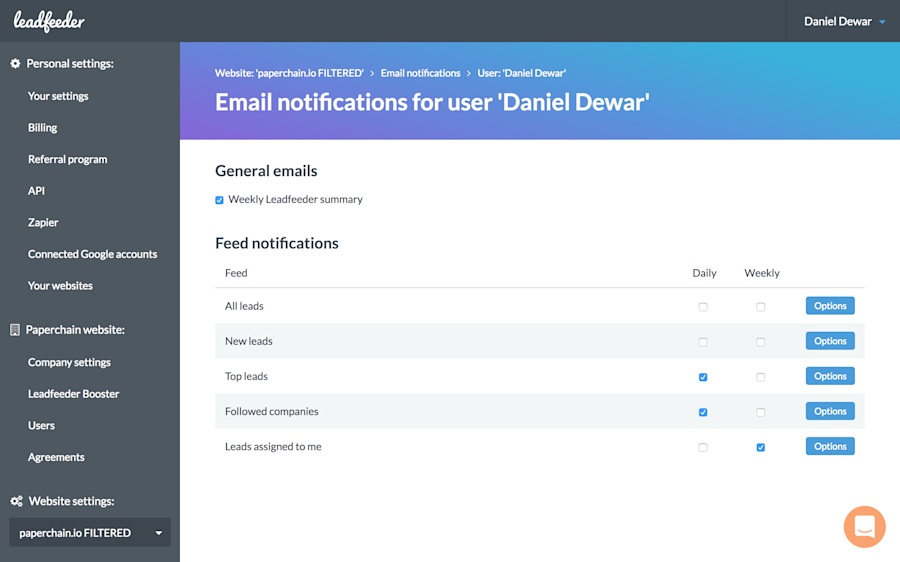
These alerts allow you to respond in a timely manner and engage users. If the visiting company is already a lead in your system, you can automate a note assigning a sales rep to follow up with them.
You can also trigger an email that includes resources based on the pages they visited on your site, or start a live chat conversation to engage them immediately.
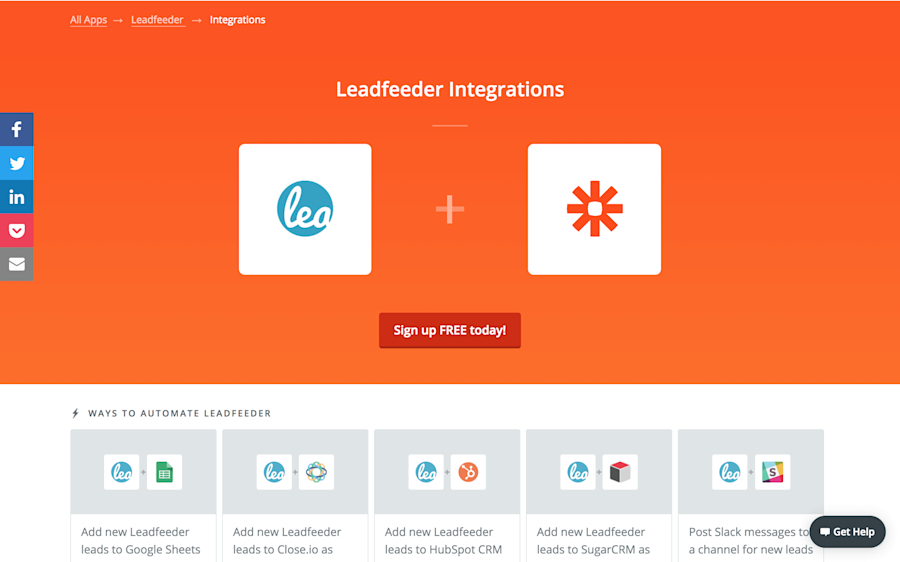
Leadfeeder integrates with Zapier, meaning you can add Leadfeeder information to your CRM and use Zapier’s integrations with Clearbit and Full Contact to add contextual information to your records.
2. Exit Intent Pop-Ups
Exit-intent pop-ups are a popular lead-generation tool and typically increase conversions by 5-10% when deployed correctly. They work by triggering a pop-up just as users are dragging their cursor toward the “close” button on their screens.
It’s the online equivalent of yelling, “Hey, stop! Don’t go yet! We have one more thing to show you!” Exit-intent popups B2B audience include:
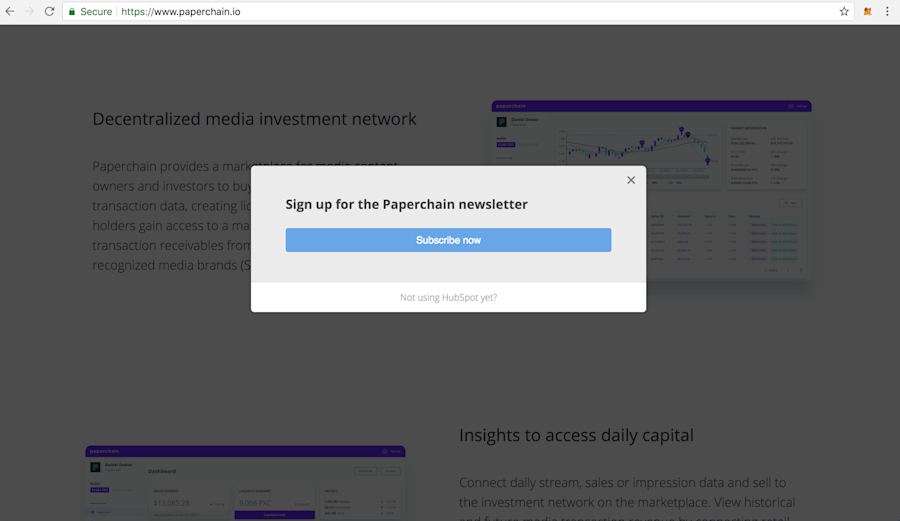
Newsletter signup: Offer a signup for your newsletter.
Social Media Links: Ask your visitor to connect with you on your social media channels. If they’re not converting now, you can still move them into your funnel.
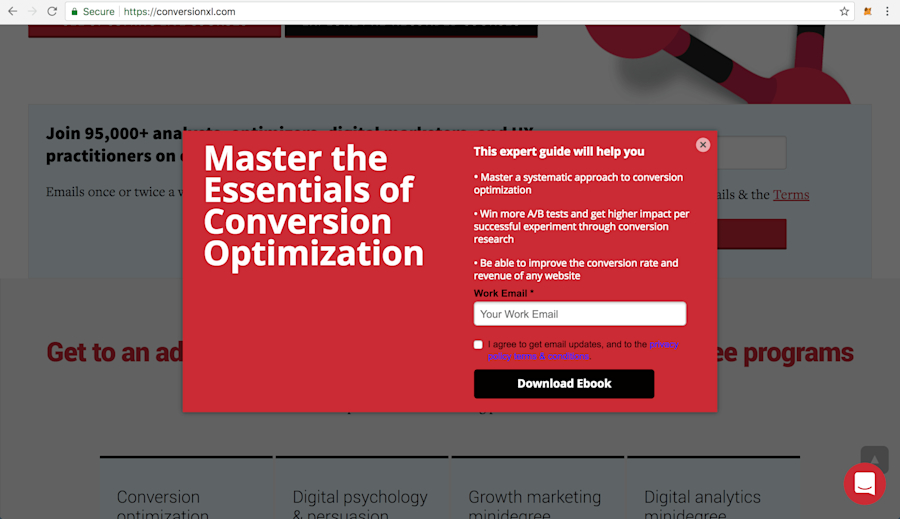
Exclusive Content: Offer access to gated or exclusive content in exchange for an email sign-up.
Discounts: Offer a discount on pricing for exchanging their information (or use Leadfeeder’s company segmentation tools to make offers that correlate to the business type)
Free Stuff: Offer giveaways such as t-shirts, stickers, etc.
These kinds of signups often need nurturing before they’re ready to be handed over to sales reps for follow-up. But having their contact information is certainly better than letting visitors leave without engaging them one last time.
If you’d like to set up an exit pop-up for your site, Sumo offers a free suite of tools to increase lead conversion, including a pop-up tool. You can also use ShareThis or WisePops. If you’re a HubSpot CRM user, you can use HubSpot’s Leadin.
3. Use Live Chat to Convert Website Visitors
Live chat offers a great opportunity to engage website visitors while they are on your site and increase conversions.
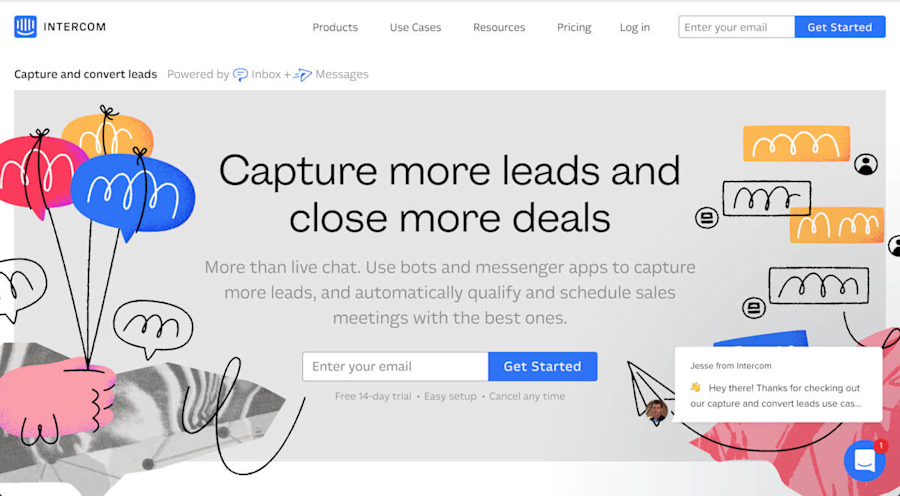
In fact, it can increase website conversions by 45% because all you’re really doing is offering instant customer service.
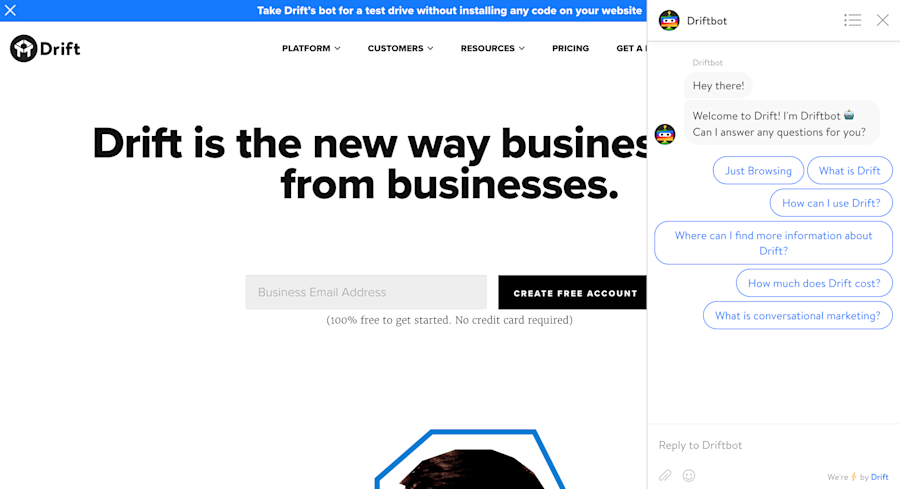
Live chat lets you engage visitors with messaging that is directly relevant to the content in front of them. Most live chat platforms let you segment by URL and country, and you can set up initial messaging to be personalized by these parameters.
You can even personalize based on whether they are repeat visitors. If the person is a repeat visitor, you can directly engage them with messaging or an offer tailored to their specific activity on your site.
LiveChat, Olark, Drift, and Intercom all offer live chat solutions suitable for small businesses through the enterprise.
4. Qualify Your Visitors Through Longer Lead Forms
While landing page copy can help, you can reinforce the copy by setting expectations in the form fields.
In reviewing their landing page, TruckersReport A/B tested their sign-up form, comparing a form with multiple fields to one with just an email field. The form with multiple fields converted 13% more than the short form.
It will take time to work out the right number of fields. The best way to start is to understand what information you need to qualify sign-ups effectively.
Similarly, Paperchain pitches itself as a solution to music publishers and record labels. It uses multiple fields to better identify who is signing up and to weed out those who aren’t suitable. If a prospect isn’t interested in filling out a longer form, chances are they aren’t ready to buy.
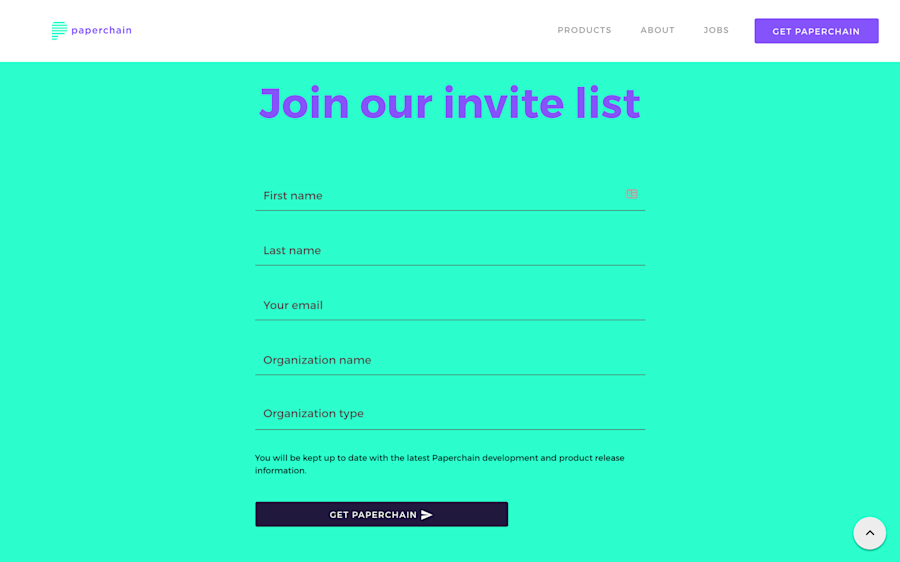
By adding “Organization name” and “Organization type,” they can better segment their mailing list and trigger specific customer journeys based on those variables.
If you are a B2B business and want to keep your form to a name and email address, use form validation to accept only company domains. You do this by rejecting emails that use free email domains such as Hotmail and Gmail. You can find a list of free email domains to exclude in your form here.
5. Create Campaign-Specific Landing Pages for Your Paid Marketing Campaigns
How do you influence CPC in AdWords campaigns? Ad quality score. What influences your ad quality score? Among other things, the relevance of ad and landing page copy, and conversion rates.
AdWords rewards campaigns that align ad copy to landing copy and campaigns that continually convert. Google sees these factors as indicators of relevance, and it’s in its interest to serve the most relevant results, even for paid campaigns.
Let’s look at an example when I search for solutions related to “media attribution”.
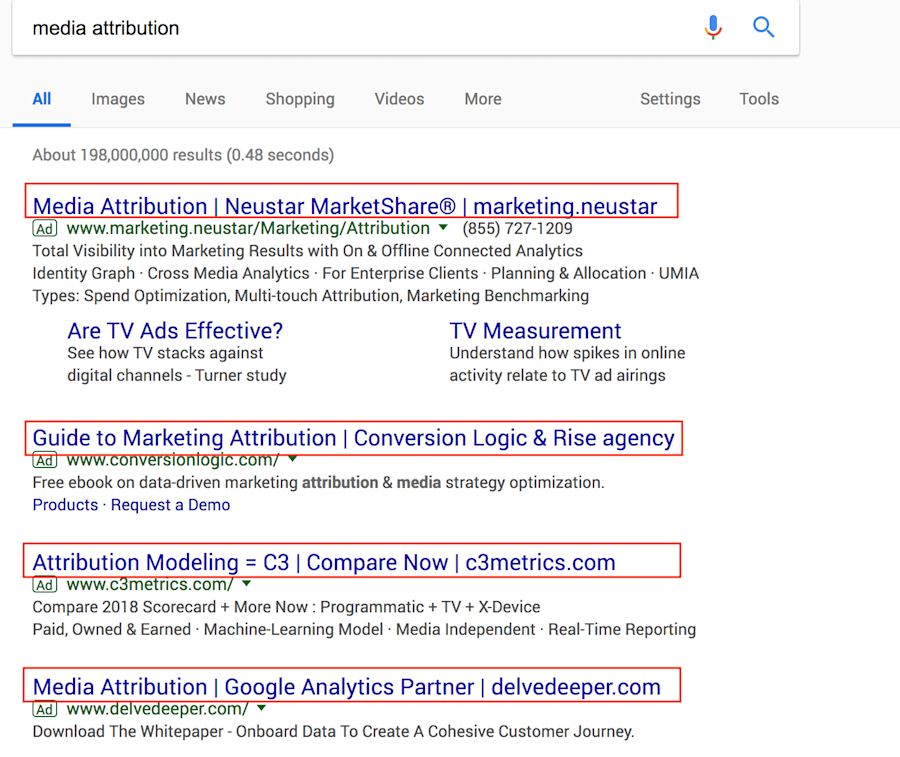
All the ads have “media attribution” directly referenced in their headline copy. Neustar even includes it in the URL. What’s interesting is how each of these companies approaches their landing page design and conversion tactics.
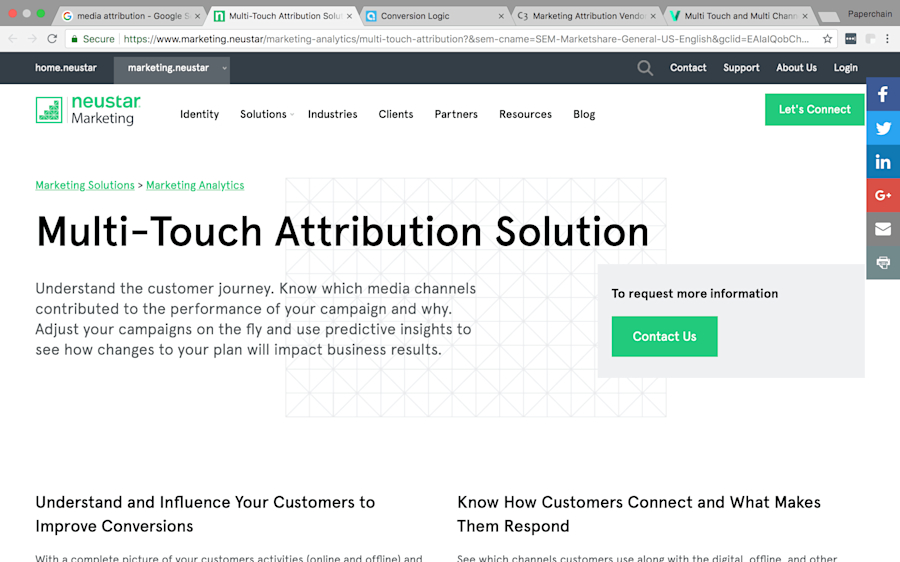
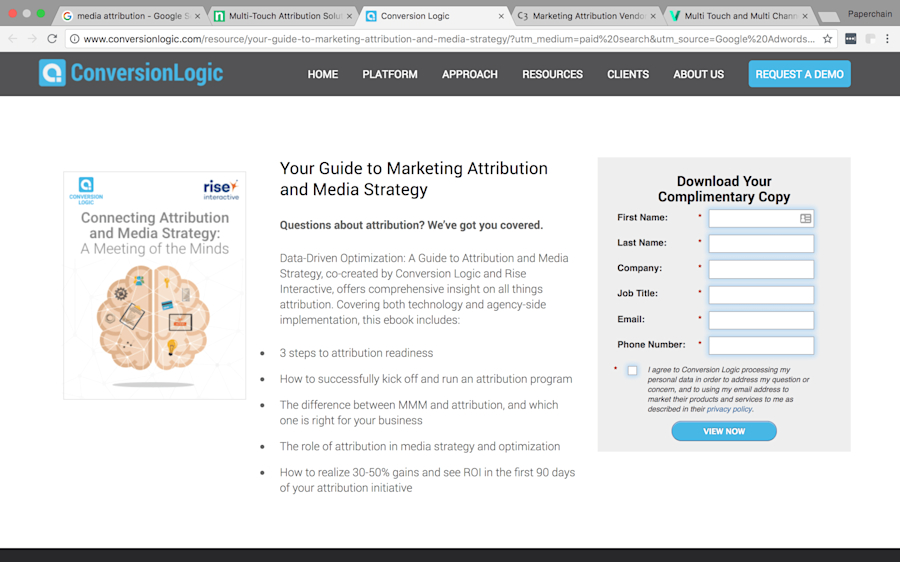
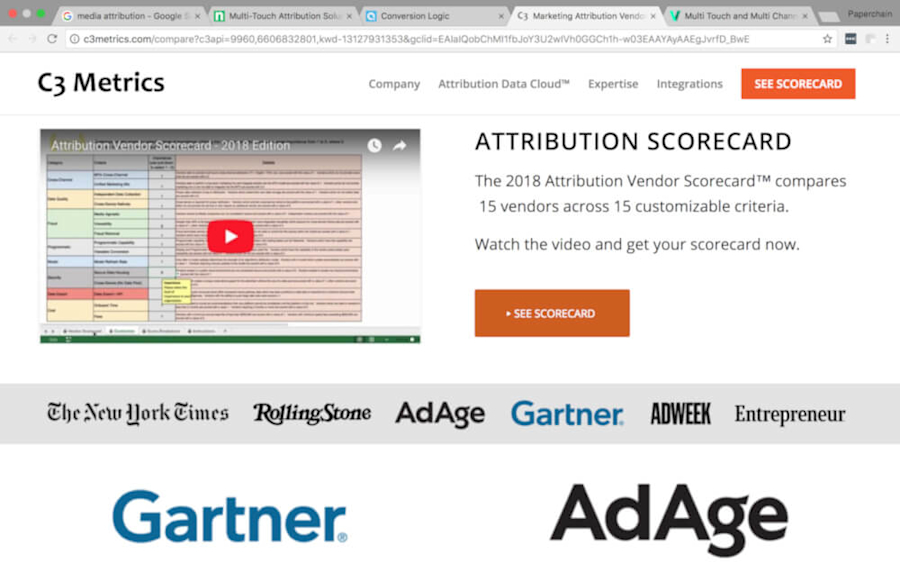
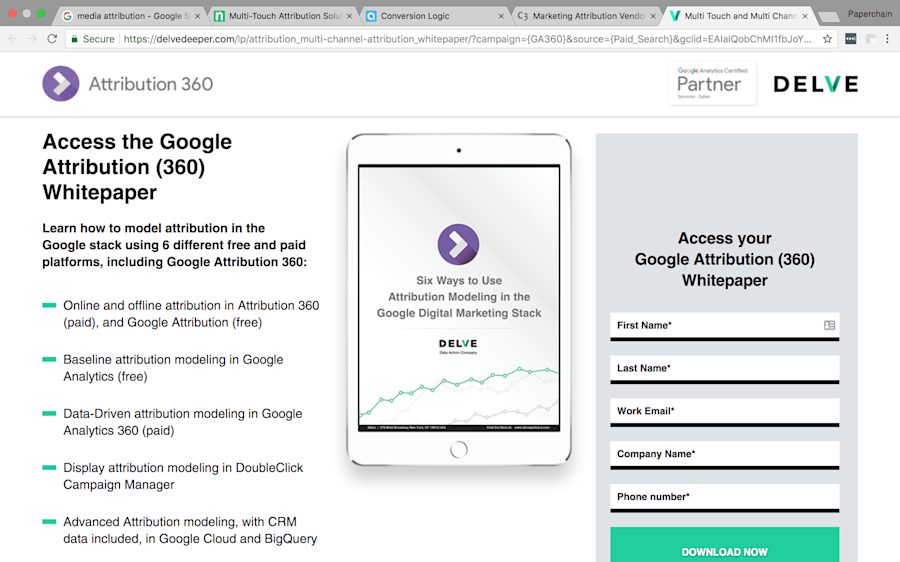
Media (or marketing/multi-touch) attribution is prominently featured in the page headlines, URLs, and page copy.
My search was quite broad. For that reason, the companies above don’t really know exactly what problem I’m trying to solve, but they’re using a content-driven approach to engage me as a lead and nurture my interest.
Because of my non-specific search term, they recognize I may not be at the buying stage, so they offer content that can inform me more about the subject—hoping to eventually lead me to become a more engaged lead and, ideally, a customer. This applies to both search and display ads.
Here’s another example:
While browsing CNN, I found an ad for Blue Apron that features a $40 discount.
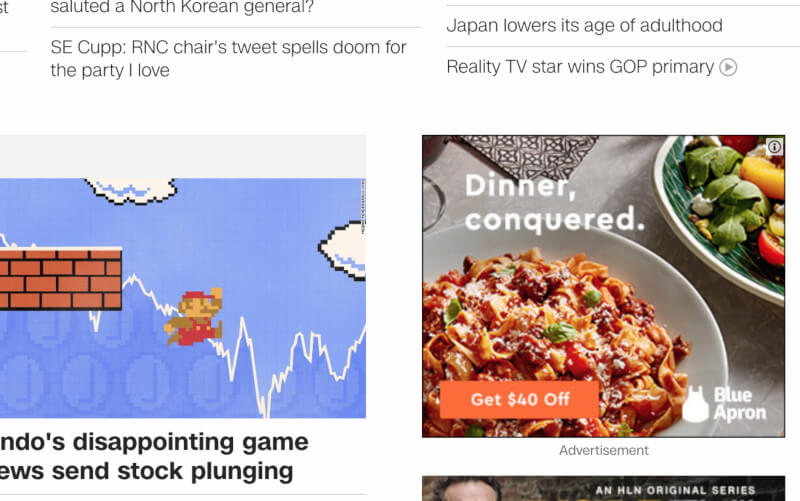
And this is the landing page it sent me to:
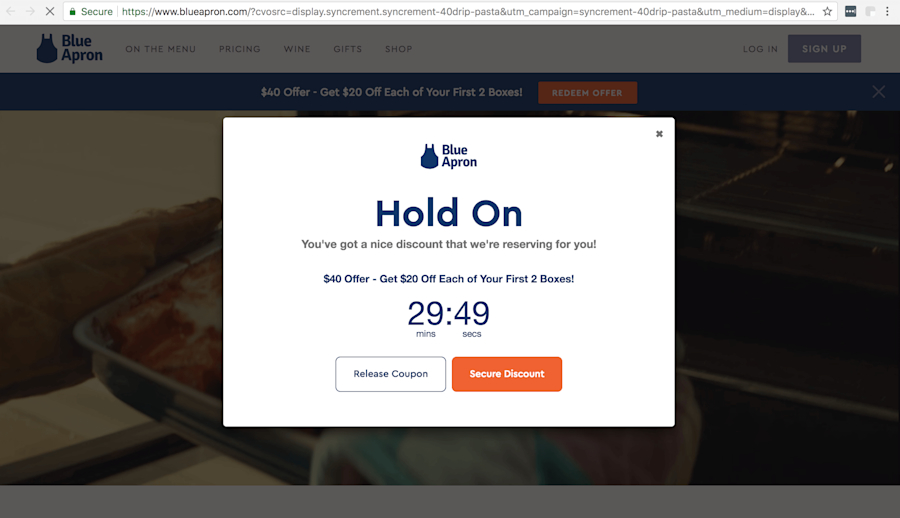
The landing page reinforced the offer and was designed to encourage me to take one action… convert.
6. Optimize for Your Highest Converting Acquisition Channels
It’s important to understand who is visiting your site and how to optimize content to make them convert. But it’s equally important to know where they are coming from.
You need to know which acquisition channels your visitors are coming from and which channels are generating the most conversions.
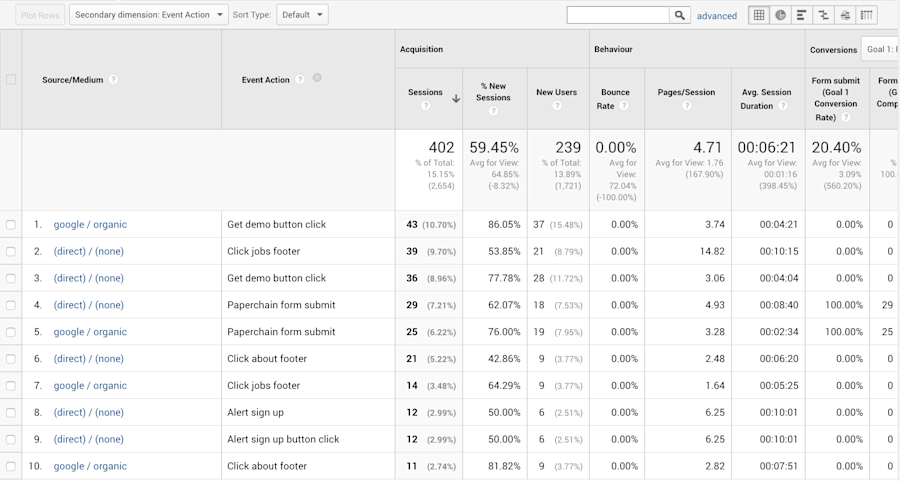
In the Acquisition dashboards in Google Analytics, you can add the Event as a secondary dimension, and your Conversion to the data table in the Source/Medium view.
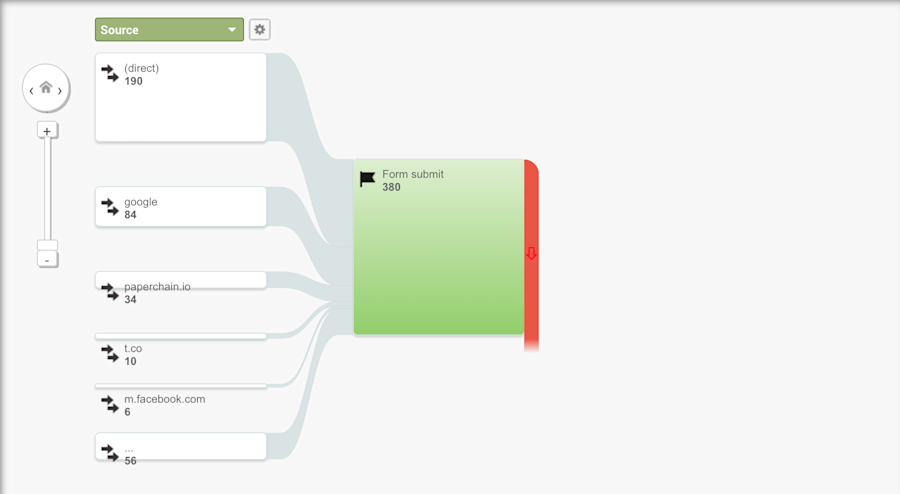
Alternatively, you can use the Goal Flow dashboard in the Conversion section for a more visual representation of the channels contributing to your conversions.
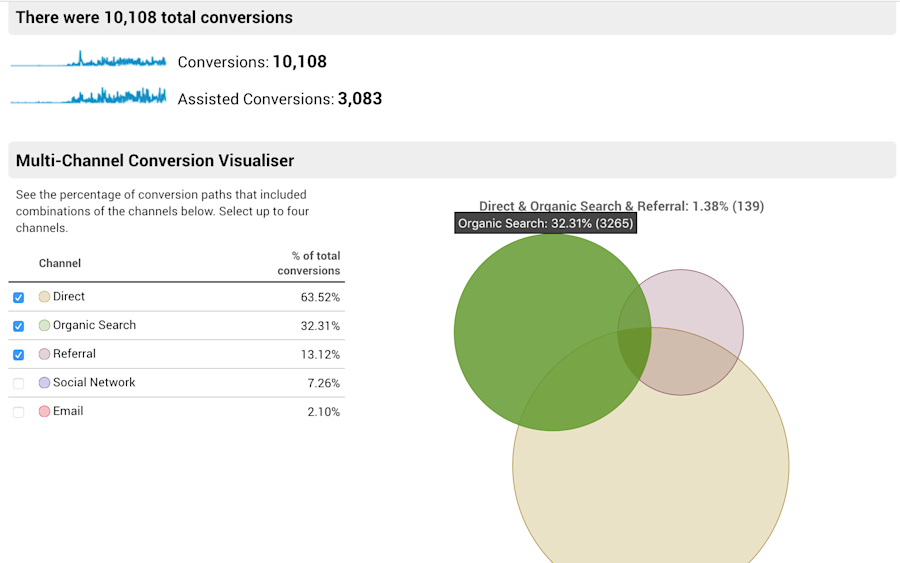
Or you can use the Multi-Channel Funnel analysis for additional insights.
7. Use Contextual Calls to Action (CTAs)
When we talk about CTAs, marketers usually think about pop-ups and contact forms on landing pages—but they can be utilized outside of landing pages as well.
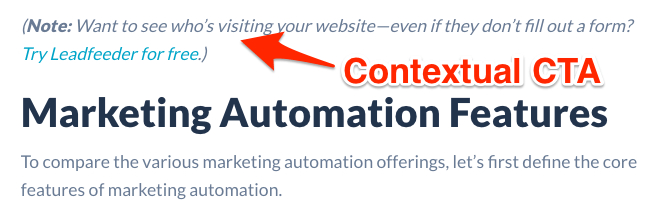
On the Leadfeeder blog, we use what we call “contextual” calls to action in our blog posts. They relate to the content the visitor is already reading and connect the subject matter being discussed with a trial of our product.
It’s simple, but it can be a very effective way to increase sign-ups and opt-ins. It also has the benefit of looking much more natural than traditional banner ads or pop-ups, which some of your site visitors have trained themselves to ignore.
8. Find Better Keywords to Create Bottom-of-the-Funnel Content
When using sites like Moz or Ahrefs, it’s easy to look at only the top-performing keywords. If this is driving new site visitors, then it makes sense to optimize for top-of-the-funnel traffic.
But the long tail tells a different story. What keywords are driving repeat visitors and supporting deal conversion instead of early-stage signups? That’s the bottom-of-funnel content—and when it’s working, the payoff can reshape the pipeline.
As growth leader, Selma Chauvin put it, "In a previous company, marketing was originating maybe 20% of the pipeline. And a year after, my team was generating 80% of the pipeline — and we've done that by that exact tactic."
This takes a bit more investigation, but if your website structure and user flow are designed to match your ideal customer journey, you can start matching the keywords and channels that support each stage.
A simple way to do this is to add a “Returning Visitors” segment to your Google Analytics dashboards.
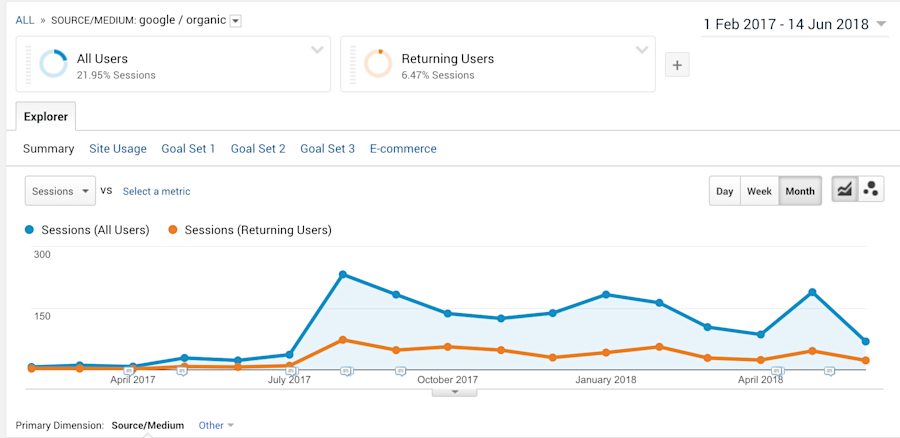
Now you can start to overlay this with traffic from social channels, search queries, and bottom-of-funnel conversions to see what’s driving that final conversion.
Leadfeeder for Marketing
Identify which campaigns drive your highest-intent visitors, see which companies they come from, and build audiences for retargeting, all from one platform..
DownloadBy segmenting your prospect or lead companies in Leadfeeder, you can also start to see which bottom-of-funnel content works for each customer persona.