

60-Second Summary
An IP address is a device's unique online identifier—public IPs expose devices to the broader internet while private IPs operate within local networks. Enriching IPs with firmographic data (via WHOIS, reverse DNS, or tools like Leadfeeder) turns anonymous visits into actionable B2B intelligence.
Key takeaways: IPs act like digital addresses—public vs private matters; IP enrichment converts addresses into firmographics and intent signals, enabling ABM and improved lead qualification without breaching privacy when handled correctly.
Standout strategies & tactics: Start with manual checks (ping, WHOIS, reverse DNS) for quick context; then scale with IP enrichment platforms (e.g., Leadfeeder) to match visits to company profiles, create custom feeds, and push enriched data into CRM and marketing stacks.
Real-world lessons & frameworks: Focus on market coverage and behavioral intent over single hits; combine firmographics + page-level behavior to score leads, automate routing/notifications to speed outreach, and ensure compliance with privacy laws.
Quick how-to: Open Terminal/Command Prompt, ping the domain to get an IP, use WHOIS or reverse DNS to map to an organization—or let an enrichment tool automate matching, create custom feeds, and push results to your CRM.
*This summary was created with AI assistance, using our original content.
An IP (internet protocol) address is a unique set of numbers that identifies a device or network used to access the internet. It's equivalent to a house address, but for your computer. There are public IP addresses and private IP addresses.
“A public IP address identifies you to the wider internet so that all the information you're searching for can find you. A private IP address is used within a private network to connect securely to other devices within that same network. Each device within the same network has a unique private IP address.” -Avast.com
Just like you need to know someone's street address to send them a letter or phone number to call, networks need to know a computer's IP geolocation to send data. To go beyond the company name and get firmographic details, you need IP enrichment -- which layers additional data onto each resolved IP.
In this guide, you'll learn how to run a company IP address lookup step-by-step, including manual lookup methods and automated tools. IP lookup is one component of a broader website visitor tracking strategy that turns anonymous traffic into pipeline.
How to Find a Company IP Address
Every IP address is registered to the company or host that uses it. So, how do you find specific IP addresses for companies in real-time? There are a few ways.
Step 1: Open the command line
On Windows, open the search bar and type Command Prompt
On Mac, open Spotlight and search for Terminal
Step 2: Ping the website
Type the following command:
ping www.example.com
For example:
ping www.leadfeeder.com
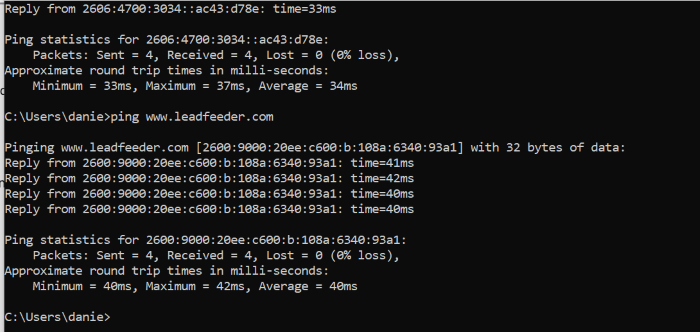
Essentially, your computer sends a ping to the website and converts the IP address into a company name. You'll get a response, which looks like this:
How to Find a Company by Its Address
1. Use an IP to company lookup or WHOIS tool
If you already have an IP address, you can plug it into an IP lookup tool, like whoisthis, to find out what company the IP address is from, then look them up on LinkedIn.
This typically reveals:
Organization name
Network provider
Location
ISP information
You can see if they fit your ideal customer profile and go from there.
2. Run a reverse DNS lookup
You can also use a reverse DNS lookup, which is what Leadfeeder does. This identifies the domain name connected to an IP address. This method helps determine which company network the address is associated with.
However, these methods can be time-consuming and often don’t tell you what that company actually did on your website.
There’s also another limitation: most analytics tools don’t show you visitor IP addresses.
For example, Google Analytics tracks IP addresses but doesn't share them with site owners.
You can capture IP addresses using Google Tag Manager, but it's complicated to set up and could violate privacy laws, depending on where your traffic originates.
If only there were an easier way to identify companies by their IP address, and turn that information into data you could use.
Well, there is. This is where tools like Leadfeeder come in.
How Leadfeeder Identifies Companies by IP Address
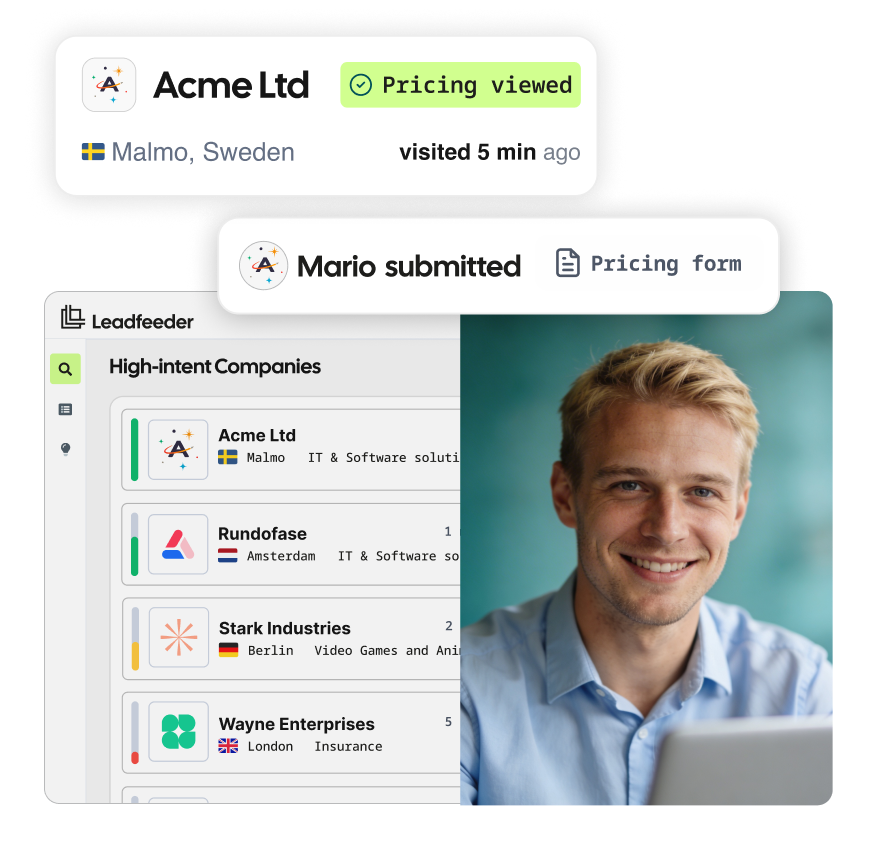
Leadfeeder identifies visiting companies and matches them against a company IP address database of 60M+ companies and 400M+ verified contacts -- revealing company name, industry, size, revenue band, employee count, and the specific pages and behaviors on your site. You get the full picture of who visited and what they cared about.
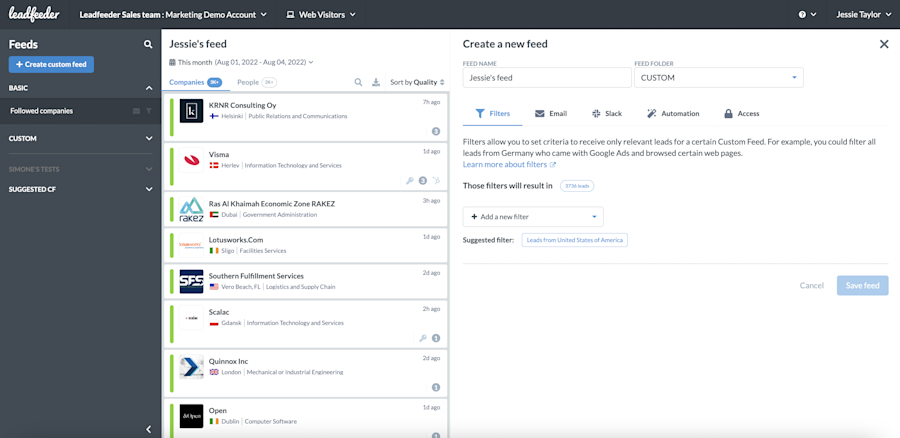
Here's what you'll see when a lead visits your site.
1. Website Visit Insights
If your site is integrated with your email marketing platform, you can see exactly who visited your website and what pages they clicked.
Even without integrations, you’ll still see key firmographic information such as:
Company name
Pages viewed
Website
Industry
Location
Company size
This makes it easier to understand which companies are engaging with your content.
2. Contact Information for Potential Stakeholders
Leadfeeder also includes a “contact” section that provides details of potential stakeholders from companies visiting your website.
These contacts aren’t necessarily the exact individuals who visited your site, but they’re likely to be involved in the buying process.
Where possible, Leadfeeder also provides social profiles and email addresses to help your sales team connect with the right people.
3. Custom Feeds for Ideal Customers
With custom feeds, you can tell us exactly who your ideal customer is—their location, industry, revenue, even specific behaviors you want to track—and we'll notify you every time you get a visit from a company that fits your parameters. (Don't worry, you can customize these notifications!)
Even better, creating custom feeds takes less than a minute.
4. Automating Lead Management
You can also automate the lead management process by connecting Leadfeeder to your sales and marketing platforms.
For example, you can:
Send small-business leads directly to a specific sales representative
Notify marketing when someone downloads a whitepaper
Automatically push visitor data into your CRM
All of these features (and more) start by finding company IP addresses.
Now You Know How to Identify Company by IP Address, What’s Next?
Finding a company by its IP address provides access to more information than you might think. And, it doesn't violate privacy laws, including GDPR. Think of all the ABM possibilities — they’re endless. Sam O'Brien, VP of Marketing at Leadfeeder, makes that scale concrete:
"I can identify there's a hundred thousand companies in that market. What I want to do is be tracking how many of those hundred thousand are now visiting my website. How many are engaging with my content? How many are moving through the funnel?"
That’s the real advantage of IP-based identification — not just spotting individual leads, but understanding how much of your market you’re actually reaching.
The data can be used to qualify leads more effectively, speed up sales response times, and make sure your website lead tracking and marketing reporting are on point. Leadfeeder sends data directly to your CRM. Beyond identification, the same IP data powers IP targeting for B2B advertising -- letting you serve ads directly to specific companies.
Leadfeeder identifies the companies visiting your site, scores their intent based on behavioral signals, and gives your team verified contacts to follow up with -- all in one place. Trusted by 15,000+ B2B teams. Try it free.