60-Second Summary
Website visitor IP tracking identifies which companies visit your site and what they view, turning anonymous traffic into first-party intent signals that sales and marketing can act on. Tools like Leadfeeder map IPs to company names for ABM, ad targeting, and personalization, but you should validate ROI and ensure GDPR compliance before scaling.
Key takeaway: Company-level identification via IP addresses converts anonymous visitors into actionable first-party intent data, letting you prioritize leads and time outreach.
Standout strategies & tactics: Use reverse IP lookup to surface company visitors, create custom ABM filters (e.g., page count, time on site, pricing page views), and feed results into ads, personalization tools, and your CRM for targeted outreach.
Real-world lessons & frameworks: Treat IP signals as first-party intent—set thresholds (multiple visitors, deep page engagement, pricing page hits) to trigger sales outreach, and use personalization (company-specific landing pages or ads) to increase conversion.
Privacy & ROI considerations: Verify that visitor insights translate to revenue before heavy investment and ensure compliance with GDPR and local privacy rules—tools provide company names, not personal identities.
*This summary was created with AI assistance, using our original content.
Do you want to know which companies are visiting your site, which pages they visit, and how many people from each team are viewing your pricing? The best free website visitor tracking tools make all of that possible.
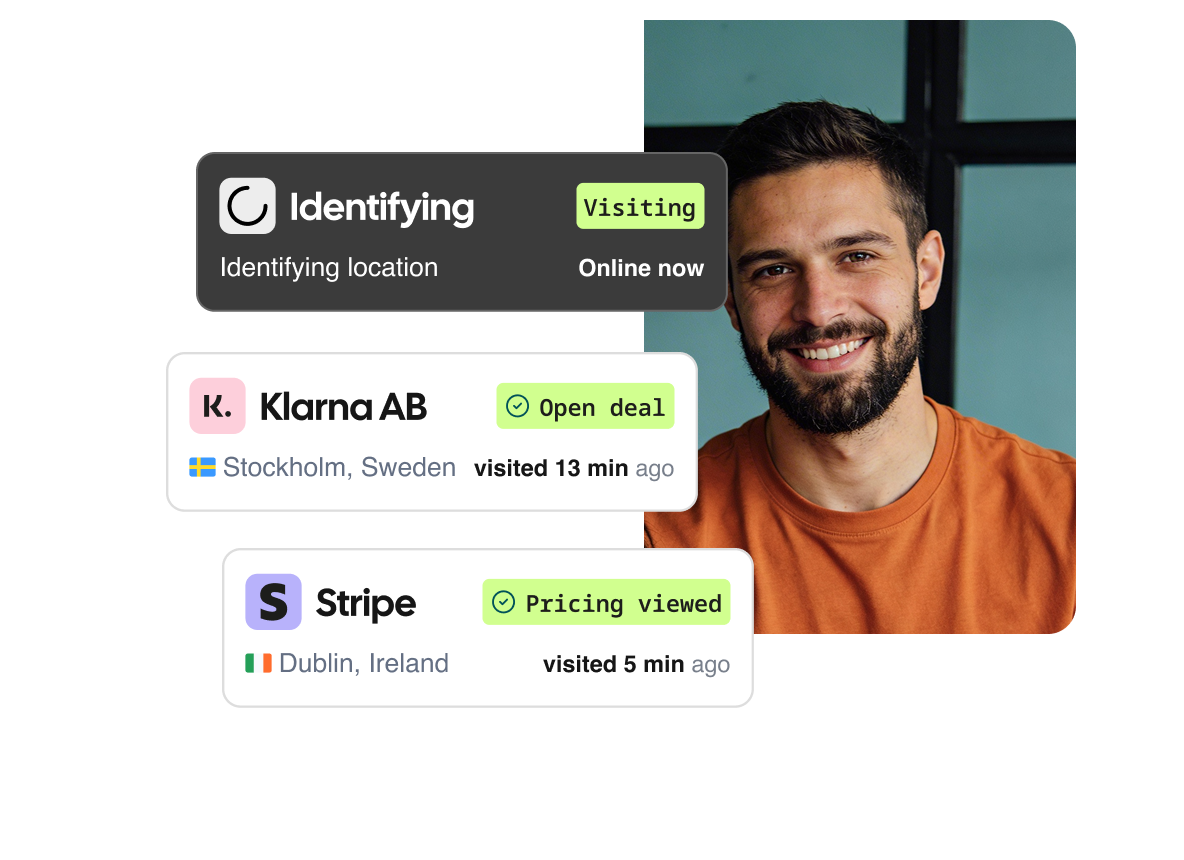
With website visitor IP tracking, tools like Leadfeeder let you see exactly which companies are visiting your website. You do not need anyone to fill out a form, and you certainly do not have to sit on anyone’s shoulder.
Before you commit, make sure you can measure website visitor tracking software ROI -- not all visitor data translates into revenue. In addition, if you operate in the EU, read up on visitor tracking in a post-GDPR world to understand what data you can and cannot collect.
This gives you the power to prioritize leads, understand real engagement, and reach out to the right companies at the right time.
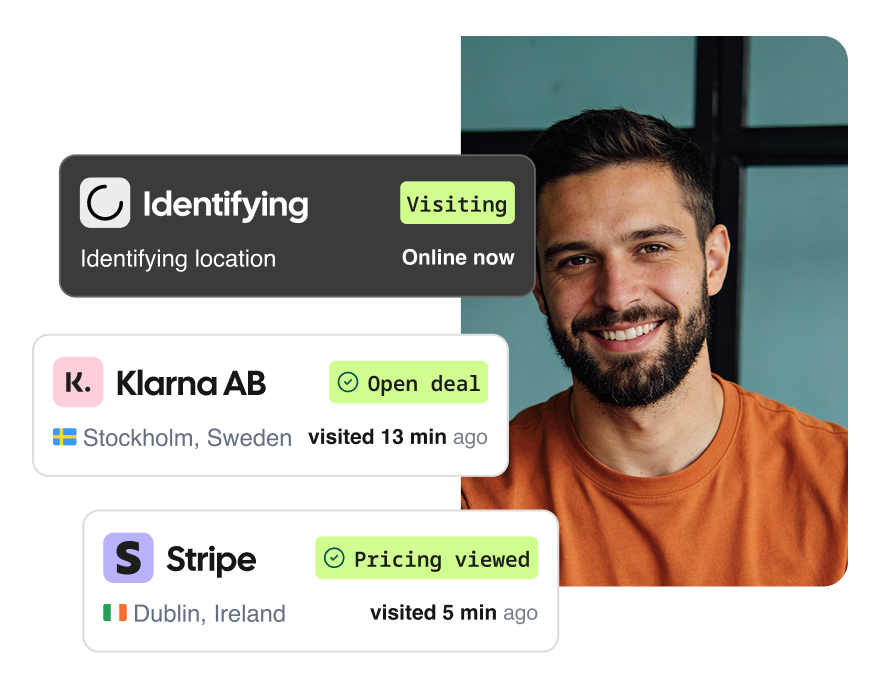
How anonymous website visitor tracking identifies companies by IP
Before diving into how to track website visitor IP addresses, let's talk about what IP addresses actually are.
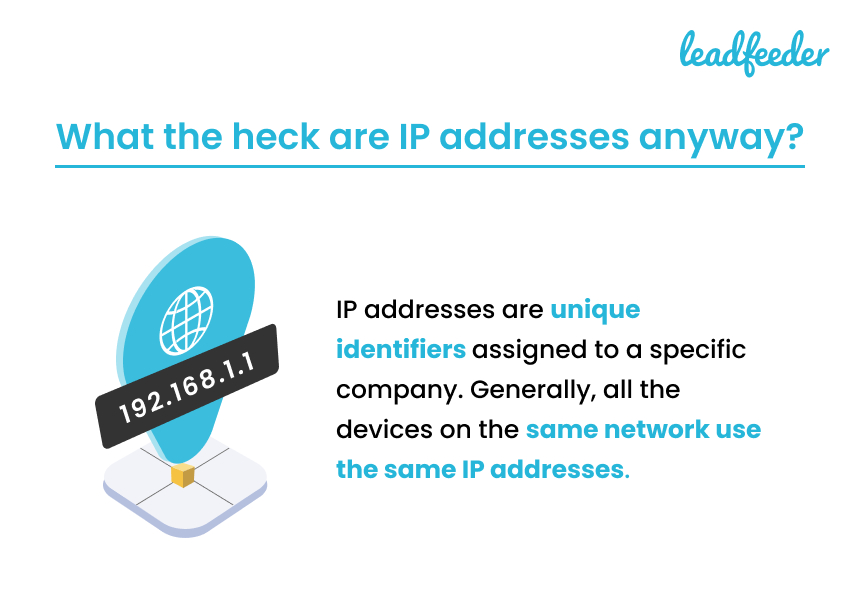
An IP address is a unique set of numbers that ISPs assign to each home or business, not to each device. IP addresses can change over time, but generally remain the same for a few months.
Everyone who works at the Microsoft offices in Redmond, Washington, is on the same IP address. (Well, most likely. It's possible there are a few if it's a large office.)
This is how Leadfeeder tracks which companies visit your website, and it's also used by most ad targeting platforms.
Now, we don't share IP addresses, but we do use that data to uncover company names—and we hand those names over to you. Most tracking tools use reverse IP lookup to find a company by IP address, matching visitor sessions to known business IPs.
Cool story, but what can you actually do with that data?
4 practical uses for website visitor IP address tracking [company names]
Wait, isn't this a little creepy? Maybe even a little illegal?
It's not. Keep in mind: we're not tracking Jane Smith and telling you where she lives, what she ordered for dinner, and the names of her cats.
You'll never see their IP address. You'll just see company names—but they can still be incredibly valuable. Let's look at four ways to leverage website visitor company names:
1. Target your ads (and work around the end of third-party cookies)
Did you hear about the end of third-party cookies? While it isn't in full force yet, it's coming. And it's kind of a bummer for ad targeting.
Currently, around 36 percent of all websites use cookies. Pretty soon, they won't be able to use third-party cookies.
Ad platforms will have a much harder time tracking what users do across the web. This makes it harder to create granular targeting for demand generation and ABM strategies.
Google's currently working on a replacement (called the sandbox), but it's still unclear how it will work. But Leadfeeder can use the IP address to tell you which company is visiting your site, which means you don't need third-party cookies. You've got first-party data right in your dashboard.
2. Supercharge your ABM strategy with B2B website visitor tracking
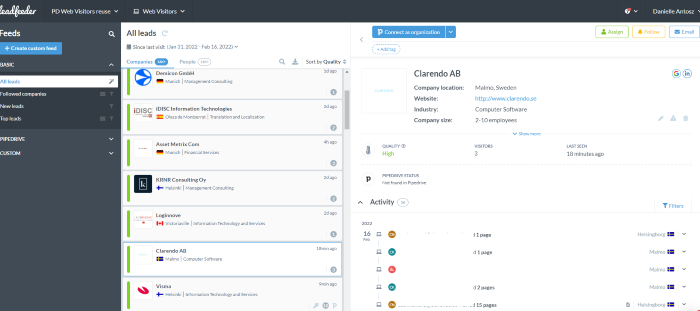
Tracking website visitors' IP addresses lets you closely monitor the impact of account-based marketing. That's because, in Leadfeeder, we use IP addresses to see how many people from a specific company visited your website — and what they viewed.
Let's say you created a campaign targeting Company D, located in Germany. You did some research, created custom content, and now you want to see if it is working.
Head over to Leadfeeder, and you can see that Company D has been to your website multiple times in the last week:
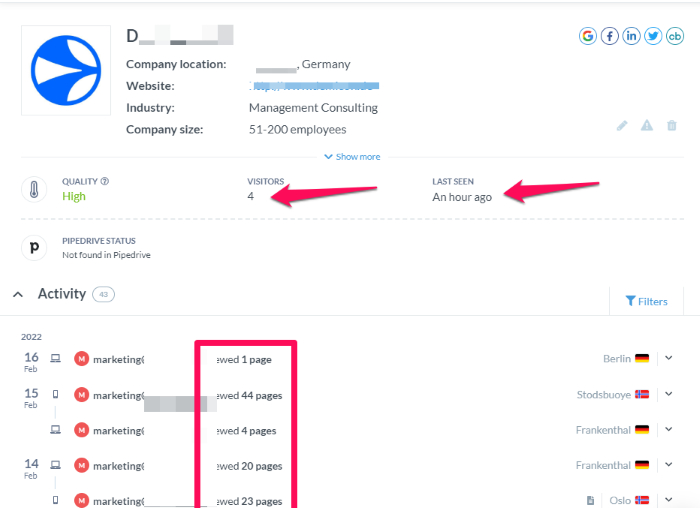
In fact, at least four different visitors from that company have visited your site (which we can tell because of their unique devices and associations with the nearest office of the identified company — it appears this company has multiple offices)
One visitor viewed 44 different pages on your site! That might mean it's time for sales to reach out. You can also use custom filters to find companies that visit specific pages or spend a certain amount of time on your site.
Here are a few ideas for custom feed filters:
Companies that read 14+ pages on your site and viewed the pricing page.
Companies that spent 4+ minutes on your website, visited the demo page, but didn't sign up.
Companies that clicked on an email link, read at least two blog posts, and signed up for a demo but didn't convert (you'll need to connect your CRM for this one)
Remember, Leadfeeder won't hand over the IP addresses of your website visitors. But we can help you leverage this data to track and improve ABM.
3. Personalize your marketing efforts
Not sure if personalization is right for your brand? According to Instapage, 79 percent of organizations that exceeded revenue goals have a documented personalization strategy.
This means personalization should be on your radar.
While you can't use B2C personalization strategies in B2B, company-wide personalization can drive incredible results.
Once you know the IP address (and thus company name), you can leverage personalization to:
Create ads to direct companies to personalized landing pages.
Target company visitors with personalized lead magnets, based on their location or industry.
Use personalized videos for sales outreach.
Add company names to your home page, as Optimizely did for Adidas:

Once Leadfeeder gives you company names, use tools like Unless, Google Optimize, or Personyze to create personalized campaigns.
4. Improve your intent data
If you love data as much as we do, there's a good chance you also love intent data. Intent data is kinda like a crystal ball that tells you exactly when a lead is ready to hit that "buy now" button.
There are two main types of intent data: first-party and second-party. Because Leadfeeder tracks IP addresses and actions on your website, we give you access to that sweet first-party intent data.
For example, you can see that someone from XYZ Contracting visited your services page, then read two blogs, then visited your pricing page — that's a pretty good indication they are ready to convert.
Bam, you have sales reach out, they do their thing, and you've got a new customer. All thanks to IP tracking.
Website visitor IP address tracking is your secret weapon
Sales and marketing are getting more competitive. If you want to succeed, you need an edge — and tracking website visitors' IP addresses is the perfect solution.
When you can see which companies visit your site, you can build better campaigns, track the effectiveness of your efforts, and create hyper-personalized ads that drive conversions.