
Smart triggers
Start a workflow when a high-intent visitor lands, a CRM record changes, an account scores, or any event you choose.
Workflows
14-day free trial. No credit card required

Workflows automates the in-between work — routing leads, refreshing lists, updating CRMs, alerting reps. Pick a trigger, set your conditions, choose your actions. Publish.
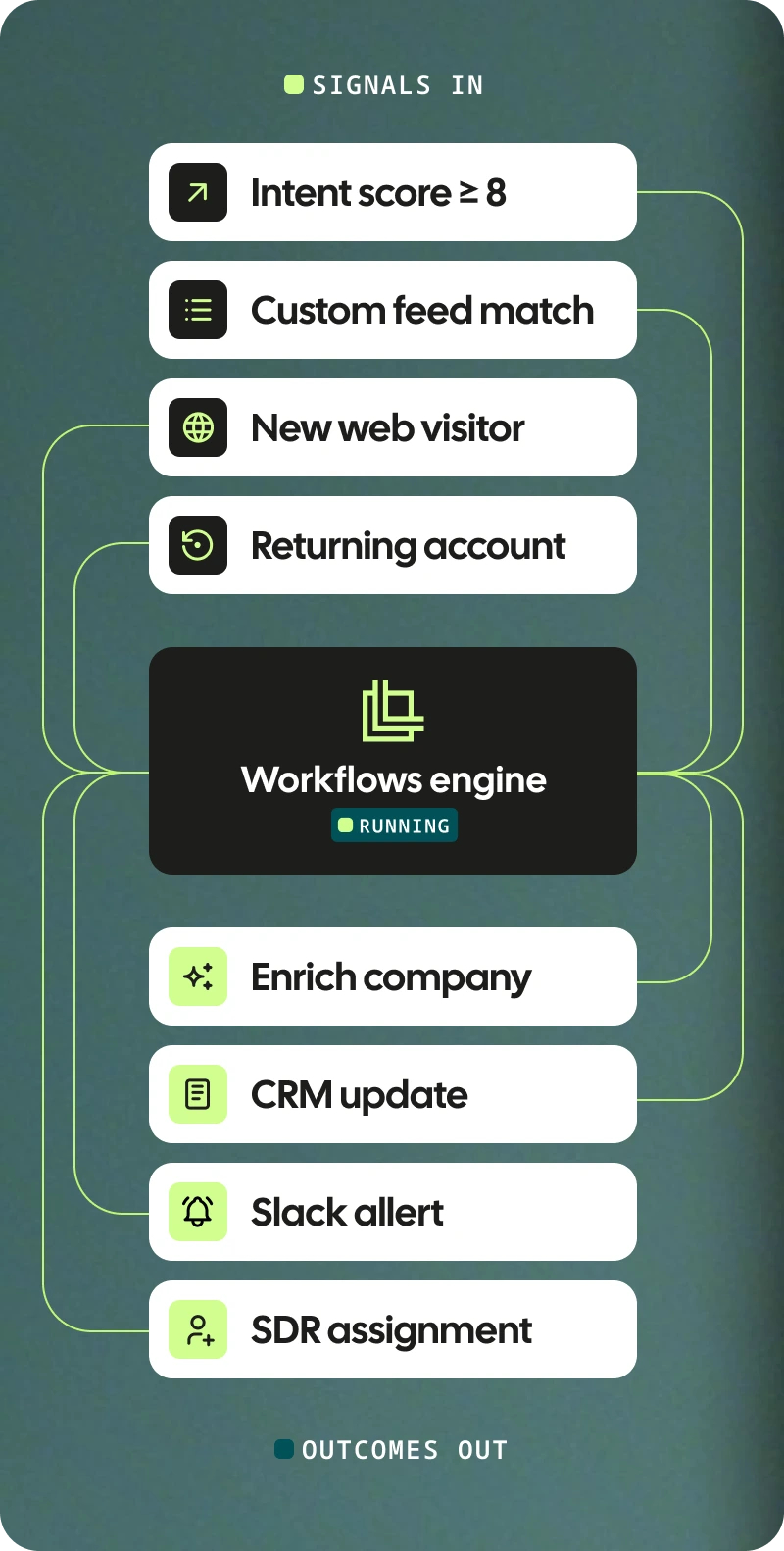
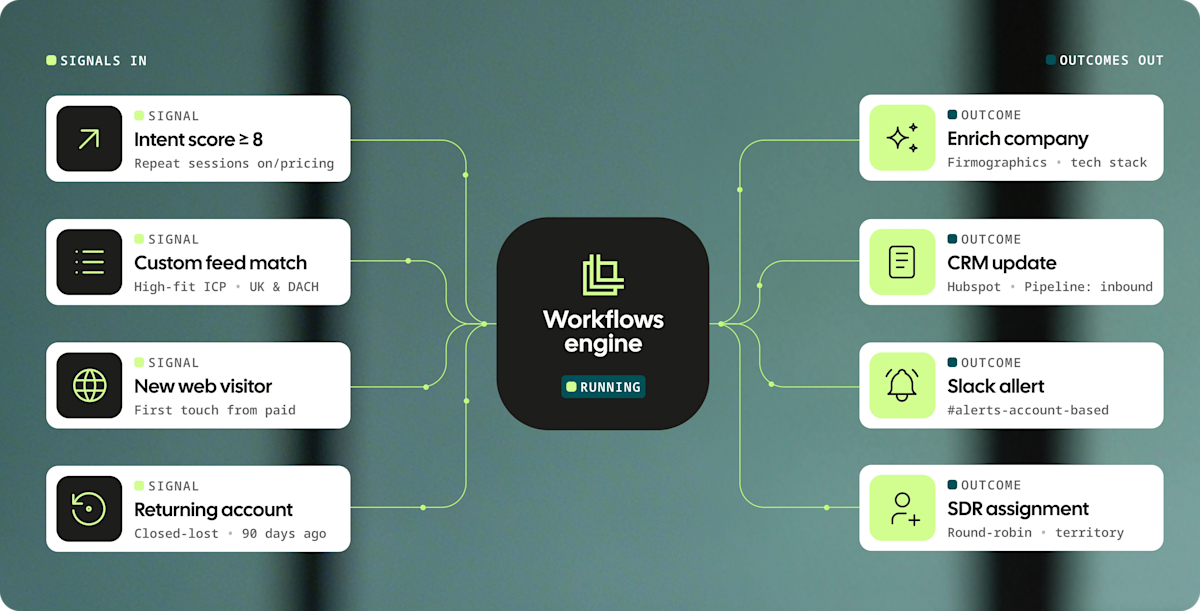
Start a workflow when a high-intent visitor lands, a CRM record changes, an account scores, or any event you choose.

Conditions check each record against your rules and send it down a true or false path. No more one-size-fits-all logic.

Tag, enrich, move to a list, update your CRM, fire a webhook, or send a Slack alert the moment a record qualifies.

Design and manage every flow inside a visual editor. No scripts, no SQL, no engineering tickets.

Pre-built templates cover the most common revenue motions, inbound routing, outbound refresh, CRM sync, and more.

Once published, Workflows run on their own. You focus on what's next. The platform keeps your pipeline moving.
Start from a template. Inbound routing, outbound refresh, CRM hygiene, intent alerts, scoring — all in the gallery. Customize and publish.

Create a CRM opportunity with 3 key contacts when companies show high intent.

Create a consistent sales pipeline by sending new ICP companies to your CRM each week.

Run an ad campaign that retargets new high-intent ICP companies for 30 days.

Creates CRM tasks for open opportunities, triggered by website behavior.

Get notified when a lost opportunity shows renewed interest on your website.

Automatically send companies to a n8n automation when they're added to a list.

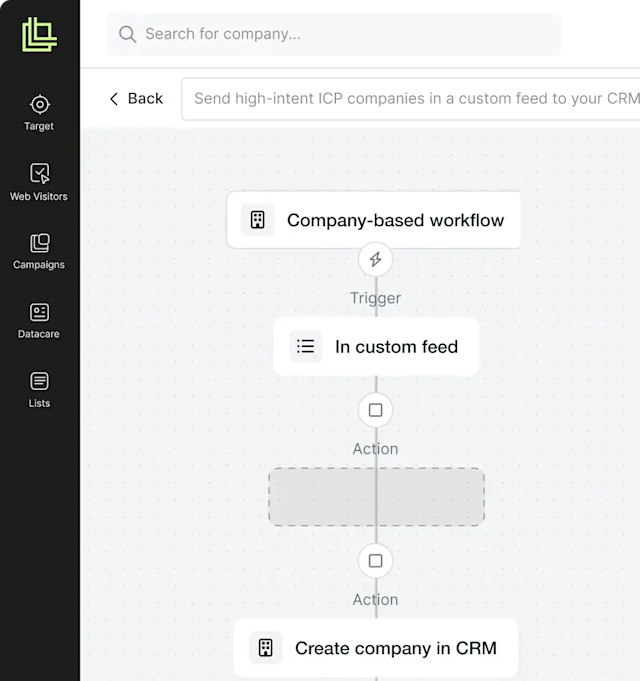
Drag triggers, conditions, and actions onto a canvas and connect them in seconds. Built for RevOps, SDRs, and marketers — not the engineering backlog.

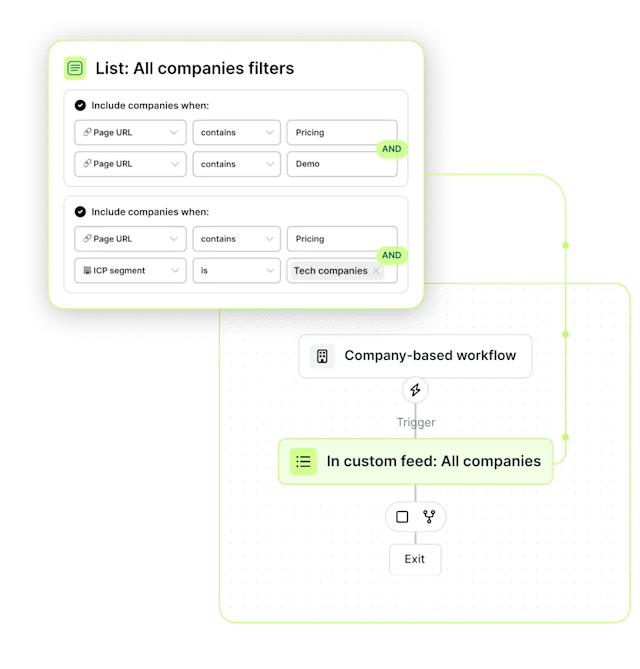
Workflows uses the same filtering and scoring engine as Lists. Validate a segment, convert any filter to a live Workflow in one click — the rule you tested becomes the rule that runs.

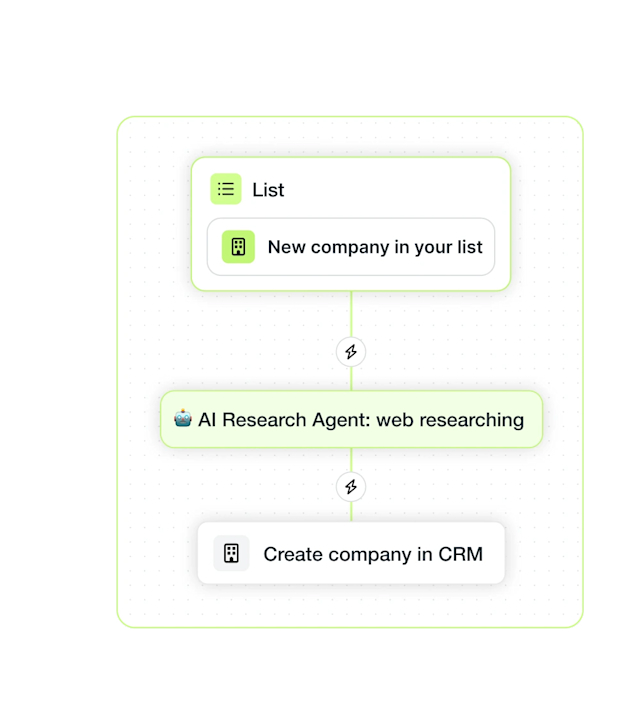
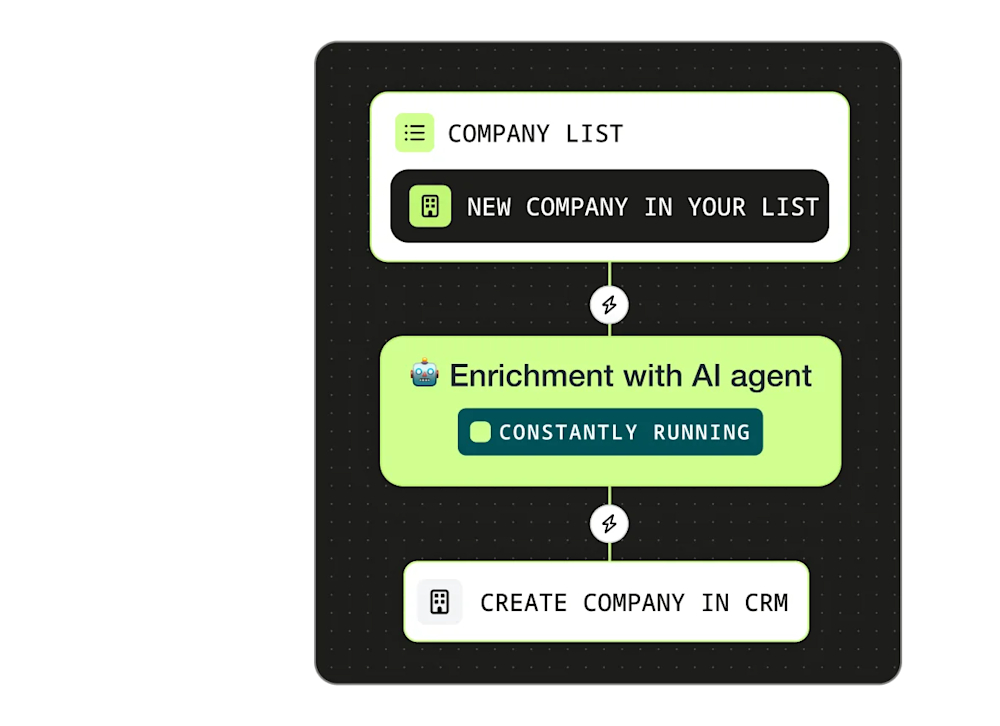
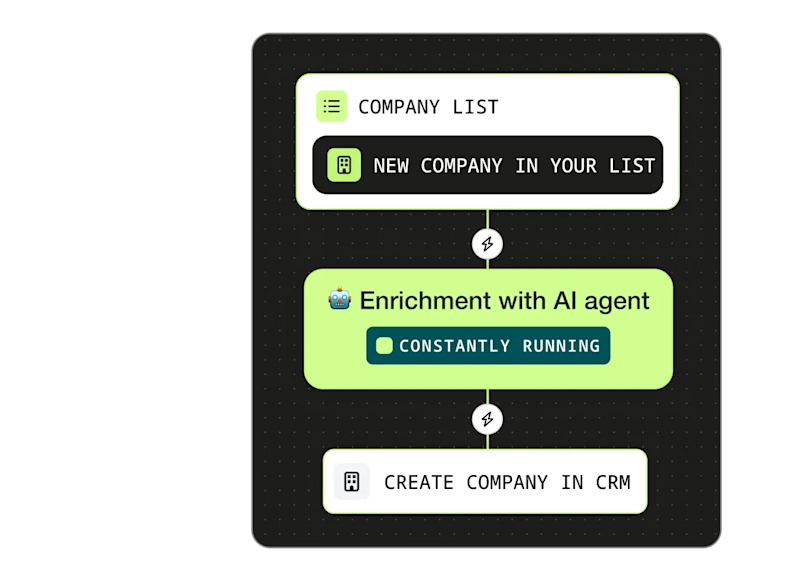
AI enrichment that uses agents in Lists answers questions in plain language. Workflows runs it continuously — when new companies join a list, the agent researches, writes results, finds contacts, and pushes to your CRM automagically.
Key featuresWorkflows integrates across Leadfeeder. Connect it to the modules you use to automate discovery and prioritisation.
Trigger a workflow when high-intent companies land on your site.
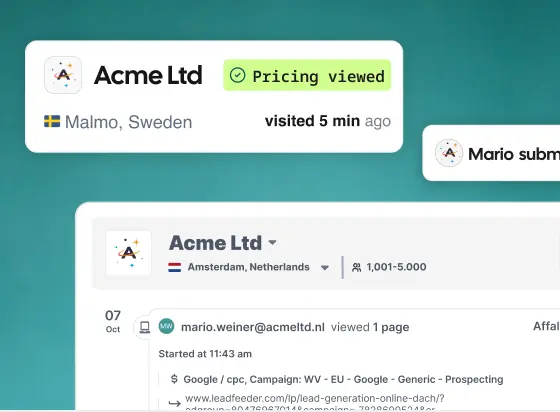
Pull new ICP companies from Companies Search into your CRM instantly.
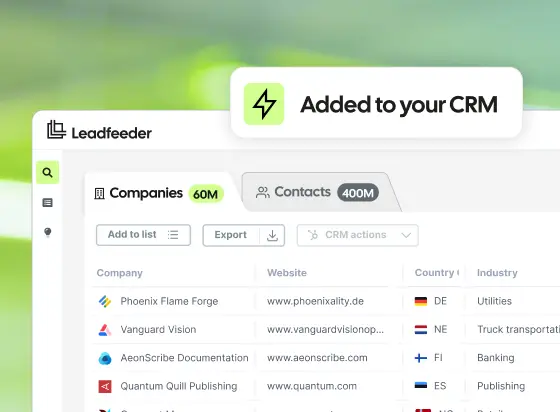
Auto-refresh campaign audiences when engaged accounts trigger.
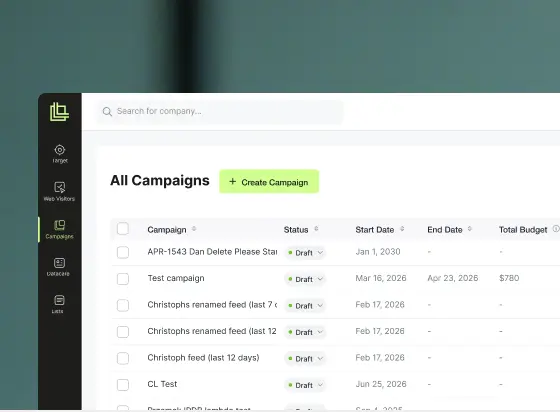
Turn validated List filters into live Workflows running forever.
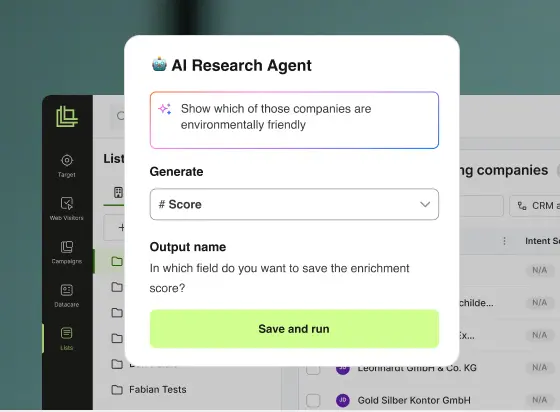


“If someone has been dormant for three months and suddenly comes back to the site, that’s the moment you want to reach out. Without Leadfeeder, you’d never know. I’d say prospecting is about 90% faster than before. It’s just a few clicks — with the right context already there.”
Aleksi Montonen
Chief Revenue Officer


“Leadfeeder helps us get the timing right—so we can support our customers when they need us most, and help create safer, more ergonomic workplaces for them.”
Christine Holmström
Group Marketing Manager


“We doubled our summit registrations. Instead of spending hours trying to figure out who visits our site, we now spend just a couple of hours a week on data collection—and focus the rest on actual outreach.”
Stefano De Carlo CEO
AutomatiKing


“During the first month of using Leadfeeder IP data, we have been able to target personalized content to seventeen times more site visitors than before. This is a tremendous improvement when compared with our previous results, and we anticipate that we will continue to achieve strong growth in the future.”
Titta Nummi
Head of Brand and Customer marketing (B2B)
What's the relationship between Lists and Workflows?
Lists is where you build and prioritise your audience — companies, contacts, scoring, segmentation. Workflows is the automation layer that runs on top of Lists. Anything you filter or score in a List works as a Workflow condition, so you can promote a saved view into a live automation in one click.
Do I need to know how to code?
No. Workflows is fully visual. You drag triggers, conditions, and actions onto a canvas and connect them. No scripts, no SQL, no engineering tickets.
What can trigger a Workflow?
A new high-intent website visitor, a CRM record change, an account hitting a scoring threshold, a new company added to a list, an empty CRM field, or a manual run — among other events. The trigger library expands over time.
What actions can a Workflow take?
Enrich a record, score it, tag it, move it to a list, update a CRM field, assign an owner, fire a webhook, or send a Slack alert. Actions can be chained together inside a single workflow.
Can I test a workflow before it goes live?
Yes. Test mode lets you dry-run a workflow against historical records before publishing, so you can confirm the logic does what you expect.
Does Workflows keep my CRM data clean and up to date?
Workflows push Leadfeeder's data — visits, scores, intent, AI enrichment results, and new contacts — to your CRM the moment it fires. For full hygiene on existing CRM address data and firmographic refresh, pair Workflows with the separate CRM enrichment feature (included in the Enterprise plan).
How does Workflows work with AI enrichment that uses agents in Lists?
Enriched Lists with an AI Agent answers any question you can describe in plain language. Workflows lets that prompt run continuously — the moment a new company enters the list, the agent runs, the result lands in a field, and the next action fires. Same agent, no manual re-runs.