60-Second Summary
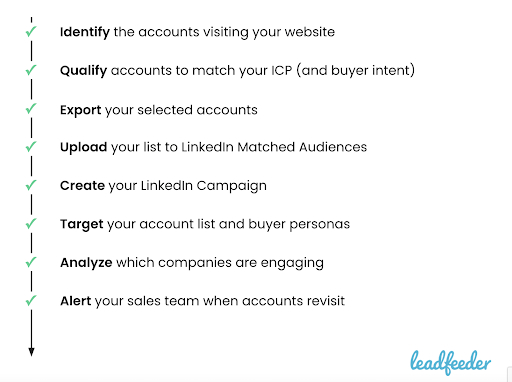
Account-based retargeting lets you re-engage anonymous top-of-funnel visitors by targeting companies and entire buying committees rather than just individual users. Use an 8-step ABM checklist—identify and qualify accounts (e.g., with Leadfeeder), export and upload lists to LinkedIn Matched Audiences, target buyer personas, track engagement, and alert sales—to turn intent into pipeline.
Key takeaways: Turn anonymous visits into named accounts, qualify by ICP and intent, activate company-level ads via LinkedIn, and close the loop with tracking and sales alerts to influence full buying committees.
Standout strategies & tactics: Use a visitor-identification tool (Leadfeeder) to enrich and filter accounts, export preformatted CSVs to LinkedIn Matched Audiences, layer on geo and job-title filters, and use UTMs plus LinkedIn demographics to measure engagement.
Real-world lessons & frameworks: Prioritize high-value accounts by intent signals, iterate lists and creative based on which companies re-engage, and alert sales in real time via CRM/Slack so reps can act while intent is fresh.
*This summary was created with AI assistance, using our original content.
A good account-based retargeting strategy is critical to re-engaging all that hard-earned top-of-funnel traffic and taking control of your buyer journey.
But in B2B marketing, where buying decisions can stretch from weeks to months, with multiple people involved in the process, is there a better way to retarget? Can you do more than just retarget the individual who visited your website?
Can you retarget and influence the entire buying committee?
Guide to LinkedIn Retargeting
Take advantage of a better way to retarget ads via account-based B2B retargeting using our step by step guide!
DownloadThe answer is yes. It’s time to get started with account-based retargeting. Here’s the ABM checklist that we use internally to make sure that our retargeting efforts are on track.
ABM checklist: 8 steps to account-based retargeting
Step 1: Identify the accounts visiting your website
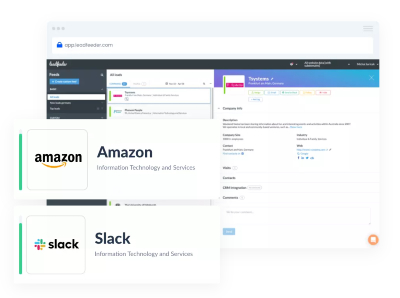
The foundation of any account-based retargeting strategy is turning your anonymous website traffic into real company names.
There are a number of visitor identification solutions available, including Leadfeeder, which is currently a category leader on G2. Woot woot!
Leadfeeder enables you to identify the accounts visiting your website, enriches this with account, contact, and web browsing data, and provides integrations to sync data across your tech stack.
Step 2: Qualify accounts to match your ICP
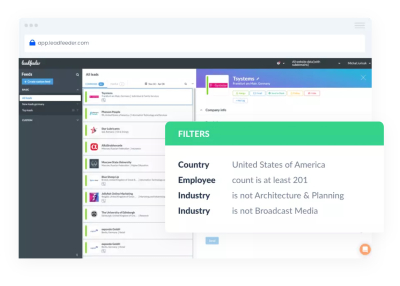
Once you're able to identify the companies browsing your website, you need to qualify them based on firmographic and intent data that matches your ideal customer persona (ICP).
This ensures the accounts you retarget are the ones you actually want to engage.
Leadfeeder provides filters to qualify your accounts by firmographic and behavioral data so you can be laser-focused when you're building ABM retargeting lists.
Step 3: Export your selected accounts
Now that you’ve qualified the target accounts that have already visited your website, it’s time to get that data into your chosen ad platform.
The easiest way to get started is using LinkedIn retargeting ads. There’s no platform fee and you can upload account lists directly to the platform.
You’ll need to export your target account list from your visitor identification platform.
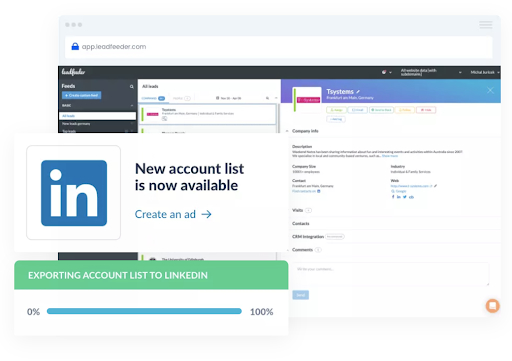
Within Leadfeeder, we offer the option to export your list of accounts pre-formatted for LinkedIn’s ad platform—learn more about using Leadfeeder lists to retarget on LinkedIn here.
Step 4: Upload your list to LinkedIn Matched Audiences
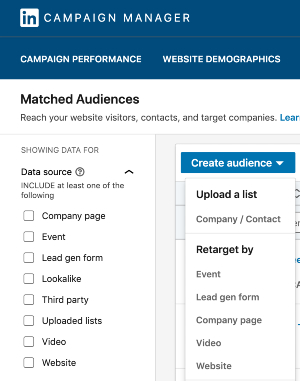
Within LinkedIn Campaign Manager, navigate to Matched Audiences under the Account Assets menu and create a Company List audience.
If you use Leadfeeder, you’ll be able to directly upload the CSV you exported without needing to reformat it.
It will then take 1-3 days to populate and display the total number of global employees for the companies you uploaded.
Step 5: Create your LinkedIn retargeting campaign
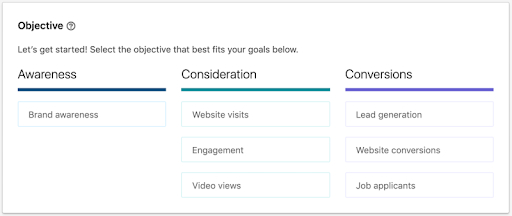
Now you just need to create your LinkedIn retargeting ad campaign. Simple.
If you need help creating a LinkedIn ad campaign from scratch, read our detailed guide:
A complete guide to LinkedIn advertising.
Step 6: Target your list and buyer personas
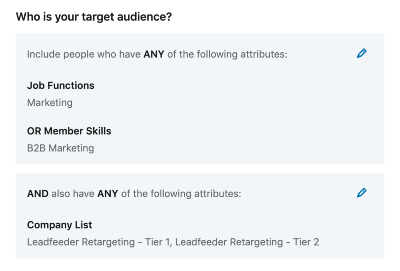
When you create your LinkedIn campaign, you’ll get the option to select your target account list in the Audience section of the campaign creation process.
But remember, the list will include everyone in the world who works for those companies. So include a few other targeting options as well:
Location: To ensure you’re only advertising to your target markets
Job Function / Title: To ensure you’re advertising to your buyer persona
Step 7: Analyze which companies are engaging
Once your ABM campaign is launched you’ll want to know which of those target accounts are engaging with the ads and coming back to your website.
There are two easy ways you can do this:
In LinkedIn’s Campaign Manager, click the Demographics button to see a breakdown of engaged companies. Use UTM codes on your campaign links. You can then create a Custom Feed in Leadfeeder based on these UTM codes to see the companies visiting your website from your LinkedIn ABM campaign.
Step 8: Alert your sales team when accounts revisit
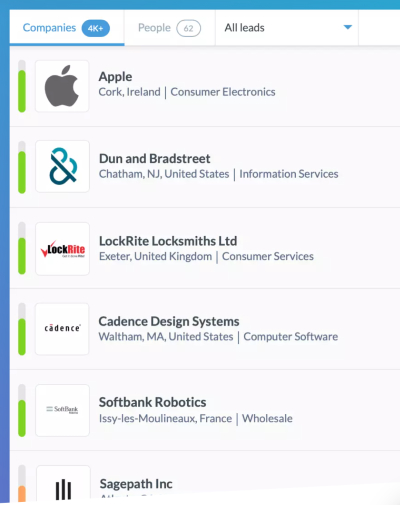
Last but not least, make sure you do something with all those accounts that are re-engaging with your website.
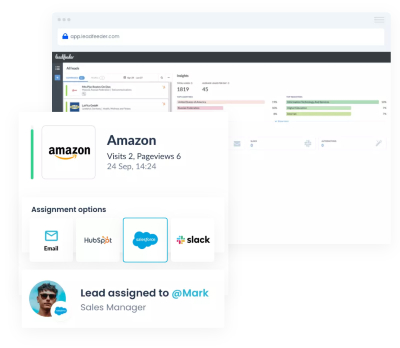
With Leadfeeder you can report on account-based marketing efforts by connecting all this information to your CRM, Slack or Email to alert your sales teams as soon as accounts re-engage — so your team can strike while the iron’s hot.
Summary: 8 Steps to Better Account-Based Retargeting
The bottom line
There are countless tactics that can be implemented in a successful ABM strategy. But keep this checklist close at hand to make sure that your ABM retargeting efforts are on track.
Note: Don’t know how to start with ABM? Generate new accounts, monitor target accounts, and build lead lists based on buyer intent data using Leadfeeder. Sign up for Leadfeeder’s free 14-day free trial.