This guide compares the best company research tools by data quality, regional coverage, use cases, and pricing models. The goal is to help you determine which lead research platform is best for your specific needs, and we’re here to help you do that.
The 10 Best Company Research Tools in 2026
We ranked these tools based on data coverage, data types (firmographics, contacts, intent, technographics), workflow fit, integrations, compliance posture, and cost model.
Keep in mind that there are plenty of great tools on this list, and so consider your unique needs and how you plan to use a company research platform when reviewing our top selections.
Tool | Best For | Data Types | Main Regions | Key Integrations |
|---|---|---|---|---|
Leadfeeder | EU-first and global B2B teams | Firmographics, contacts, intent, technographics | Europe + global | Salesforce, HubSpot, Pipedrive, API |
Cognism | GDPR-compliant direct dials, EMEA focus | Firmographics, verified mobiles, and emails | EMEA, North America | Salesforce, HubSpot, Outreach |
Saleshandy Lead Finder | Budget-friendly research + cold email | Firmographics, emails | Global | Gmail, Outlook, built-in sequences |
LinkedIn Sales Navigator | Relationship mapping, org charts | Firmographics, connections | Global | LinkedIn ecosystem, CRMs |
ZoomInfo | Large US enterprises needing deep data | Firmographics, contacts, intent, technographics | US-focused, global | Salesforce, HubSpot, Outreach, APIs |
Seamless.A | High-volume AI-driven discovery | Firmographics, emails, mobiles | North America-focused | Salesforce, HubSpot, Chrome extension |
UpLead | Verified emails and technographics | Firmographics, verified emails, technographics | Global | CRMs, enrichment tools |
Lusha | EU-centric SMB and mid-market | Firmographics, emails, some mobiles | Europe, North America | Salesforce, HubSpot, Chrome extension |
Apollo.io | Research + basic outbound sequences | Firmographics, emails, sequences | Global | CRMs, API, built-in outreach |
Lead411 | Technographics and human-verified US data | Firmographics, verified contacts, tech stack | US-focused | Salesforce, HubSpot |
1. Leadfeeder: Best All-in-One Company Research Suite for Targeted European and Global B2B Go-to-Market
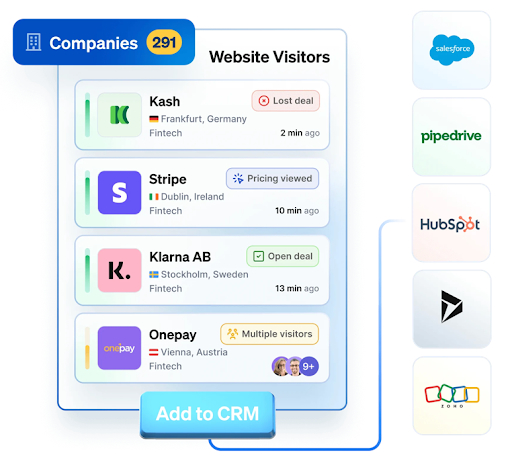
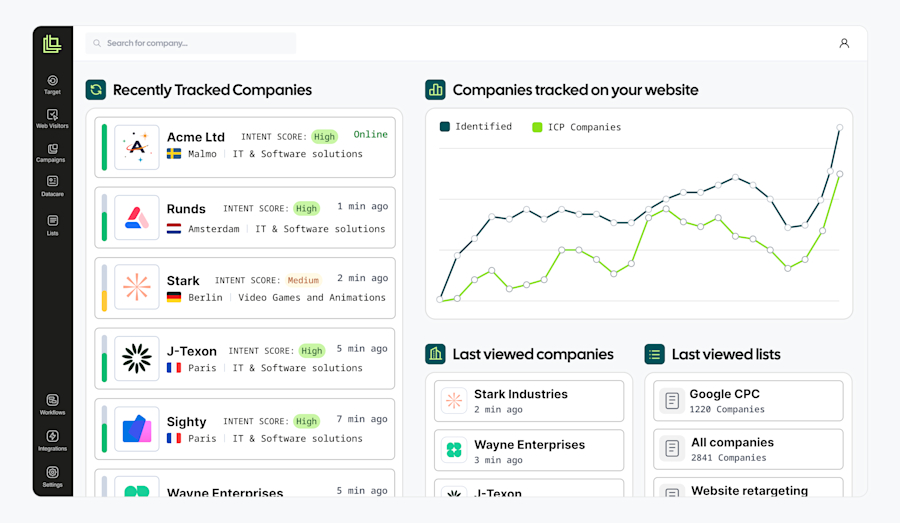
Leadfeeder is an all-in-one research suite that combines accurate firmographics, contact data, and buying signals in one platform. It's built for teams selling into Europe with strong compliance posture, but also offers solid global coverage.
Leadfeeder is particularly well-positioned for scaling B2B teams, mid-market, and enterprise organizations that need reliable European data and global flexibility.
Key features include:
Coverage: Deep European company and contact data, plus global reach for international teams
Filters: Industry, company size, revenue, employee count, tech stack, funding events, hiring signals, and buying intent
Intent and signals: Prioritize accounts showing active interest based on website visits and engagement patterns
Integrations: Native integrations with Salesforce, HubSpot, Pipedrive, and a full API for custom workflows
Compliance: Strong GDPR and CCPA posture with transparent data sourcing practices
Pros:
Strong European coverage
Combines research and intent in one platform
Excellent compliance posture
Cons:
Custom pricing may be higher than budget tools
May have more advanced functionality than small teams need
If you're targeting European markets or need a complete research and intent platform in one place, explore Leadfeeder to see how it fits your workflow.
2. Cognism: Best for GDPR-Compliant Direct Dials and EMEA-Focused Prospecting
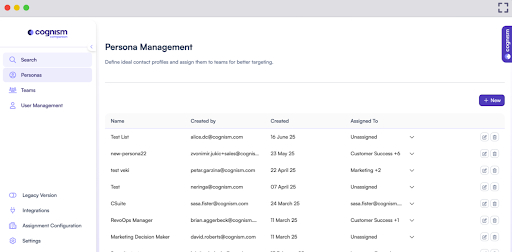
Cognism is known for verified mobile numbers and strong EMEA coverage, making it a solid choice if your outbound motion relies heavily on calling decision makers.
Key features include:
Direct dial phone numbers with high connect rates
Strong focus on European markets (UK, DACH, Nordics, France)
Diamond Data® verification for contact accuracy
Native integrations with Salesforce, HubSpot, Outreach, and Salesloft.
Pros:
Excellent for teams that call prospects directly
Strong compliance stance
Cons:
Pricing can be steep for smaller teams, and only custom pricing options are available
Less depth in non-European markets compared to some other platforms
3. Saleshandy Lead Finder: Best Budget-Friendly Company Research Plus Cold Email Outreach
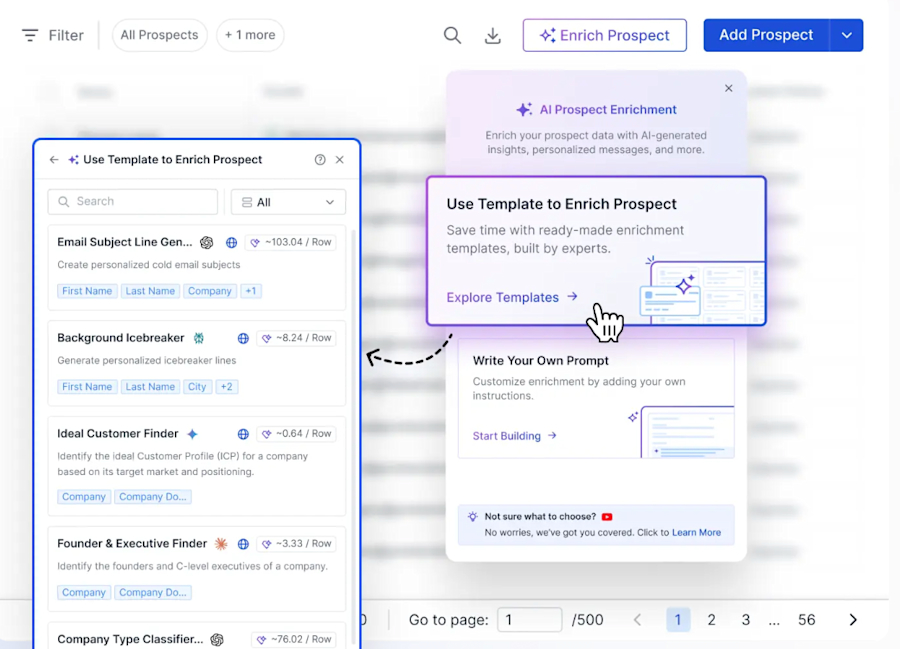
Saleshandy combines company research with built-in cold email sequences, making it a value play for teams that want prospecting and outreach in one tool.
Key features include:
Access to a global B2B database for firmographics and contact discovery
Chrome extension for quick LinkedIn and web prospecting
Built-in email sequences and deliverability tools
Integrations with Gmail, Outlook, and basic CRMs
Pros:
Great for bootstrapped teams
Simple UI that’s makes adoption simple
Combines research and outreach in one platform
Cons:
Smaller database compared to enterprise tools
Less technographic depth compared to other platforms
4. LinkedIn Sales Navigator: Best for Mapping Decision-Makers and Relationships
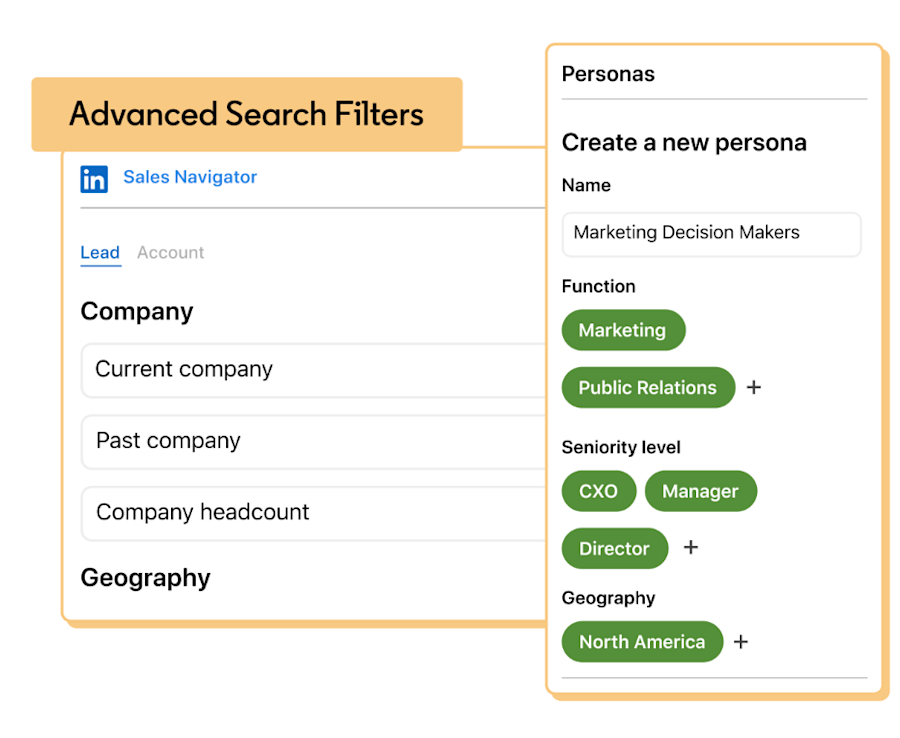
LinkedIn Sales Navigator excels at org mapping, relationship intelligence, and finding warm introductions through your network.
Key features include:
Advanced search filters for company size, industry, function, and seniority
Saved lead and account lists with alerts
TeamLink to surface warm introductions
InMail credits for direct outreach
Pros:
Unmatched for relationship mapping
Always up-to-date profiles
Strong for finding warm paths to decision makers
Cons:
Can get expensive at scale
Exporting data to your CRM can be difficult
5. ZoomInfo: Best for Large US-Centric Enterprises Needing Deep Data and Integrations
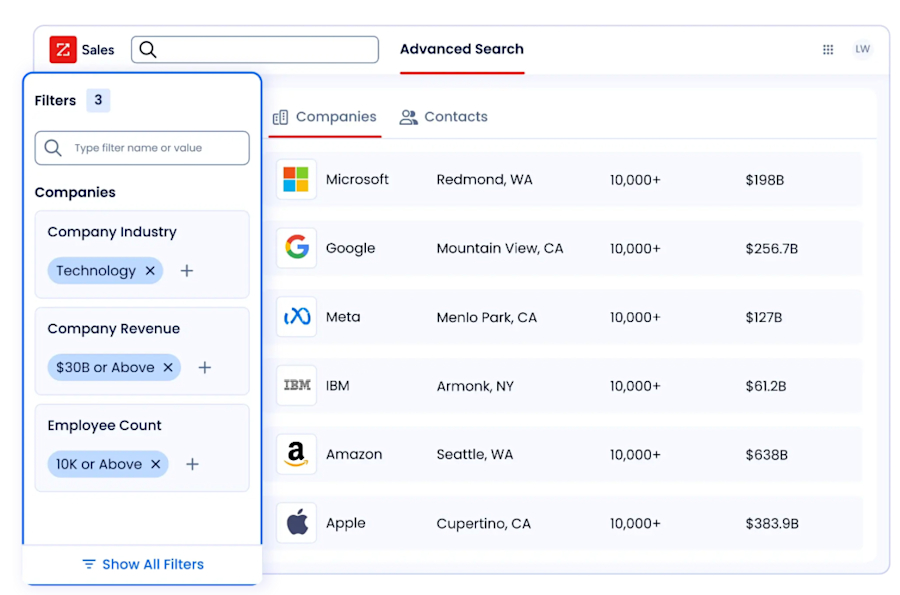
ZoomInfo is the enterprise standard for US market depth, offering massive contact coverage, intent data, and deep CRM integrations.
Key features include:
Extensive US firmographic and contact database
Intent signals and buying committees
Technographic filters and org charts
Native integrations with Salesforce, HubSpot, Outreach, and data warehouses
Pros:
Best-in-class for large US-focused teams
Strong integration ecosystem
Comprehensive intent and technographic data
Cons:
Expensive, and requires locked-in annual contracts
Can be overkill for smaller teams or non-US markets
6. Seamless.AI: Best for AI-Driven, High-Volume Prospect Discovery
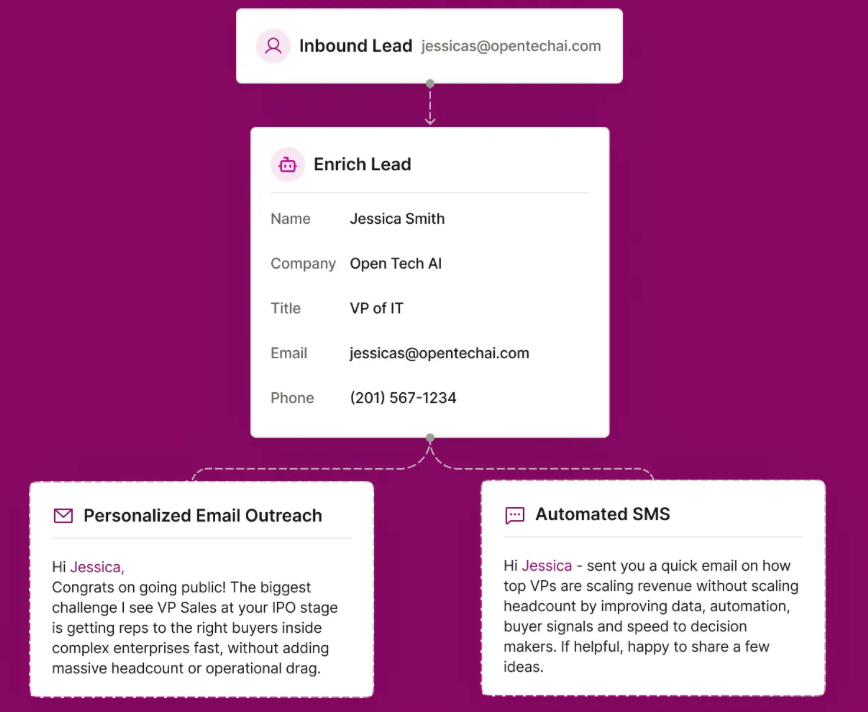
Seamless.AI positions itself as a real-time discovery platform, using AI to surface contact data on demand rather than relying solely on a static database.
Key features include:
High-volume contact discovery with Chrome extension
Email and mobile phone numbers
CRM integrations (Salesforce, HubSpot)
Credit-based or subscription pricing models
Pros:
Good for teams that need to build large lists quickly
Real-time data discovery
Chrome extension for easy prospecting
Cons:
Data accuracy can vary by segment
Real-time discovery means data accuracy may vary
7. UpLead: Best for Highly Verified Email Data and Technographics
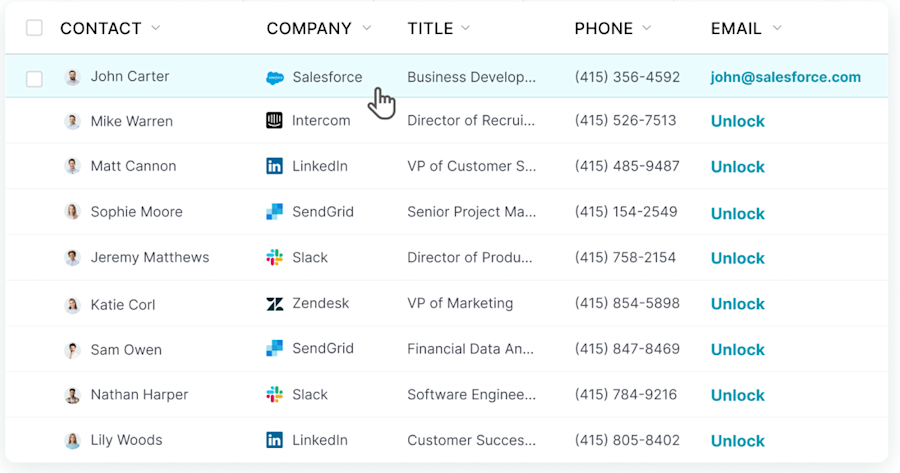
UpLead focuses on verified email addresses and technographic filters, making it a solid mid-tier option for teams that prioritize email accuracy.
Key features include:
95%+ verified email accuracy guarantee
Technographic filters to help you target users with specific tech stacks
Intent data at higher pricing tiers
Pay-as-you-go credits or monthly plans
Pros:
Strong email verification
Technographic depth
Flexible pricing
Cons:
Smaller database than enterprise platforms
Limited mobile coverage
8. Lusha: Best for Eurocentric SMB and Mid-Market Prospecting
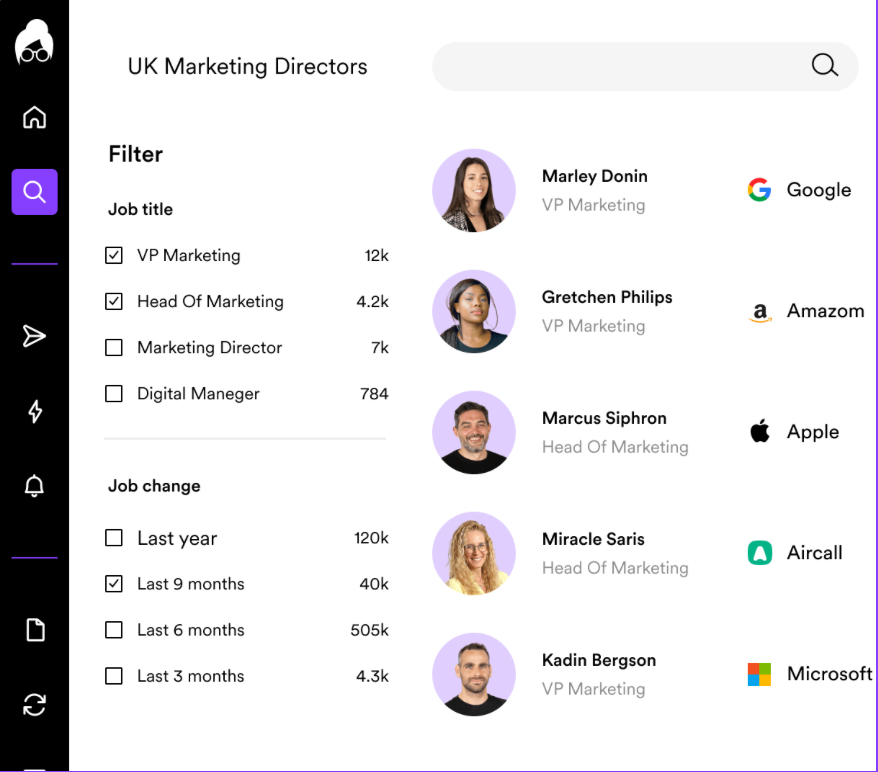
Lusha is popular with SMBs and mid-market teams, especially those targeting European markets. It's known for its simple Chrome extension and ease of use.
Key features include:
European and North American contact data
Chrome extension for LinkedIn and web prospecting
Email and some mobile coverage
Salesforce and HubSpot integrations
Pros:
Easy to use
Good European coverage
Affordable for smaller teams
Cons:
May lack depth for enterprise needs
Limited coverage in niche verticals
9. Apollo.io: Best Combined Research and Basic Outbound Platform
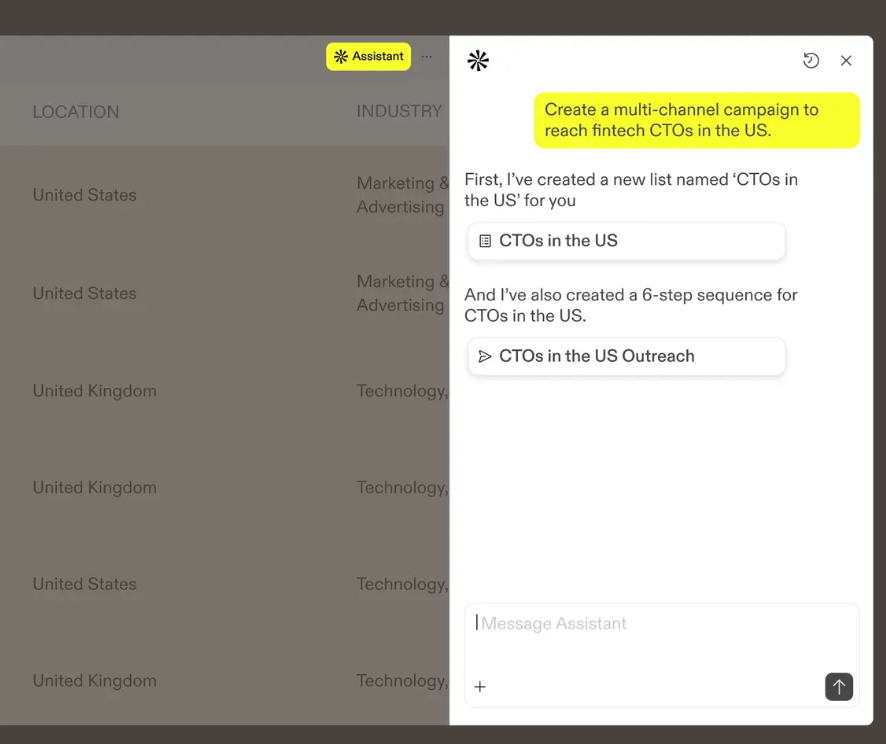
Apollo.io combines a B2B database with email sequencing tools, making it an all-in-one option for lean teams.
Key features include:
Large global database of companies and contacts
Built-in email sequences and engagement tracking
Chrome extension and API access
Freemium tier with paid upgrades
AI search assistants can speed up prospecting
Pros:
Good for lean teams
Combines research and outreach
API flexibility
Cons:
Multiple G2 reviews report data accuracy issues
10. Lead411: Best for Technographics and Human-Verified US Data
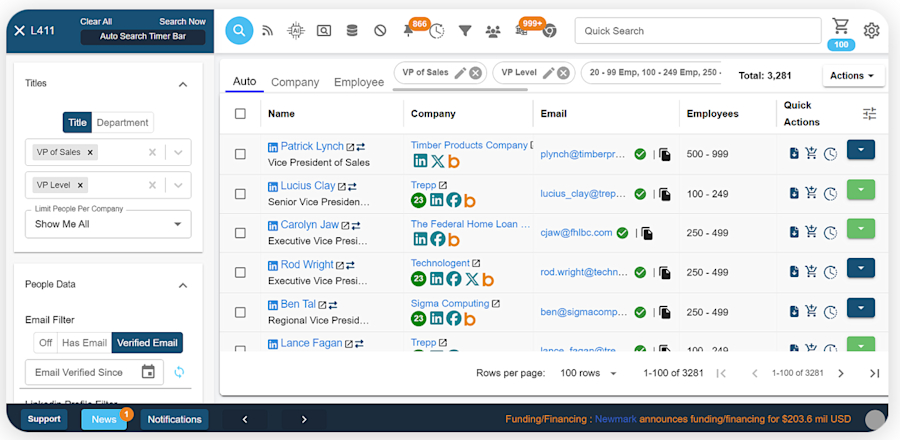
Lead411 focuses on human-verified contact data and deep technographic filters, making it a strong choice for teams selling into US tech buyers.
Key features include:
Human-verified emails and direct dials
Technographic data (software used, tech stack)
Bombora intent integration
Salesforce and HubSpot integrations
Pros:
Strong US coverage
Good for tech-focused prospecting
Human verification adds data quality
Cons:
Less international coverage compared to other options
How to Choose the Right Company Research Tool for Your Team
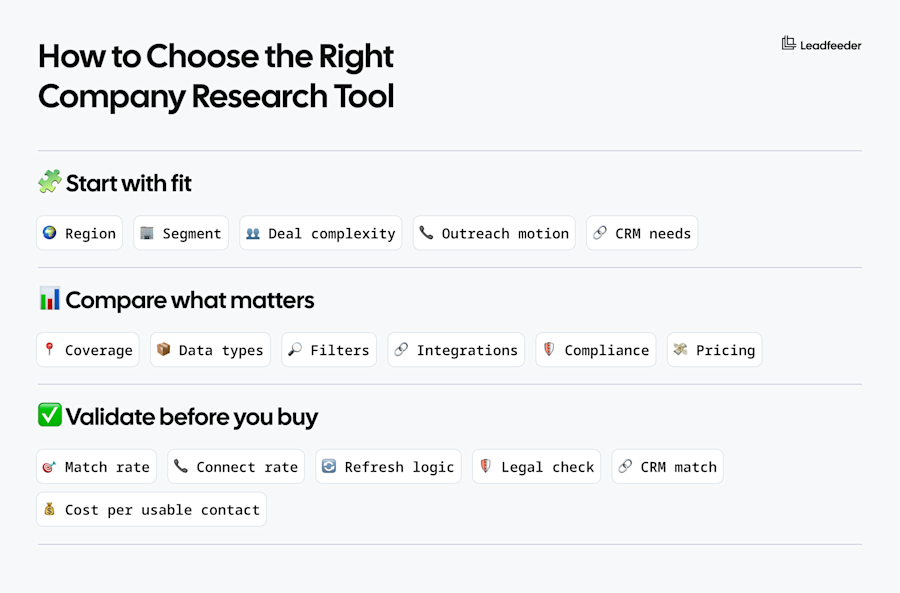
Picking the wrong tool wastes budget and slows down pipeline creation. Here's how to choose a platform that actually fits your workflow, whether that’s Leadfeeder or a Leadfeeder alternative solution.
Start From Your ICP and Go-to-Market Strategy
Your ideal customer profile (ICP) determines which tool will actually work for your team. A tool with strong US data won't help if you're selling into Germany, and enterprise features are overkill if you're prospecting SMBs.
Map your needs:
Region: Selling into Europe? Prioritize Leadfedder, Cognism, or Lusha. US-focused? Consider ZoomInfo or Lead411.
Segment: SMB teams can use lighter tools like UpLead. Enterprise needs deeper data from Leadfeedert, ZoomInfo, or Cognism.
Buying committee complexity: Multi-stakeholder deals need org charts and relationship mapping.
Outreach channels: Email-only motion? Focus on email verification. Calling heavily? You need direct dials.
CRM hygiene: If data enrichment and data quality are priorities, pick tools with strong integrations and APIs.
Key Criteria to Evaluate
Don't just compare features. Focus on what actually impacts your ability to build lists, reach prospects, and close deals.
Evaluate these factors:
Coverage and freshness: Does the tool have strong data in your target regions and segments? How often is data refreshed?
Data types: Do you need just emails, or also mobiles, technographics, and intent signals?
Filter depth: Can you filter by revenue, headcount, tech stack, funding events, hiring signals, or custom keywords?
Integrations: Does it integrate natively with your CRM, outbound sequencing tools, data warehouse, or offer API access?
Compliance and sourcing transparency: How does the tool handle GDPR, CCPA, and opt-out requests? Is data sourcing transparent?
Pricing model and constraints: Is it per seat, credit-based, or annual contract? Are there hidden overage costs or export limits?
10-Point Checklist Before You Commit
Run through this checklist before signing a contract:
Test 50 to 100 accounts in your ICP for match rate and accuracy
Validate direct dial connect rates if calling is core to your motion
Check how often data is refreshed and what "verification" actually means
Confirm GDPR and consent handling requirements with your legal team
Measure enrichment match rate against your existing CRM data
Confirm integration depth (not just "native integration" marketing claims)
Calculate cost per usable contact, not cost per record in the database
Verify export limits, credit burn rates, and fair usage policies
Run a pilot workflow with actual reps, not just ops or admin
Get clarity on support SLAs, onboarding process, and data quality guarantees
Practical Workflows With Company Research Tools
Knowing which tool to buy is one thing, but knowing how to actually use it to build pipeline is another. Here are three proven workflows you can implement immediately.
Workflow 1: Build a Net-New Target Account List From Scratch
Here's how to build a clean target list:
Define your ICP and exclusions (industries, company sizes, regions to avoid)
Filter companies by firmographics (revenue, headcount, location)
Layer technographics or trigger events if your tool supports it (funding, hiring, tech stack changes)
Pull decision makers by role and seniority level
Sync filtered list to your CRM and tag with source and segment
Launch outbound campaigns with clear routing rules for reps
Workflow 2: Enrich Existing CRM Accounts and Boost Outbound Performance
If your CRM is full of incomplete records, use a research tool to fill the gaps:
Audit your CRM for missing fields (industry, revenue, employee count) and duplicate records
Enrich firmographics and add key contacts (decision makers you're missing)
Identify new buying committee members who joined recently
Prioritize accounts using intent signals or engagement data
Push enriched data back to your CRM with governance rules to prevent overwrites
Workflow 3: Low-Budget Stack Using Free Tools Plus a Light Paid Plan
If budget is tight, combine free resources with one affordable tool:
Use LinkedIn for org mapping and relationship discovery
Validate companies using public sources such as company websites, press releases, and government registries
Buy a low-tier database plan or pay-as-you-go enrichment for contact emails
Use a lightweight CRM and basic outbound tool, like Saleshandy’s free tier
While this is lower-cost, there are trade-offs to consider, which include more time investment, limited mobile coverage, and lower overall data accuracy.
Free and Low-Cost Company Research Options
Not every team has the budget for premium tools. Here's how to get started with free resources and when to know you've outgrown them.
Public and Government Data Sources Worth Knowing
Before paying for a database, consider these free sources:
Government and census business datasets
Company registries, such as Companies House in the UK
Industry reports and trade association directories
Company websites, press releases, and investor relations pages
These work well for basic firmographics but lack contact-level data.
When Free Data Isn't Enough: Signs You Should Upgrade
Many companies reach a point when free data won’t cut it. You likely need a paid company research tool when:
You need consistent data fields and fast list building for scalability while maintaining accuracy
Your outbound motion relies on calling and you need verified direct dials
You sell across multiple regions and need reliable coverage everywhere
You need compliance confidence and data auditability for GDPR or CCPA
Manual research is slowing down your pipeline creation and costing you deals
Find Your Perfect Company Research Tool
The right company research tool depends on where you sell, who you target, and how you prospect.
When making your selection, start with your ICP, test accuracy in your segment, and pick the tool that actually fits your workflow. Keep in mind that some platforms like Leadfeeder offer demos and free tiered plans or free trials, allowing you to get hands-on experience and to see what’s possible. Take advantage of those during your research process.
Ready to improve your company research and prospecting? Explore Leadfeeder to see how we help B2B teams find the right accounts, prioritize intent signals, and connect with decision makers across Europe and globally.
FAQs About Company Research Tools
What is a company research tool?
A company research tool (also called a “company research platform” or a “business research tool”) helps B2B teams find target accounts, identify decision makers, and gather firmographic and contact data to fuel outbound prospecting and account-based strategies.
How accurate is the data in these platforms?
Data accuracy varies widely by tool, region, and segment. Most platforms claim 90-95% email accuracy, but real-world results depend on how often data is refreshed, verification methods, and whether you're targeting common roles or niche contacts.
Always test accuracy in your specific ICP before committing to a new platform, especially if there’s a long-term contract or high dollar price attached.
Can I rely only on LinkedIn for company research?
LinkedIn’s free platform is excellent for org mapping and relationship discovery, but it's not a complete company research solution. You'll still need email addresses, phone numbers, and firmographic filters that LinkedIn doesn't provide. Most teams use LinkedIn alongside a dedicated research tool.
What's a reasonable budget for a small vs. enterprise team?
Small teams with under 10 SDRs or sales reps can start with $50 to $200 per user per month using tools like UpLead, Lusha, Saleshandy, or in some cases, Leadfeeder. Mid-market teams typically spend $300 to $600 per user per month. Enterprise teams using ZoomInfo, Cognism, or Leadfeeder should budget for custom pricing that can range significantly based on seats, data access, and contract terms.
How do intent data and buying signals work in practice?
Intent data identifies companies showing active research behavior such as visiting specific topics, downloading content, and engaging with competitors.
Buying signals include firmographic triggers like funding events, hiring sprees, tech stack changes, or leadership moves.
Tools like Leadfeeder layer these signals on top of contact data to help you prioritize warm accounts over cold outreach.
Which tools are best for Europe vs. North America?
For European markets, Leadfeeder, Cognism, and Lusha offer the best coverage and compliance posture. For North America (especially US), ZoomInfo, Lead411, and Seamless.AI provide deeper data. If you're selling globally, Leadfeeder likely offer the broadest combined reach.

SEM (Paid Search) Manager @ Leadfeeder
Oscar Johnson is Performance Marketing Team Lead at Leadfeeder, where he leads paid acquisition and growth initiatives across global markets. With a background in performance marketing and search engine marketing, he specializes in scaling customer acquisition through data-driven campaign optimization.
Oscar has managed multi-market advertising programs and large paid media budgets while continuously improving targeting, attribution, and funnel performance. His experience managing B2B acquisition campaigns informs his perspective on audience targeting, paid marketing strategy, and optimizing the path from click to conversion.