What is Zoho
Zoho is an excellent CRM option for small businesses, as it allows for up to 10 free users. Using Zoho, users can prioritize emails by sales pipeline, with context and analytics. With Zoho, you can also segment your website visitors and increase conversions through live chat, make sales calls effective with single-click dialing, prompt reminders and call analytics, and lastly, capture leads and manage your brand's social media interactions.
CRMs are the backbone of most sales teams — they are where you track leads, keep track of customers, and stay on top of all communications.
How does Leadfeeder’s CRM integration work
Integration makes it easier for sales and marketing teams to share data. It also makes it easier to dive deeper into data to better understand what types of customers visit your website — and what they do once they get there.
By integrating Zoho with Leadfeeder, you can see which website visitors are known to you and exist in your CRM already, as well as create new Leads, Accounts, Tasks and Deals directly from Leadfeeder.
Best of all, you can automatically send website visitor activity from Leadfeeder to Zoho to enable both upsell and new sales opportunities, turning your sales pipeline into a well-oiled machine.
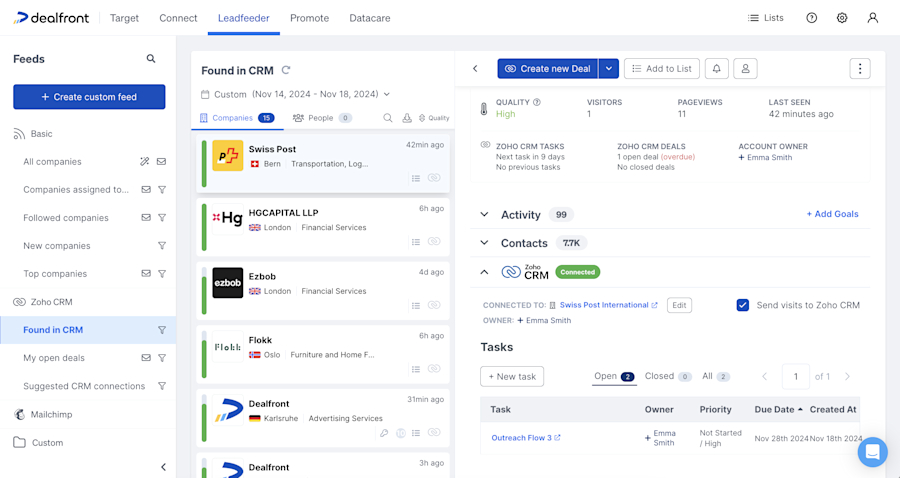
Leadfeeder’s data sync will look for any existing accounts or leads in your CRM and automatically connect the data. In Leadfeeder you will see a Zoho icon next to every connected identified company, plus a new folder of CRM specific custom feeds.
You can choose to automatically push page visits to Zoho, or turn this setting off and use it as a read-only integration.
For identified companies that do not match an existing CRM account you have the option to manually or automatically create a new account or lead.
Benefits of integrating Zoho and Leadfeeder
By integrating your CRM with Leadfeeder you can:
Identify companies visiting your website that already exist in your CRM
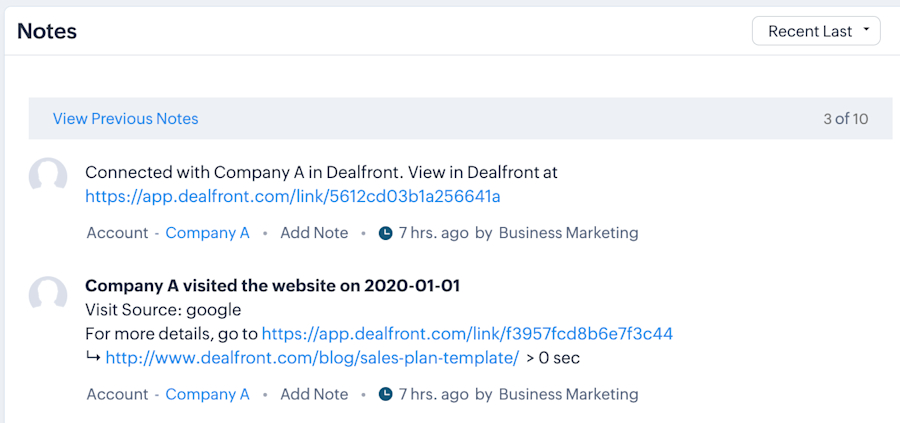
Automatically or manually push visit information from Leadfeeder to Zoho
Create new accounts or leads in Zoho using Leadfeeder data
Create new tasks or deals for connected companies in Leadfeeder
Include or exclude companies already present in your CRM from custom feeds
Filter custom feeds by deal status, sales owner, and more
Send email or slack notifications to the right sales person each time their account visits your website
Add relevant contacts to existing Zoho deals by revealing their contact details in Leadfeeder
Use Cases
Create new opportunities: Increase productivity by reducing the time spent adding new opportunities to your sales pipeline.
Add contacts to existing opportunities: Increase your deal closure rate by revealing contact details for all relevant stakeholders in open opportunities. Automatically add relevant contacts from within the company to open opportunities in Zoho.
Exclude existing prospects: Boost productivity by minimizing the time spent identifying new prospects. Exclude companies already linked to Zoho, efficiently removing existing customers/prospects from feeds.
Turn page views into pipeline: Automatically create CRM opportunities or tasks for your sales team when target companies show buying intent by visiting your website, enhancing efficiency and driving higher conversion rates through timely engagement.
When we identify a company as a hot lead, we immediately look them up on LinkedIn to try and determine who the decision-maker is. Then, we add them in Salesforce and approach them subtly, usually a week after they visited our website.
How to get started
Step 1: Log in to Leadfeeder, or sign up and score a free 14-day trial.
Step 2: If you’re already using Zoho, follow this guide to add the integration today —it’s simple!
Step 3: Curious to see how you can use the Zoho integration? Read this article to get started.