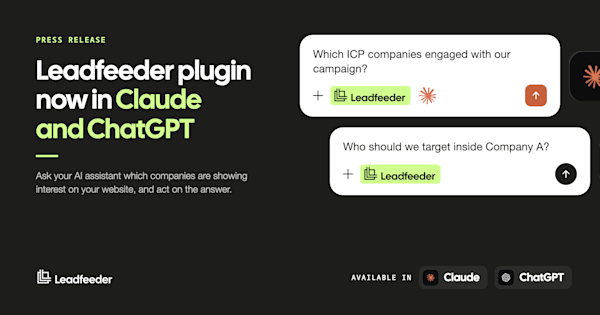
Marketing and revenue teams can now ask their AI assistant which companies are showing interest on their website, and act on the answer in the same place. Ask which ICP companies engaged with a campaign, pull a brief on a target company, find the personas worth targeting inside it, and build an audience to activate, all in plain language. The plugin bundles six skills together with the Leadfeeder MCP Server, which connects Leadfeeder data to AI assistants through the Model Context Protocol.
What you can do
The Leadfeeder plugin ships with six skills as a start, with more to follow. Each one is a complete task that Leadfeeder has written and tested, so there is nothing to work out and nothing to phrase carefully. The ranking in them runs on the ideal customer profiles (ICPs) and buyer personas your marketing team has already defined in Leadfeeder, so answers come back segmented the way your team plans campaigns.
Getting Started checks that the account is connected, that at least one ICP is defined, and that the tracking script is firing, then runs a real brief. The first thing a new user sees is their own data, not a tutorial.
Daily Visitor Brief answers which companies engaged, over any period you name. It returns the companies that came to the website, ranked by ICP match and intent score, with the pages each one read and whether it is back after a stretch of silence. Run it after a campaign push to see which companies moved and which content did the work.
Visitor Company Brief takes one company and returns 90 days in a single answer: firmographics, session and page history, the traffic sources that brought it, buying signals, and which of your personas are present in the contacts on file. Enough to size an account tier, shape a nurture track, or brief an agency, without opening a report.
Find My Buyer answers who to target inside a company. It returns up to five named contacts from the contact database, ranked by persona fit, then checks every persona you have configured and names the seats you cannot reach, so the next campaign is built around the buying committee you actually have.
Outreach Companion assembles the talking points for the follow-up, grounded in what that company read on the site and the signals around it, and hands them to the assistant to write the message from.
Add to Pipeline tags a company and adds it to a list in Leadfeeder, after showing the exact change and waiting for a yes. Lists sync one way to LinkedIn Matched Audiences, so a list you build up becomes an audience you can retarget.
Used together, the six fit the way marketing actually runs: in campaign cycles, not lead by lead. After a push, a demand generation marketer can ask which ICP companies engaged and what they read, pull a brief on the ones worth investing in, check which personas are missing before building the next touch, and add the companies that are clearly in market to a list that syncs to LinkedIn. The same six skills close the loop the other way: a rep preparing for a call works from the same brief the campaign was built on.
"With the Leadfeeder MCP Server we gave you the full pantry, every ingredient Leadfeeder has. But a pantry does not make dinner. Skills are the recipes: tested, step by step, ready to execute. We prepared them for you. Pick one, put it in your daily routine, and you are done." Constantinos Constantinou, Senior Product Manager @ Leadfeeder
"Leadfeeder's MCP server is connected to basically everything we need. We connected our agent to it and insights immediately started coming through. If you're a fast-moving startup and you need insights leveraged immediately, I highly recommend it." Sasan, Co-founder & CEO, Quantro Security
The signal comes from your own website
Most AI go-to-market tooling connects a static contact database to an assistant, so teams can prospect colder and faster.
Leadfeeder starts somewhere else. It connects the buying signals a company's own website already produces: which organizations arrived, what they read, and whether they match the ideal customer profile. That is demand the company has already created.
Putting that signal inside the assistant means the research step and the action step happen in the same place.
"Everyone is racing to put a contact database inside an AI assistant. We think that is the wrong starting point. Your own website already shows which companies are interested in what you sell, and now you can ask about it in the tool you are already working on." Kevin McIntyre, CEO @ Leadfeeder
Built for European B2B: GDPR-compliant by design
Data access stays under the customer's own Leadfeeder sign-in. The AI assistant never holds a Leadfeeder key, and actions that write or change data require explicit confirmation from the user.
Leadfeeder runs on EU-native infrastructure and is ISO 27001 certified, supporting data residency and privacy requirements across DACH, the Nordics, and Benelux.
Availability
The Leadfeeder plugin is available now in the Claude and ChatGPT marketplaces. Search for Leadfeeder in the directory, install the plugin, and sign in with your own Leadfeeder account. The plugin is what carries the six skills, so installing it is the step that turns the connection into a working routine.
Customers who already connected the Leadfeeder MCP Server keep everything they have. Their connection continues to work and the plugin reuses it. To add the six skills, they install the plugin as well.
Access is included with all paid Leadfeeder plans that have API access. Pricing and packaging do not change.
About Leadfeeder
Leadfeeder turns B2B websites into lead generation engines. The platform identifies the companies visiting a website, reveals where buying intent is forming, and helps teams act on that insight across marketing and sales workflows. Built on a proprietary IP-to-company database covering more than 60 million companies and 400 million verified contacts, Leadfeeder helps teams generate qualified leads and turn website activity into pipeline.
Media contact: Bernardo Véstia | bernardo.vestia@leadfeeder.com
© 2026 Leadfeeder. Dealfront Group GmbH. All rights reserved.