60-Second Summary
Knowing which companies visit your website lets sales and marketing focus on high-quality B2B leads instead of anonymous traffic. Combine IP-based visitor identification with behavioral tools like heatmaps to turn anonymous visits into actionable outreach while maintaining GDPR compliance.
Key takeaways: IP tracking reveals company-level identities (not individuals), heatmaps reveal behavior — using both improves lead quality, conversation timing, and ROI; forms and legacy GA network data miss most B2B prospects.
Standout strategies and tactics: Deploy an IP-tracking tool (e.g., Leadfeeder), add the tracking snippet, connect to your CRM/email, use 'follow' and custom feeds (filters by location, company size, recent activity) to trigger timely outreach, and pair with heatmaps/session recordings to refine messaging.
Real-world lessons and frameworks: Combine identity + behavior for ABM: identify accounts, monitor engagement, then run targeted campaigns and measure acquisition filters. Examples: AlertOps saw a 700% increase in demo rate after integrating Leadfeeder with Pipedrive; xGrowth used first-party intent to sharpen ABM reporting.
Quick implementation checklist: Start a trial, install the tracking code, integrate with CRM, set custom filters/alerts, combine with heatmaps for UX insights, ensure data is treated as first-party and stored/processed per GDPR, then iterate based on campaign performance.
*This summary was created with AI assistance, using our original content.
When you know exactly which companies are showing interest, your sales and marketing teams can focus on high-quality leads that match your buyer persona instead of wasting time on anonymous traffic. This leads to better conversations, stronger opportunities, and improved return on investment.
To identify website visitors, there are two primary tools you can use: IP tracking tools and heat mapping software. Each method provides valuable insight, but both come with advantages and limitations you should understand before choosing the right solution.
Once you can see your visitors, the next question is whether the tool pays for itself -- here is how to calculate website visitor tracking software ROI.
Method 1: Track visitors on a website using IP tracking
The key to discovering which companies visit your site lies in their IP addresses. This is because when someone visits your website, your web server records their IP address.
These IP addresses can be dedicated to a single account owned by a company or institution.
Home computers usually have IP addresses assigned by the Internet Service Provider (ISP), while companies have dedicated IP addresses.
IP addresses hold a wealth of information, including the visitor's location.
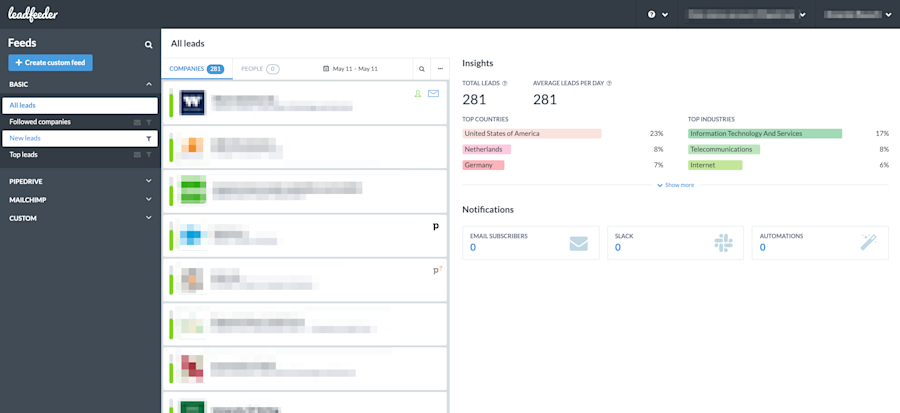
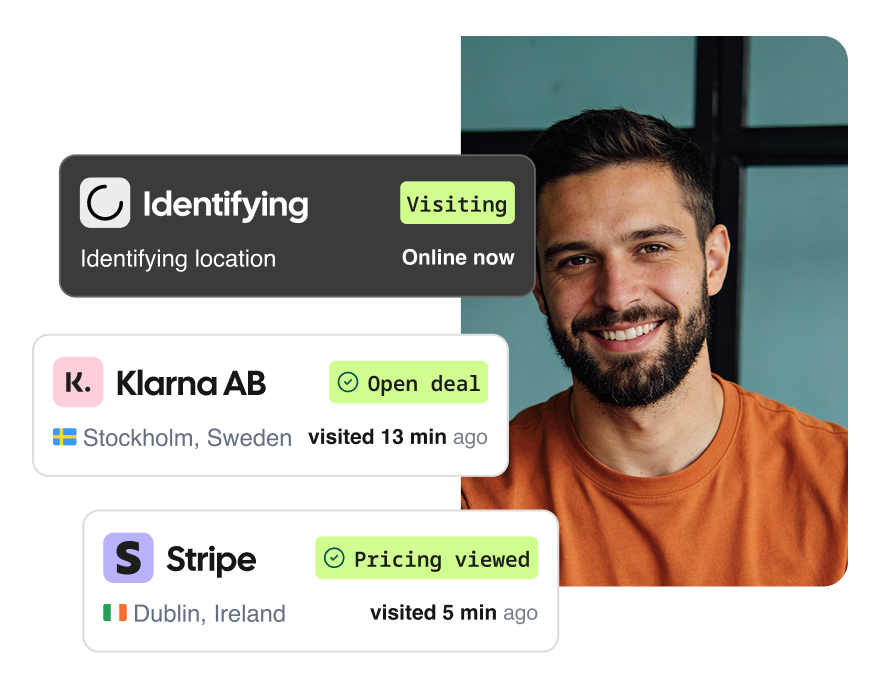
Most mid-size or large companies own their own IPs or blocks of IPs. So, if multiple users from a single IP address visit your site, you can track those visits by date and time using a web visitor tracking tool like Leadfeeder.
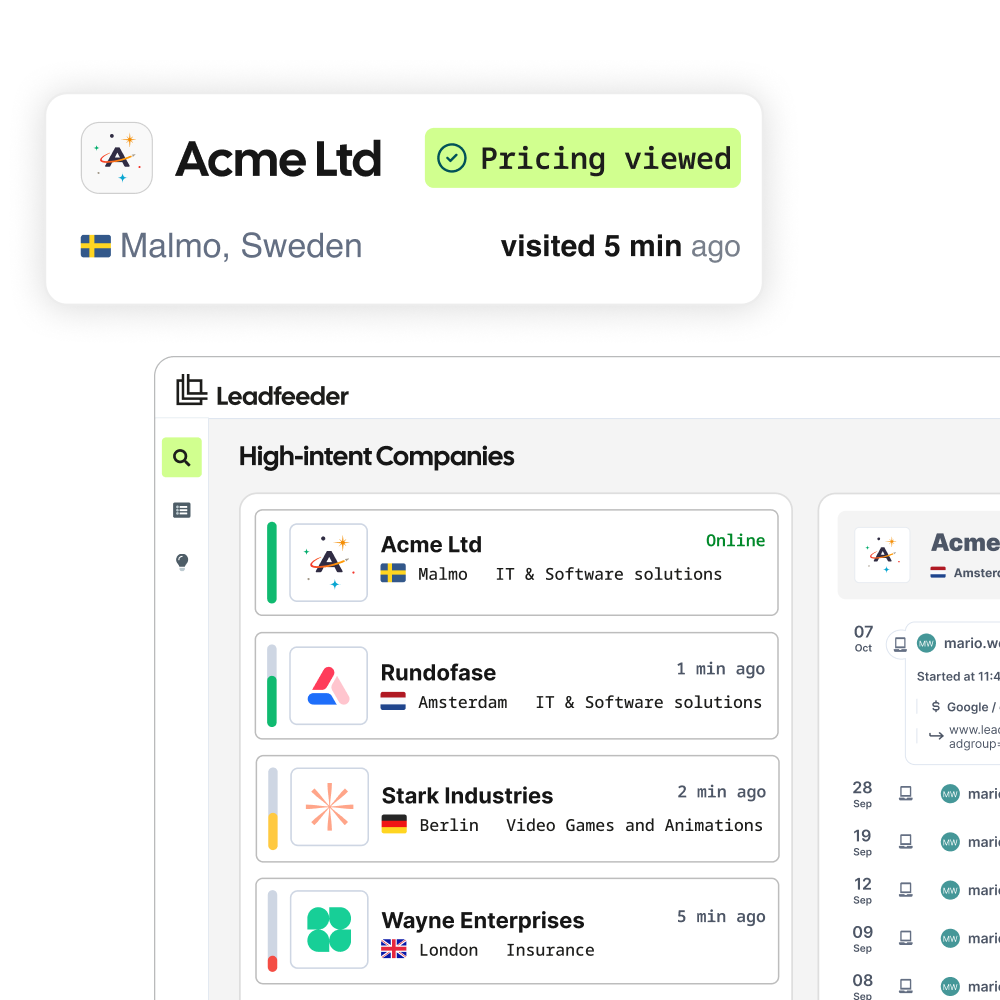
Leadfeeder identifies the companies visiting your site using cookieless tracking and AI- powered intent scoring -- then gives you verified contact details so your team can follow up immediately. GDPR-compliant by design. Trusted by 15,000+ B2B teams. Try it free -- setup takes under 4 minutes.
How to add the Leadfeeder tracking code:
Step 1
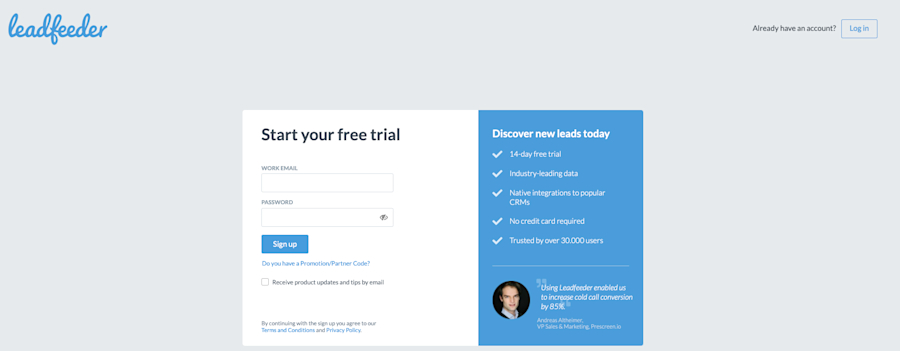
Step 2
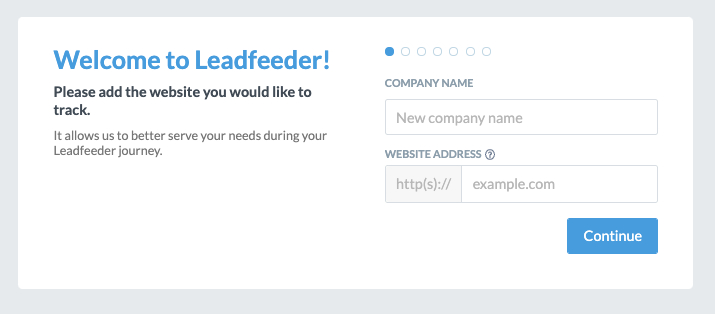
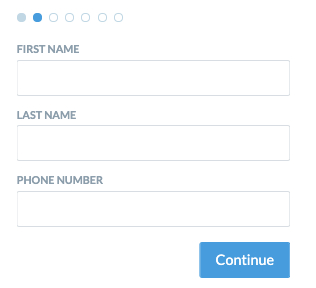
Step 3
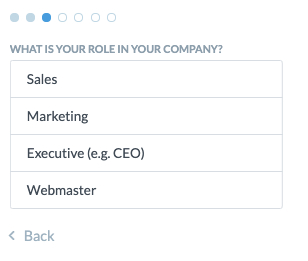
Step 4
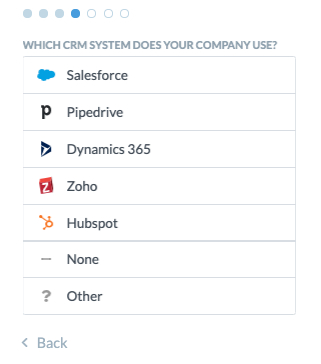
Step 5
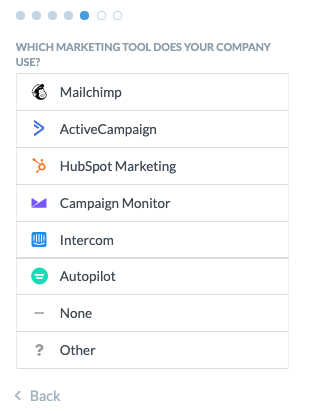
Step 6
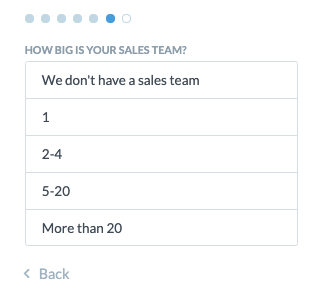
Step 7
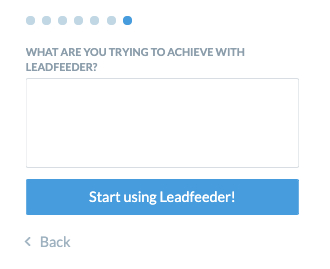
Step 8
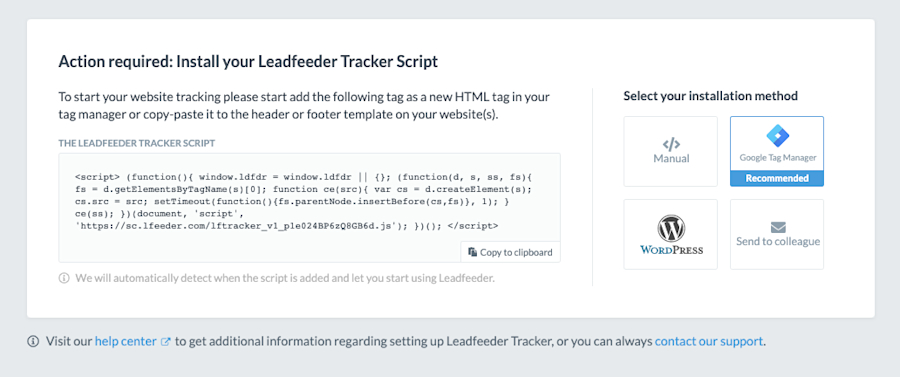
Step 9
La fin! 💃🏼
After that, you can connect Leadfeeder to your CRM, such as Pipedrive, or email marketing software, so you can further streamline your marketing efforts on these leads.
Leadfeeder also lets you "follow" a specific lead to observe their activity on your site. This makes it easier for sales and marketing to follow up or retarget at just the right time.
For example, a sales rep can "follow" a lead who visits your site, then reach out after they visit your pricing page.
Even better, you can use our custom feeds to drill down and see just the leads that fit your ideal customer profile.
Say you want to see only leads from the last 7 days who are located in Arlington, Virginia, and have at least 51 employees. You can filter all your leads to see only those that match that description.
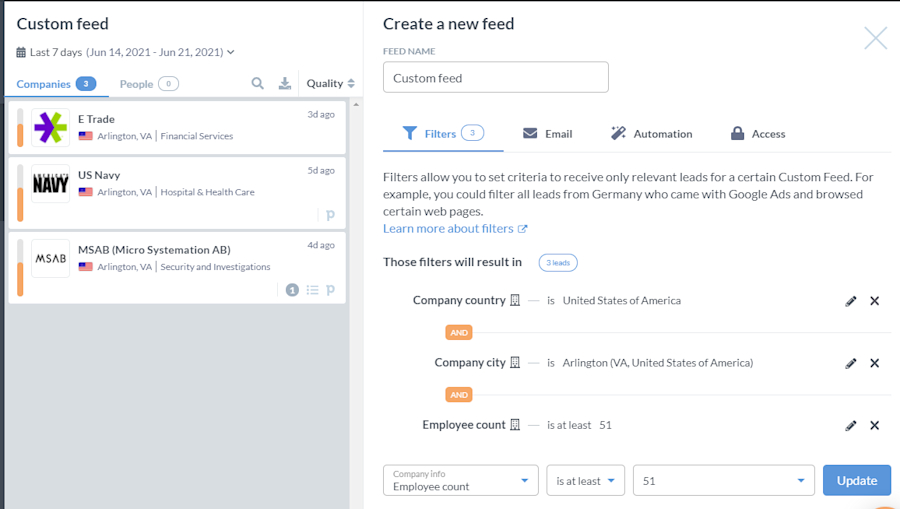
IP-based website visitor tracking tools don't tell you exactly which person visited your site. They only tell you which company the person works for. Still, for B2B companies, that visitor data is incredibly valuable.
We'll cover how to use this data to power sales and marketing campaigns in a later section. First, let's talk about another way to see who is visiting your website: heatmaps.
Method 2: Reveal visitor behavior on your website through Heatmaps
Heatmaps are another useful tool for marketing and sales teams looking to track website views.
They are a data visualization technique that uses color variations to show where visitors click on your site. Just like a weather map, which shows rain and thunderstorms in varying colors based on severity, heat maps display popular site areas in red and less popular areas in blue or green.
Here's an example of what they look like:
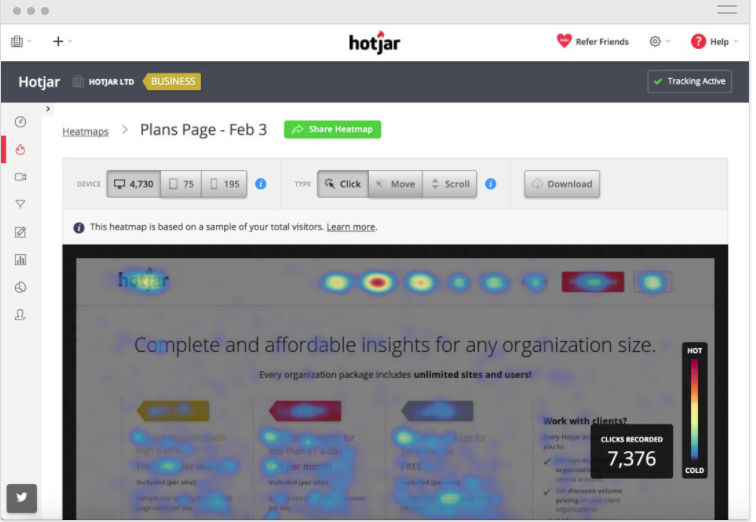
Heatmaps are useful for general website testing, to see where user attention drops off, and A/B testing new features or designs. You can observe user behavior, such as where users click and scroll, and what causes them to leave a page.
Many heatmap tools, such as Hotjar and Crazy Egg, also provide deeper analytics on who visits your website and what they do. Hotjar even provides session recordings of real actions taken by visitors where you can pair custom data, such as current customers or leads. But if you're relying solely on heatmaps, can you see who visits your website?
The truth is that heatmaps, unlike Leadfeeder, don't usually use IP-based web visitor tracking to tell you exactly what companies are on your site.
There are a few other limitations to using heat maps alone. For example, 90% of websites today use responsive design, which adjusts the display of your website to fit the device used to view it.
The upper-right quadrant on a desktop might contain different icons or features than the upper-right quadrant on a mobile device, making heatmap data less useful.
Also, heatmaps don't provide quantitative interaction data, making it hard to convert those blobs on a screen into actionable business data. For example, the heat map for your site with 1,000 visitors can look the same as when you have 10,000 visitors — but the volume might have very different implications.
The key to getting the most value from heatmaps is to combine them with IP-tracking tools like Leadfeeder. This provides a fuller picture of who visits your site and exactly what they do when they get there. Beyond company-level identification, some tools let you capture email addresses from website visitors for direct outreach.
Visitor identification methods like Google Analytics and form data are ineffective
Most businesses record website visitors in real time through their website analytics, then follow up with leads who visit a landing page or sign in to an account.
The problem is that hardly any quality leads fill out a form or create an account. In fact, the average form conversion rate across all industries is only 1.8 percent. So, if you rely on form data alone, you'll have no way of getting in touch with the vast majority of your traffic.
Google Analytics network reports used to offer a reliable real-time solution for tracking visitors to a website. But back in 2020, Google stopped reporting remote service provider and network domain information, and we lost access to tons of valuable visitor identification data.
Note: Want an easier way to identify and target B2B sales leads on your site? Try Leadfeeder for free.
Can websites see who visits them and still comply with data protection laws?
Data protection laws, such as the General Data Protection Regulation (GDPR) in the European Union, make it harder to collect certain types of data without the individual visitor's consent.
Even if your company is located outside the EU, you still have to comply with GDPR rules whenever you process the personal data of an EU resident. Failure to comply puts you at risk of a severe penalty, up to 4% of your annual global revenue.
With stakes this high, compliance is a top priority. But the great news is: with the right site-tracking tools, you can be fully compliant while still recording website visitors and collecting valuable, actionable data.
Leadfeeder is built for transparency and true GDPR compliance. All the data it collects is considered 1st-party data, and it's visible only to your company. It's also stored and processed inside the EU, in accordance with GDPR requirements. Leadfeeder also only shows you publicly available B2B company data, not data on individual web visitors.
How knowing who visits your site helps sales
The top challenge for most sales teams is finding more leads — and qualified leads, not just a random list of site visitors to sort through. Not every visitor is a prospect—use sales intent scoring to focus on companies that show real buying signals.
Visitor identification tools like Leadfeeder enable sales teams to focus on the accounts most likely to convert -- because they can see exactly which companies visited, what they looked at, and how often they came back, all without waiting for a form fill.
Knowing which companies visit your site can improve your sales process in many ways, including:
Improving prospecting efforts: See who visits your site, what pages they view, and how long they stay. Then, sort that data to zoom in on those who fit your exact buyer persona.
Qualifying leads: Leadfeeder provides custom filters, allowing sales to filter prospects by specific criteria. For example, your sales team in Germany can focus on local leads who have also viewed your pricing page. If you have an enterprise and small business sales team, they can use the company size filter to focus on the right-sized companies.
Contacting leads: In addition to showing you who visits your site, Leadfeeder matches IP addresses with our contact information database so we can show you the best contact, including their email and LinkedIn profile in most cases.
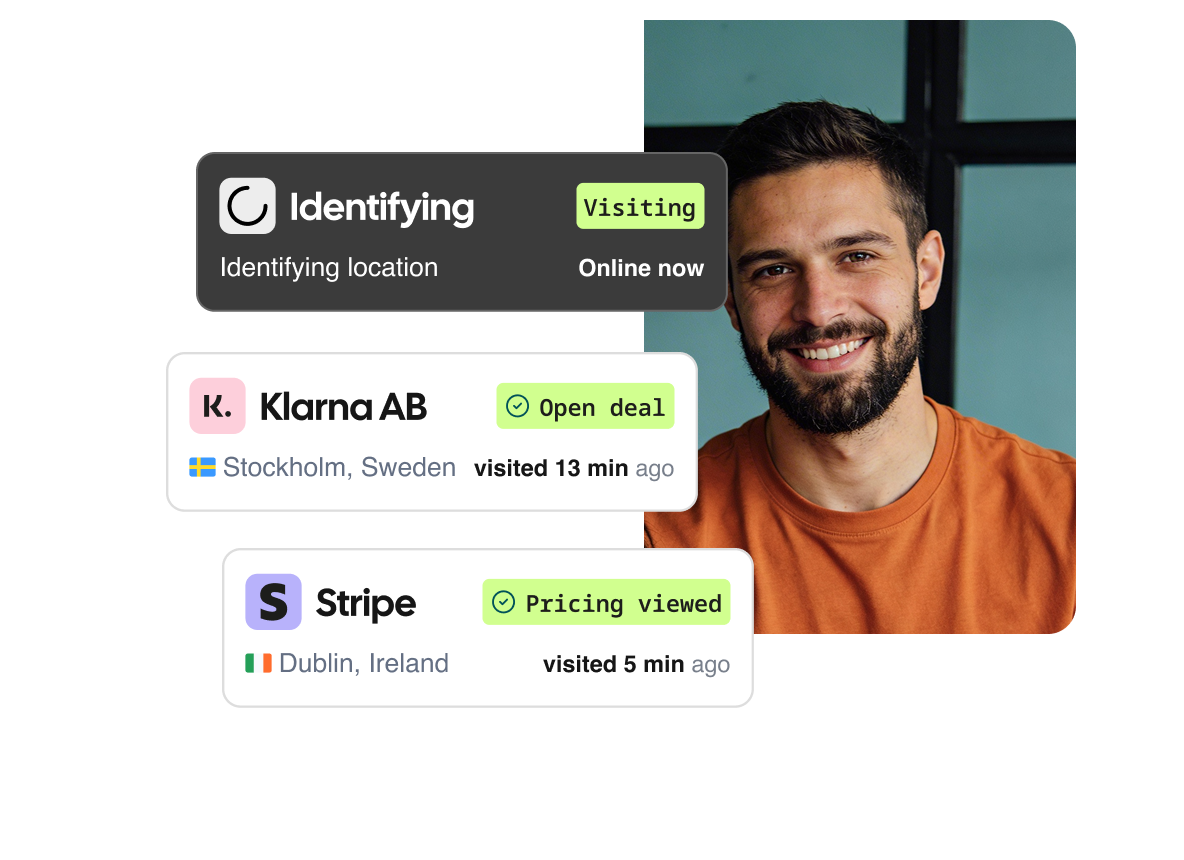
AlertOps, an IT alerting Startup, uses Leadfeeder's company size filters to hone in on companies that visit its site and are large enough to need its solution.
"Within just 30 days of using Leadfeeder with the Pipedrive integration, we were able to increase our sales demo rate by 700%. We even booked a sales demo with a Fortune 500 company.
I would definitely recommend Leadfeeder to anyone using Pipedrive. Leadfeeder is a game-changer for us." -Nathan Rofkahr, Director of Growth for AlertOps
How knowing who visits your site helps marketing teams
A strong marketing strategy isn't based on instincts. It's built on data, but data only matters when it’s part of a broader motion. As Andrei Zinkevich, co-founder of FullFunnel.io, puts it: "All of these motions exist because they work, but they never work in silos — and they never work if you think about them as tiny shiny objects. If you skip all other stages and think there is a tiny hack that will help you land enterprise deals, then obviously everything will be bad, including account-based marketing." - Andrei Zinkevich, Co-founder, FullFunnel.io
The ability to find visitors to a website creates many advantages for your marketing teams, including:
Spotting new opportunities: View who visits your website and where they are located. This can help you discover, for example, that you are getting many website visits from leads in France. If you don't already offer a French-language landing page, it might be time to!
Powering account-based marketing campaigns: Metrics that companies are already aware of, your solution can help you identify accounts to focus on and track how they respond to your campaigns and SEO activities.
Tracking campaign performance more effectively: Leadfeeder's Acquisition Filters help track how well your campaigns perform. For example, you can see how many potential customers a PPC campaign brings in or how much organic traffic increases — and then follow those leads through the conversion funnel.
Leadfeeder customer xGrowth works with IT and tech companies to develop ABM campaigns. They were having trouble providing the type of in-depth data their clients needed to develop effective strategies.
According to An, growth marketing manager at xGrowth,
"Leadfeeder is a collection of [first-]party intent data...this greatly removes the ‘fog’ when it comes to doing any kind of outreach, both digital and physical outreach. Leadfeeder was very useful in this regard because it gave us more clear and concise reporting on account engagement than any other platform could."
Using Leadfeeder allowed xGrowth to provide the actionable data it needed to develop concrete ABM strategies. 🙌
Final thoughts on finding who visits your website
As you can see, the key to more effective sales and marketing isn't knowing "How many leads visited my website?" It's all about knowing "Who is visiting my website?"
Identifying the companies you can nurture into potential customers is much more helpful than simply knowing that many people visit your website.
The reality is, tons of qualified leads are right under your nose — as long as you know where to look.
Luckily, there are several ways to identify these leads using free website visitor-tracking software with the right level of functionality for your needs. Don't let your leads get away from you!