60-Second Summary
Knowing which visitors are genuinely interested lets sales focus on leads that drive revenue. Leadfeeder uncovers the companies behind anonymous traffic and tracks their engagement so teams can build high-quality B2B lead lists.
Key takeaways: Prioritize high-intent companies by tracking visits to intent pages (pricing, product, solutions); custom feeds and integrations turn anonymous traffic into qualified prospects — one company converted lists into 284 prospects and seven demos.
Standout strategies & tactics: Define SQL behaviors, build tailored feeds (Existing customers, ICP, Google Ads, Organic, Warm leads, Email campaigns), tag accounts, integrate CRM/ad/email platforms, and automate notifications for timely outreach.
Real-world lessons & frameworks: Speed and signal matter — reach out while intent is fresh, use behavior and acquisition filters to validate and refine campaigns, and leverage returning or help-seeking visitors for upsell and retention.
Actionable framework: Follow a six-step feed strategy — upload customers, create ICP filters, monitor paid and organic sources, build warm-lead behaviors, sync email campaigns, then prioritize and route high-intent leads to sales.
*This summary was created with AI assistance, using our original content.
What matters is knowing which visitors are genuinely interested and likely to convert. Identifying high-intent companies early gives your sales team a better chance to focus on leads that can actually drive revenue. For what that can look like in practice, one SaaS company turned lists like these into 284 prospects and seven demos.
That is where Leadfeeder comes in. Leadfeeder helps B2B businesses uncover the companies behind anonymous website traffic and track how they engage with key pages across your site.
But identifying visitors is only the first step. In this article, we will explore how to determine which companies are true sales-qualified leads and how the best tools for B2B lead list generation help your team close more deals.
Note: Want access to valuable data to generate more high-quality leads? Sign up and try Leadfeeder free for 14 days to see company details, behavioral buying intent signals, and more.
So, how do you build a B2B sales lead list?
I talk to sales and marketing teams every day about how they can best use Leadfeeder to generate more leads and better understand their website traffic.
The good news is that figuring out which companies visiting your website are valid prospects is actually pretty simple.
Start by deciding what pages or actions on the site indicate buyer intent - for us that usually means someone is looking at our pricing page. But for your company, that could be a product or solutions page.
Using the data you’re able to gather from Leadfeeder can help you decide which pages are most important in the buyer’s journey and which companies are visiting to convert them!
Follow the steps below to build out custom feeds that will help you discover the best leads visiting your site.
6 steps to create a high-quality B2B lead list using Leadfeeder
Not all leads are created equal. Once you've determined which behavior indicates an SQL, it's time to ensure those leads get special attention. So, how do you do that?
By building custom lead lists that target exactly the right leads. Here are six lead lists that will help you focus on the best companies for your B2B lead list.
1. Existing customers
These companies are already your customers, but when it comes to keeping them or maybe selling them another product, it can get a little tricky.
By uploading a list of your clients into our platform, you can tag your customers using our tags (and even set up an automation to do it).

Now you can take a look at how often they visit your site and what they’re looking for when they do.
Maybe they’re looking for help (are they using your help center a lot?) or they’re reading about other products you offer, in which case it might be time to reach out to see if they’d like to upgrade or add to their account.
This information can help you provide better customer service and identify who might need another product you offer. Double win!
2. ICP (Ideal customer profile)
Think about who your ideal customer is, then build a feed based on those parameters.
Do you usually sell to a specific industry? Maybe you only work with large businesses with more than 100 employees.
Or maybe your best customers are from a certain region.
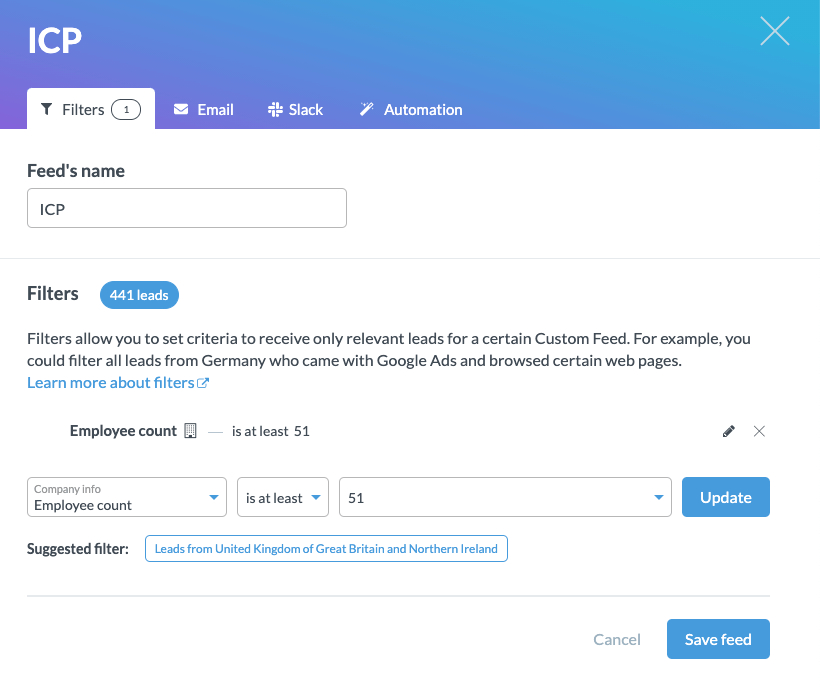
You can add multiple filters to create a feed tailored to the type of client you usually work with.
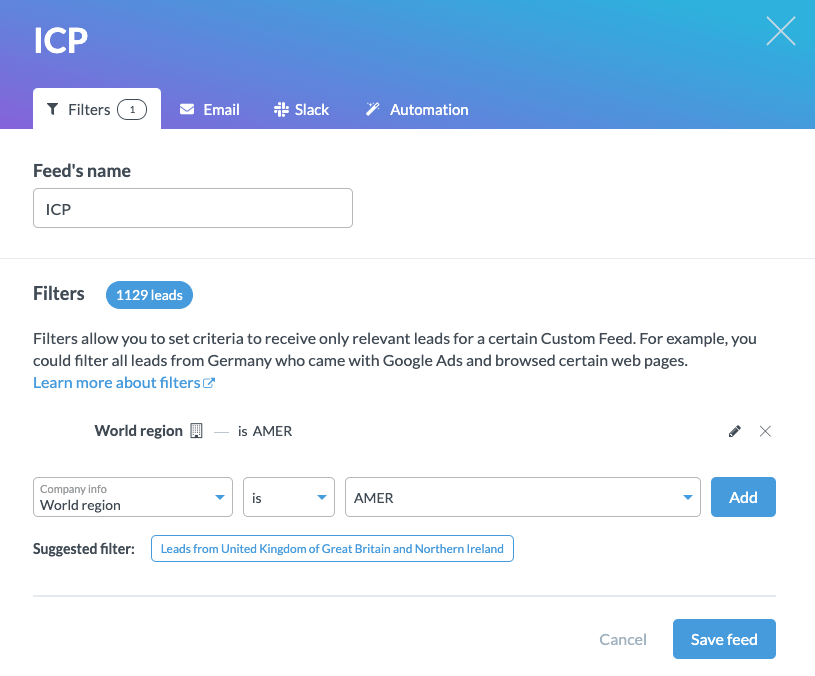
If you have your CRM integrated, you can also use the filters to remove any accounts that already exist, so you’re working with new opportunities.
When a perfect prospective customer visits your website, you'll have all the information you need to move them through your sales funnel. That email box full of highly qualified leads is looking a lot less like a dream, right?
3. Google Ads
In some cases (like with Google Ads), you’ll be able to see the search query or keyword that the visitor typed in or clicked to get to your website.
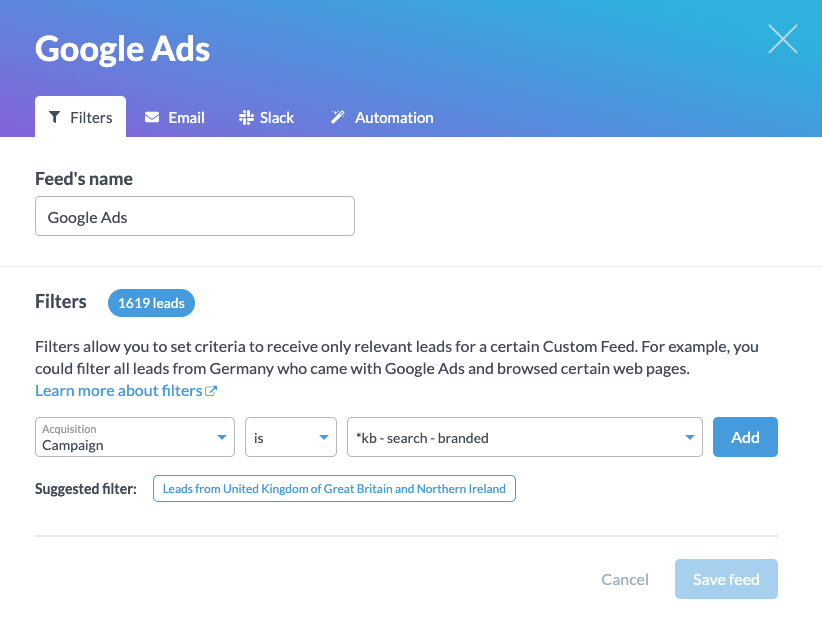
This is incredibly valuable information that helps you better understand what attracts leads to your website.
For example, if you are targeting "restaurant POS systems", this feed can tell you if the campaigns you’re running are driving leads that could become customers — or if you need to go back to the drawing board and re-optimize your Google Ads.
4. Organic traffic
Organic traffic is the holy grail of sales and marketing. These are people who searched specific key terms you target and made it right to your site — and you didn't have to pay a dime in ad spend to get them there.
If your organic numbers have flatlined, it is worth refreshing your existing content before you write anything new.
Acquisition filters can help you find visitors who came to your site without clicking through a campaign you’re running.
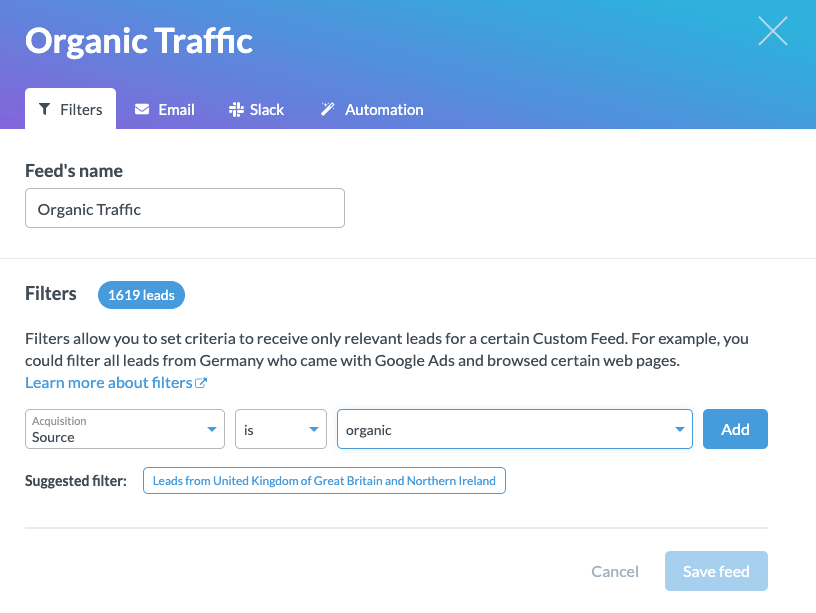
By using the organic traffic, you’ll know that this lead made it to your website (be sure to see where they landed, was it a case study about a problem they might be researching?) and what they did while they were there.
Protip: You can also use acquisition filters to filter traffic based on source, medium, keyword, and referring URL.
5. Warm leads
If I came to your website, what would you want me to do that indicates that I’m interested in your product or service? Leave my contact information, maybe download an ebook?
Use Leadfeeder's behavior filters to create a custom feed of leads who have visited specific pages (e.g., a pricing page), spent a lot of time on your site, or even returned multiple times.
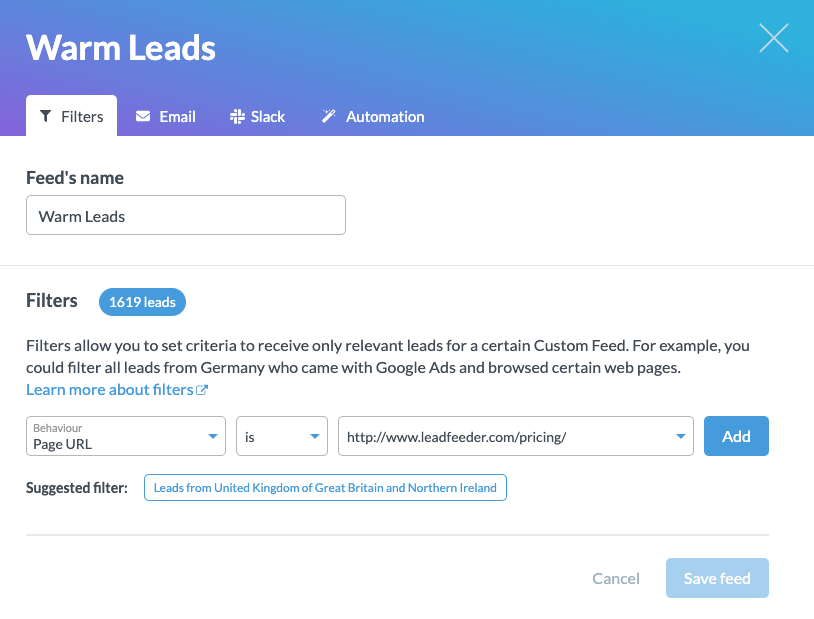
If you have a contact us page or any gated information, I’d recommend adding these as well so you can capture people who visit these sites without leaving their contact information.
6. Email campaigns
Are you using Mailchimp, Active Campaign, or HubSpot for your email campaigns? Great!
You can integrate these platforms with Leadfeeder to get even more information about your website's visitors, since we can tell you exactly who is on your website (and what they do once they're there!).
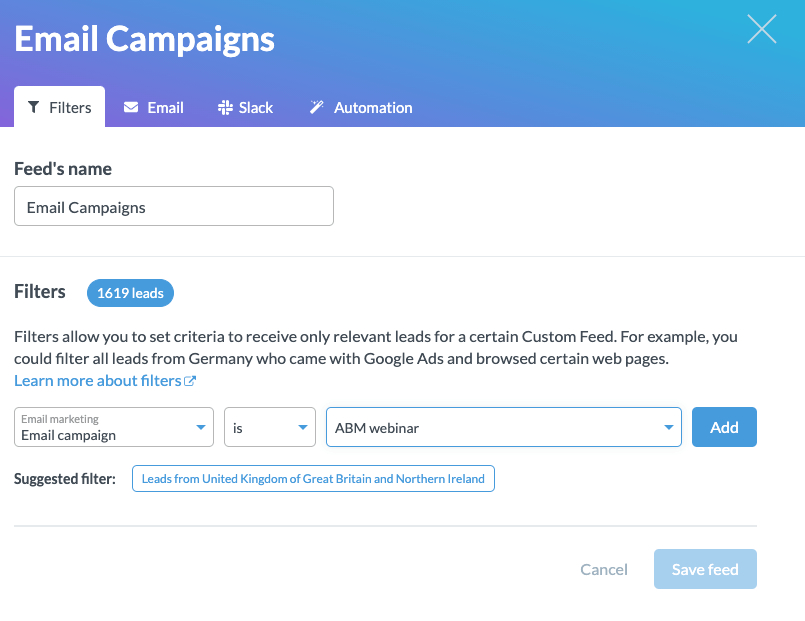
Building out feeds to include the companies that have visitors from your email campaigns will make it really easy to decide who to reach out to.
Yes, you should try this at home
Now you know some of the best custom feeds to create to save you time (and make you money) as you research the different companies that have been on your site. Now, it's your turn.
By implementing the tactics described above and setting up automated B2B lead list building solutions with email notifications, you’ll be one step closer to an email inbox full of highly qualified leads.
Note: Want access to valuable data to generate more high-quality leads? Sign up and try Leadfeeder free for 14 days to see company details, behavioral buying intent signals, and more.