

60-Second Summary
Leadfeeder packages GDPR-compliant B2B sales intelligence (180M+ contacts, 40M+ companies) into tools marketers can use to improve targeting, enrichment, and campaign efficiency. Below are concise takeaways and practical tactics for marketing teams to extract value from these data-driven capabilities.
Key takeaways: Centralized sales intelligence combines firmographics, contact data, and intent triggers to refine ICPs, calculate realistic TAM, and deliver higher-quality audiences that close faster.
Standout strategies & tactics: Build and save filtered company/contact lists with Companies and Connect, enrich and cleanse data with Datacare, run programmatic/display or LinkedIn ABM campaigns via Promote or exports, and use AI lookalikes and Connect Alerts for timely targeting.
Real-world lessons & frameworks: Validate and iterate your ICP against real prospect data, compute TAM from filtered company counts, prioritize prospects by intent triggers, enrich captured leads before routing to sales, and align marketing and sales with shared lists and goals.
*This summary was created with AI assistance, using our original content.
At Leadfeeder, we have data, a lot of data, 180m+ contacts and 40m+ companies worth of data to be precise. We package this data in a usable ‘sales intelligence’ solution, but who’s to say it’s just for sales teams? We think there’s so much that marketing teams can do with this data, too.
Read on for our advice and suggestions about how marketing can use sales intelligence data to best effect.
What is Sales Intelligence?
Sales intelligence is everything sales professionals need to know about their leads. It’s all the information used in the sales process, and so much more than just some emails or phone numbers. The goal of using sales intelligence is to gain a deeper understanding of prospects and leads and leverage that knowledge to close more deals.
At Leadfeeder, we provide sales intelligence tools filled with sales intelligence data. We only handle B2B data, and even better, we only handle GDPR compliant data. Our information comes from many different sources and is used to inform marketing and sales decisions.
To put this strategy into action, your team needs the right sales intelligence tools that consolidate buyer signals, firmographic data, and engagement insights in one place.
How do Sales Teams Use Sales Intelligence Data?
Sales teams are increasingly tasked to ‘do more with less’. Sales intelligence software helps increase the efficiency and effectiveness of each team member. They can spend more time on outreach and engagement and less on research and qualification.
In a well-built tool, often all it takes is a few clicks to build a list of companies that match your ideal customer profile. In an even better-built tool, the contact details of key decision-makers will be linked to these companies and be at your fingertips, too. What previously took hours away from actual sales conversations taking place, can now be done in minutes. Watch this video to learn more about it.
Company insights within sales intelligence tools also support the efficiency of the sales process. At Leadfeeder, we call these insights Triggers. These are intent triggers that cover a wide range of topics, including financial losses, construction plans, increases/decreases in revenue, homepage relaunches, job openings, and more. These triggers help to identify companies with a higher propensity to buy, or rule out those where time would be better spent elsewhere.
Sales Intelligence Data for Marketers
In many companies, marketing teams focus on lead volume, while sales teams focus on conversions. This creates a mismatch between the two departments and, invariably, some friction.
When marketing has access to sales intelligence data, it can help fill the gaps and bring the departments closer together. Marketing teams (or individuals if you’re a solo star!) can build more refined lists, making messaging more specific to who receives it, resulting in more effective campaigns.
The win-win is that marketing can still achieve its volume targets while building a higher-quality audience, which gives the sales team a stronger chance of conversion.
How can Marketing Teams Use Sales Intelligence Data?
Now we’ve explained the premise, let’s get into how marketers can make the most out of sales intelligence data! Along the way, we’ll share how you can do this with the tools in the Sales Intelligence solution: Companies, Connect, and Datacare.
Companies: Companies is a B2B sales prospecting tool with unique filters that help you create company and contact lists, as well as find the contact details of key decision-makers.
Connect: Connect provides an in-depth B2B contact database from trade registries, company websites, news, and social media.
Datacare: Datacare helps you review, cleanse, enrich, and optimize your imported data records.
Win leads and close deals
Discover how the Leadfeeder platform helps build successful sales and marketing teams.
Start Free Trial1. Further develop your Ideal Customer Profile (ICP)
When you defined your ICP, did you compare the outcome to the available prospect data? Having a clear understanding of which companies you want to target is essential, but this information becomes irrelevant if it’s unusable.
To define your ICP, you probably performed an exercise like identifying your best current customers, analyzing them, and grouping their common characteristics and challenges. In an ideal world, this research would have been conducted using multiple techniques, such as customer interviews, joining sales calls, monitoring reviews, and analyzing social media responses.
So how do we know if our chosen ICP is helping or hindering us? A good test is to put your ICP attributes into a sales intelligence tool and see what comes out the other side. For ICP, you’re only looking at company data, so things like industry, location, employee count, years in business, funding type, etc.
To do this, combine the various filters in Companies to refine your search. If this is a search you want to revisit later, save it for later.
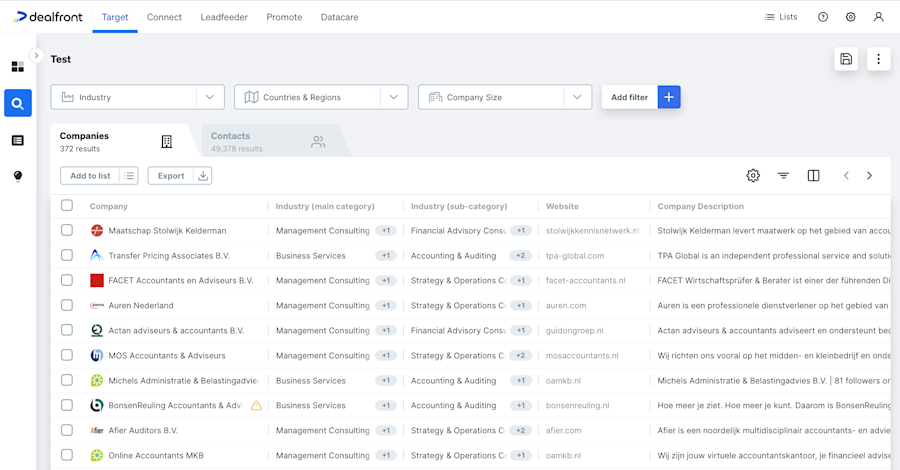
Search results in Companies
Once you see how many companies could be viable in the search results, you next need to see what kind of contact data fits.
You’ll no doubt also have buyer personas. From this research, can you pull out what kind of contacts you’d want to reach? In Companies, you can further filter by criteria such as job title, seniority, or the number of employees per department.
Lastly, you obviously don’t want any existing customers on your prospect list, so you’d need to filter them out, too. From your CRM or wherever you store your customer data, export a list of the current companies you work with. Import this list through Leadfeeder’s Datacare, map the columns, review any queries, and save. You can then filter by this saved list within Companies.
What are you left with? Is it a list that you’ll exhaust fairly quickly, or is it a healthy quantity to work from for a while? If it’s too refined, unless you’re in an incredibly niche industry, you may want to loosen up the criteria a little to give yourself more opportunities to succeed.
Once the quantity is just right, you can start using intent data from sales intelligence tools to identify opportunities to market to specific segments. Maybe you want to run a campaign to those in your ICP who are hiring, or who recently won an award - it’s over to you!
2. Calculate your Total Addressable Market (TAM)
How do you calculate realistic marketing targets for your business? Do you pluck a figure out of thin air? Or do you have a formal process to determine where you sit in the market and how much opportunity is available?
Determining your Total Addressable Market (TAM) shows how much market demand there is for your product or service. Your TAM is the maximum revenue your company can generate by selling to a specific market. The simplest way to calculate your TAM is to multiply your annual contract value (average sales price x number of current customers) by your total number of potential customers.
This is where Sales Intelligence data comes in. It can help you find the number of potential customers in your market. To do this in Leadfeeder, you’d run a search in Companies, applying filters to narrow down the results to your ideal market. You might only include certain industries, locations, website keywords, company sizes, or any other criteria that help you realistically identify who you can sell your products and services to.
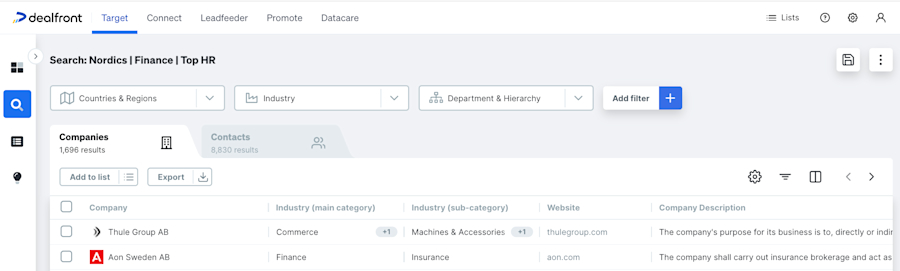
A search in Companies
Once you’ve run your search you’ll see the total number of companies found, you then just need to multiply this by your average contract value and you’ll have an idea of your TAM.
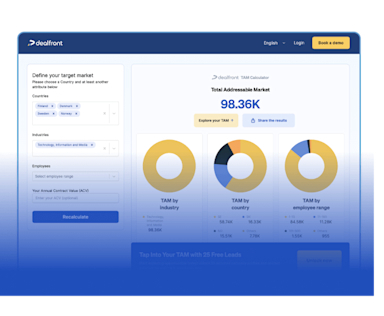
Calculate your Total Addressable Market (TAM) for free
Leadfeeder's TAM Calculator draws on 60M+ company profiles to give you an accurate market size estimate in seconds. Once you know your TAM, use Leadfeeder to identify which of those companies are visiting your site and prioritize your outreach from there.
Get immediate results nowKnowing what the landscape looks like can help inform your marketing strategy (and set realistic expectations higher up the chain). Do you have a large market to apply more mass-market tactics to, or do you need to get more niche, perhaps with account-based marketing (ABM)?
3. Build and refine your display ad audiences
Display advertising uses a typical ‘push’ approach. Ads are displayed to users who didn't directly search for the product or service, but they have been targeted for a reason.
These ads are displayed through a publisher's display network and targeted based on chosen criteria. The Google Display Network and LinkedIn Audience Network are examples of well-known publishers.
There’s increased pressure on media teams to reduce wastage and become more granular in their approach. Remarketing to companies that have previously visited your website is one way, but programmatic company targeting is another. This is where sales intelligence data comes in.
To target a list of companies with display ads, you first need to build and refine that list. Using the many filters in Leadfeeder’s Companies, you can search for your ICP, or the profile of the companies you wish to outreach to via display advertising.
You can get as detailed as you like when building your list, using standard firmographic filters or combining them with trigger events to identify and advertise to companies that exhibit certain behaviors or intent. For example, your offering might be perfectly suited to companies with construction plans, reaching them right at the start of their buying journey.
By saving this search as a list, you can then target these companies with display ads in just a few clicks using Promote, Leadfeeder’s B2B advertising tool, without needing to leave the platform. You can also advertise with Promote by uploading a list you’ve collated elsewhere.
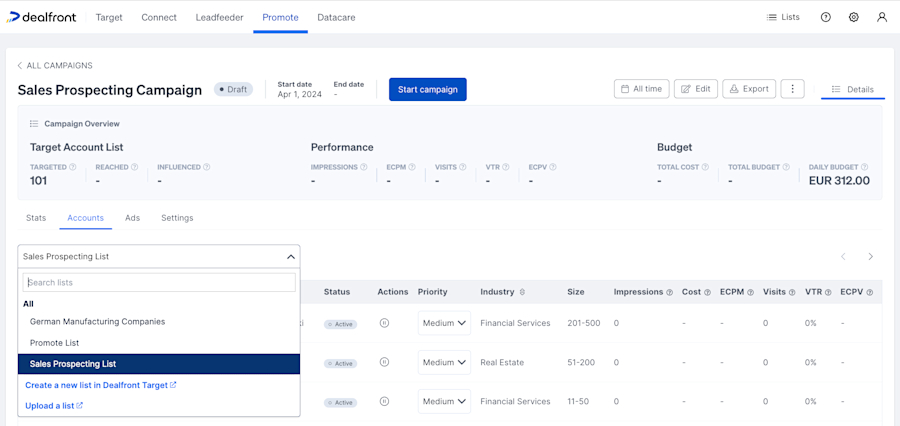
Selecting a list in Leadfeeder’s Promote
Leadfeeder’s sales intelligence data can be used outside of the platform, too. Once you’ve built your list, you can export it in the format that best suits your needs, including a LinkedIn-formatted CSV, for uploading to the LinkedIn advertising platform.
Company targeting on LinkedIn enables you to run account-based marketing campaigns, target by professional demographics, and drive more conversions. You can use this focused approach to reach the decision-makers at your highest-value accounts, guiding them along your journey and ultimately towards becoming qualified leads.
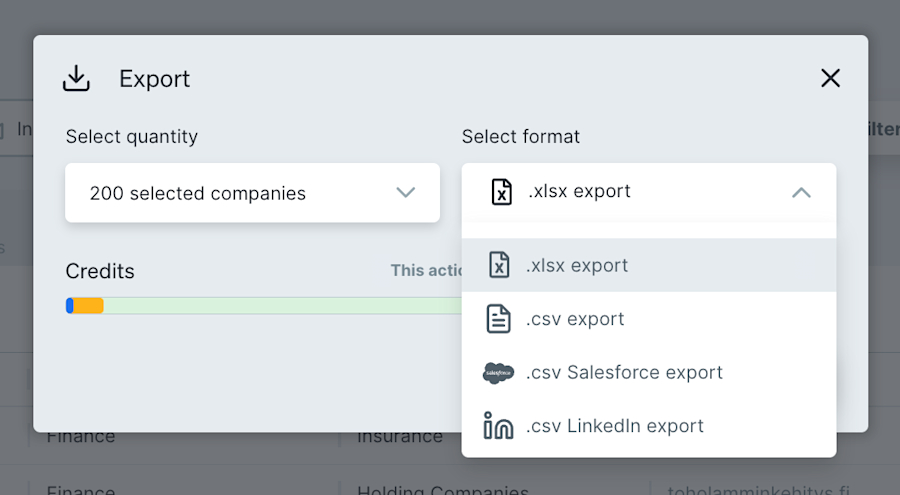
Exporting a list in Companies
Using sales intelligence data, you can successfully fill up the top of your funnel and start prospects on their journey with your company.
4. Choose the right prospects every time
When it comes to outreaching to prospects (GDPR and country regulations aside), marketing often has quite a wide net. Lists are often segmented in some way, enabling personalization and targeted outreach, but resources can quickly be spread too thin, leading to an excess of unqualified leads being passed to sales.
In the interests of working in harmony with sales to fill the funnel with valuable leads, sales intelligence tools can be a valuable asset! Narrowing your prospect list to those most likely to convert is a more strategic approach and aligns the goals of both departments.
There are a couple of different ways to do this with Leadfeeder:
If you’re starting from scratch, you can use our many company and contact filters, plus intent triggers, to build out your marketing prospect lists. Lists can be saved in Leadfeeder as part of your contract and exported to CSV/XLS/LinkedIn/Salesforce using credits.
If you have an existing prospect list, you can both enrich and refine this through our Datacare tool. Any outdated information will then be updated, leading to lower bounce rates and fewer awkward phone calls, no more “Mr. XYZ left the company 3 years ago”. You can then filter against all our data using this list and any other filters you wish, to refine further if required. Then save or export as mentioned above.
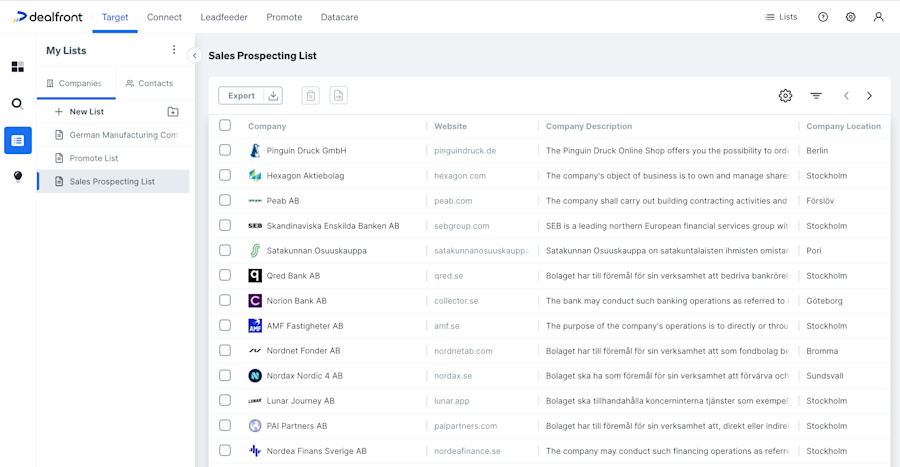
Saved Lists in Leadfeeder
You’ll now not only have more accurate data but also stronger alignment with sales.
5. Enrich your lead data
When you capture lead data, either online or live in person, you typically only ask for the essentials. As marketers, we’re taught from day one not to ask for too much information during data capture, or we’ll scare prospects away. Sales intelligence software can enrich this basic data, turning it into detailed, valuable information you can use to better qualify, profile, and ultimately route your prospects over to sales.
Datacare is Leadfeeder’s cloud-based data matching and cleansing software. In simple terms, you take a list of companies, import it into Datacare, run machine learning, and then match the input data against our database records. All you need to import a company into Datacare is the company website and name.
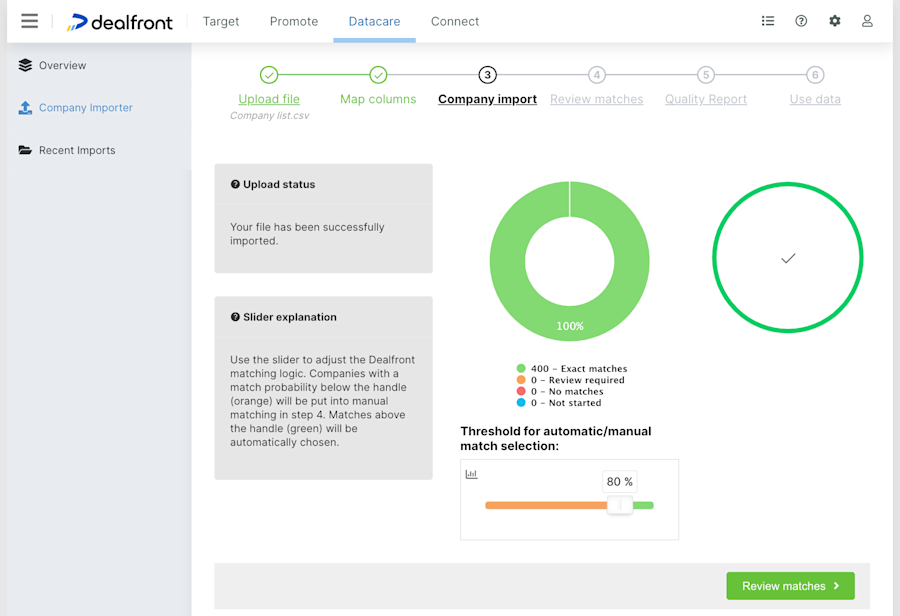
Leadfeeder’s Datacare
A few clicks later to review and confirm the matches, and your previously sparse list now contains a wealth of enhanced company data, ready to use. Once you’ve enriched your prospect data, you can then use this to route these prospects to the appropriate sales professionals or teams, whether this is by location, number of employees, revenue, or otherwise. You can also use this data to inform your own marketing campaigns, applying whatever segmentation works for your specific use case.
In no time at all, your previously sparse captured data can be brought to life and given purpose and meaning. You need never worry about removing those ‘nice to have’ input fields from a form again!
6. Find lookalikes with AI tools
Lookalikes are similar companies. In many businesses, there will be some key customers where the dream would be to replicate them over and over again - they’re brilliant! With AI, while we can’t promise your dreams will all come true, there are ways of finding similar companies.
When looking for similar companies using the Leadfeeder AI Tools, you first need a starter list. There are a few different ways you could come up with this list.
The obvious place to start is with your current perfect customers, as illustrated above. To do this, import your chosen customer list into Leadfeeder using Datacare, then use AI tools to search for similar companies.
We’ll now introduce Connect Alerts: these help you to keep an eye on positive and negative business-related changes at the companies on your list. These changes may include relocation, expansion, job offers, and management restructures. You can use these alerts for general market research, ABM campaigns, and beyond.
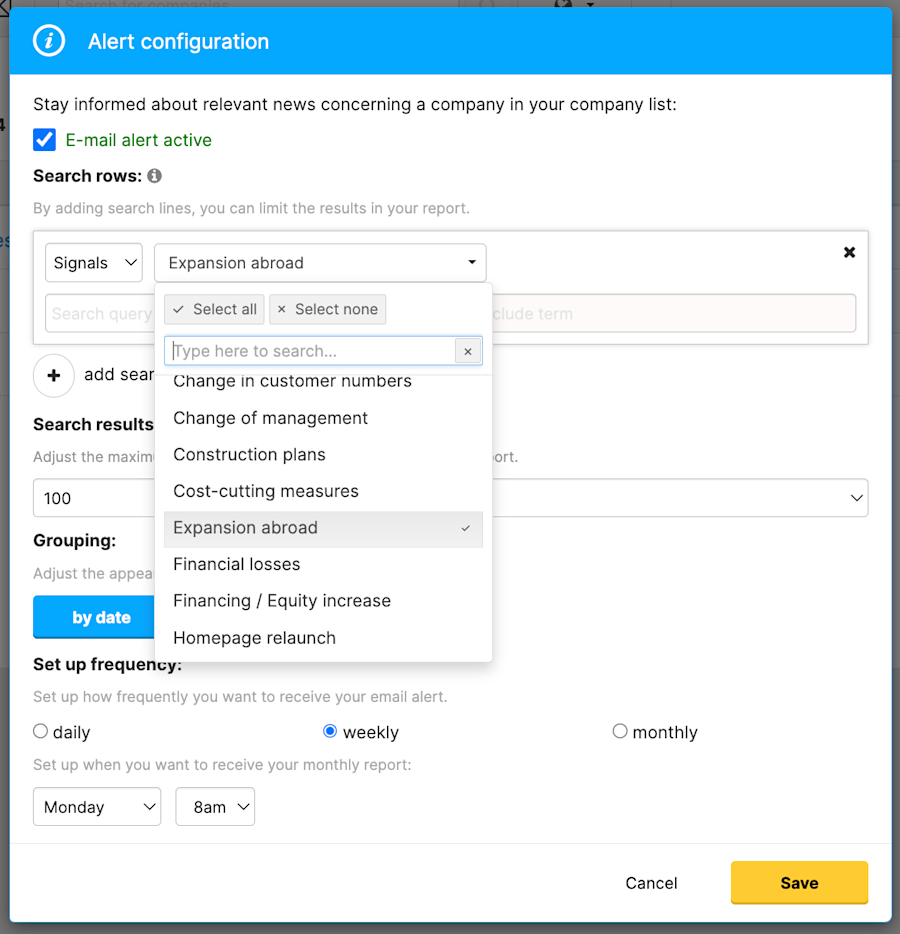
Connect Alerts in Leadfeeder
Alternatively, you could perform the same actions, but on a list of the most engaged companies on your existing email marketing campaigns, or social media activity, or for companies that interacted with you at an event.
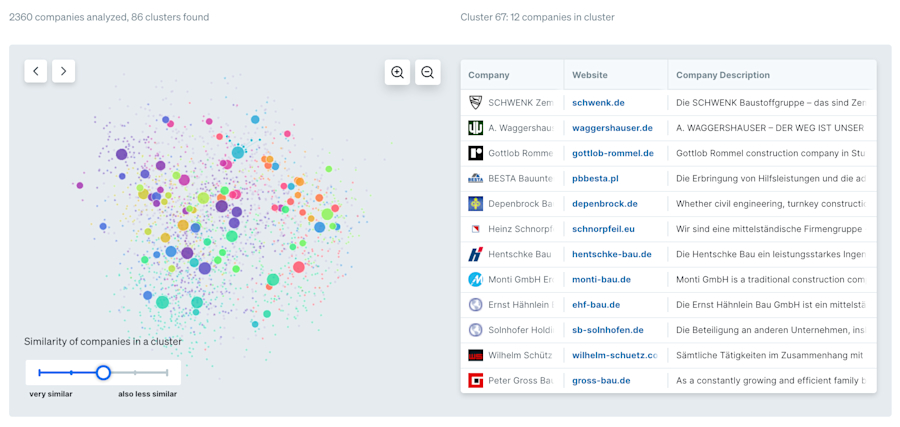
Leadfeeder’s AI Tools
Once you’ve used the AI Tools to search for lookalikes, you can continue to use the other Leadfeeder tools on this list, for example, to filter by job title/department to find the most suitable new contacts.
In no time at all, you’ll have a fresh list of prospects who are exactly the right kind of people to outreach to.
Remember that with any contacts, it's your responsibility to adhere to any privacy laws related to outreaching to these. Leadfeeder legally sources company and contact details. We aren't responsible for how you choose to use this data.
Align with Sales and Celebrate Your Success Together
In this article, we’ve highlighted how sales intelligence data is useful for more than just sales teams. Aligning marketing with sales, of course, goes beyond using the same data; it also involves having shared goals and regular, effective communication. The combined approach means that both departments take more responsibility for delivering successful campaigns, and both want to see each other achieve their targets.
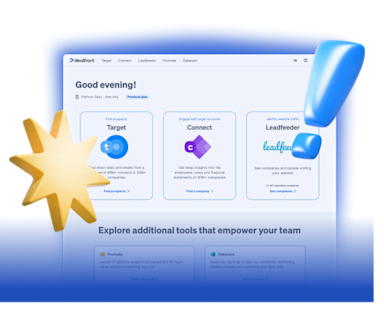
Our platform, your revenue engine
Leadfeeder combines the tools and stages of the sales and marketing process into one single platform.
Discover our PlatformWhen it comes to Leadfeeder, just speak to your Account Manager about adding new seats for your marketing team, and you’re good to go!
If you’re not using our Sales Intelligence solution, you can book a no-obligation demo with our sales team. They’ll happily walk you through how it all works. Discover more about our Sales Intelligence solution in our Help Center Quick Start Guide.
Start using sales intelligence data today to boost the achievements of your marketing team and ultimately drive business growth.