


60-Second Summary
Website visitor intelligence and Leadfeeder’s Promote transform anonymous site traffic into precise, actionable B2B opportunities. By combining high-quality data, CRM integration, and IP-based retargeting, teams can prioritize real prospects and optimize ad spend.
Key takeaways: Leadfeeder reveals which companies visit your site and what they do there; integrating that high-quality data with your CRM lets you identify intent, prioritize outreach, and stop wasting budget on low-value impressions.
Standout strategies & tactics: Use behavioral and firmographic filters to create custom feeds, set alerts for target account visits, reveal decision-makers with Contacts, and retarget entire companies via Promote’s IP-based display ads (upload lists, use Companies search, or target CRM opportunities).
Real-world lessons & frameworks: Timing and relevance matter—reach out when intent signals are fresh; align sales and marketing via CRM integration to retarget open deals; target by ICP to shorten sales cycles and boost conversion.
Quick implementation framework: Start with Leadfeeder to capture high-quality visitor data, build lists or custom feeds, launch Promote campaigns (audience, ads, budget, dates), set bid priorities and brand safety, then monitor per-company analytics and iterate.
*This summary was created with AI assistance, using our original content.
The good news is that these changes do not have to slow you down. In fact, they push teams toward a smarter and more accurate approach. Website visitor intelligence gives you a clearer view of which companies are actually engaging with your brand, how they behave on your site, and where they are in their buying journey. This allows you to focus your efforts on real opportunities rather than noise.
In this article, we will look at how you can use tools like Leadfeeder’s Promote to target high-value companies using IP-based insights, and how Leadfeeder helps you identify and understand the companies already visiting your website. These tools help you move from guesswork to precision targeting.
If you are ready to make your marketing more efficient and focused, it starts with using better data, not more of it.
What you need to know about Leadfeeder Data
All successful targeting begins with the highest-quality data. Otherwise, you’re just stumbling in the dark. This is where Leadfeeder comes in. The Leadfeeder platform is the only go-to-market platform built specifically for B2B companies that do business in Europe. Leadfeeder is a part of this platform, and you can use it to identify which companies are visiting your website. Even better, you can see exactly what they’re doing once they’re there!
Once you have this deeper intel, you’ll be able to generate high-quality leads and reach out to sales-ready contacts to help them grow their businesses faster. When you add Leadfeeder to this mix, you’ll be able to extend this knowledge even further.
Key Benefits of Your Leadfeeder Data
Leadfeeder helps B2B teams get more value from their website data by turning it into clear, actionable insights. It allows you to identify new sales leads, spot intent among target accounts, monitor deal activity, find key decision-makers, and retarget high-intent companies more effectively.
Benefit 1: Identify new sales leads
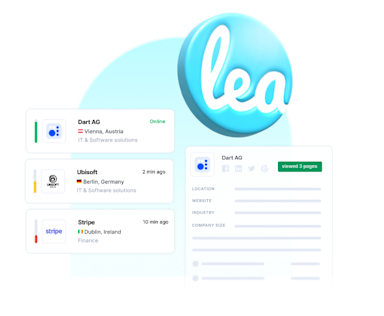
Leadfeeder helps you to identify the names of otherwise anonymous companies visiting your website, and discover exactly what they’re looking for. You can further qualify your visitors using behavioral and firmographic filters.
Now you have new prospects to follow up with! With a CRM integration, you can automatically push this new visit data and add new companies to your system, enabling a seamless sales workflow.
Benefit 2: See intent from target accounts
Timing is critical for outreach. Reach out too early, and you’ll be completely ignored; reach out too late, and you’ll have missed your opportunity. With Leadfeeder, you can set up notifications and receive alerts when target companies visit your website or take a specific action.
If you know which pages they’ve been viewing and what they’ve been doing, you can personalize your outreach at exactly the right time.
Benefit 3: Get notified of deal activity on your website
If you’ve integrated your CRM with Leadfeeder, your data can help you to keep track of the activity of your open and lost deals. Seamless integration enables your sales team to be fully informed about what their open deals are looking like before reaching out.
As an added bonus, you can also follow your lost deals, seeing if and when they return to your website - maybe that competitor they went with wasn’t such a good fit after all.
Benefit 4: Reach out to key decision makers
Use the Leadfeeder Contacts feature to explore the names and job titles of key stakeholders at your target companies. Once you’ve found the most likely decision makers, you can instantly reveal their accurate and compliant contact details, including emails and direct dials. It’s over to your sales team to devise a solid outreach plan and start converting.
Benefit 5: Retarget your hot leads
Last but not least, how you can retarget using your Leadfeeder data with Promote. Once you have identified key companies of interest, why leave it all to sales and outreach? Retargeting helps you give your prospects a little extra push toward you, moving them further down the funnel.
You already know they’ve visited your website, you know what they’ve done when they were there, so what do you want them to do next? Tell them with programmatic display advertising.
Turn page views into pipeline
Identify anonymous companies visiting your website and automatically send them to your CRM for sales teams to convert.
Discover LeadfeederHow to Integrate Your Leadfeeder Data with Promote
Promote lets you unlock the full potential of your B2B advertising efforts through highly IP-targeted, personalized display ad campaigns. The tool helps you target multiple decision-makers at a company, so you’re no longer limited by traditional remarketing by only targeting one user at a company.
If you’re a paying Leadfeeder customer, then there’s no fee to use Promote. You only pay for your ad spend, making it easy to get started right away.
There are three main use cases of Promote, all of which involve using your Leadfeeder Data. Let’s take a look.
Top 3 reasons to use Promote to support your advertising efforts
Promote helps B2B marketers get more value from their advertising by focusing on the companies that matter most to them. It enables you to build awareness among your ideal customer profile, retarget entire companies rather than individual users, and automatically reach open opportunities in your CRM to keep high-value accounts engaged throughout the buying journey.
1. Raise awareness amongst your ideal customer profile
Your ideal customers are those who benefit the most from your product or service. An ideal customer profile (ICP) is a set of characteristics that these ideal customers share. This includes the demographic information you need to look for in potential sales leads, as well as behavioral markers.
Why pursuing companies that fit your ICP is a popular advertising tactic:
You can expect a quicker sales cycle and a greater chance of success. Similar customers have already gone through your sales process. In an ideal world, you’ll have refined and optimized this process. You understand this kind of customer and how you can help them.
If they're a good fit and you can build a strong relationship from day one, you can expect higher retention rates and advocacy from these customers.
Creating brand or product awareness campaigns targeted at your ICP helps to drive high-quality traffic to your website with less wasted ad spend.
You target companies in Promote through a list. There are three different ways to target a list in Promote:
Upload an externally sourced list of company names: You may already have an external target list, for example, key prospects in your CRM or a wishlist of ideal companies. You can upload this to the Leadfeeder Lists tool in a few clicks and use this as your target audience list in Promote. You’ll need to prepare this as a 2-column CSV file of company names and their website addresses.
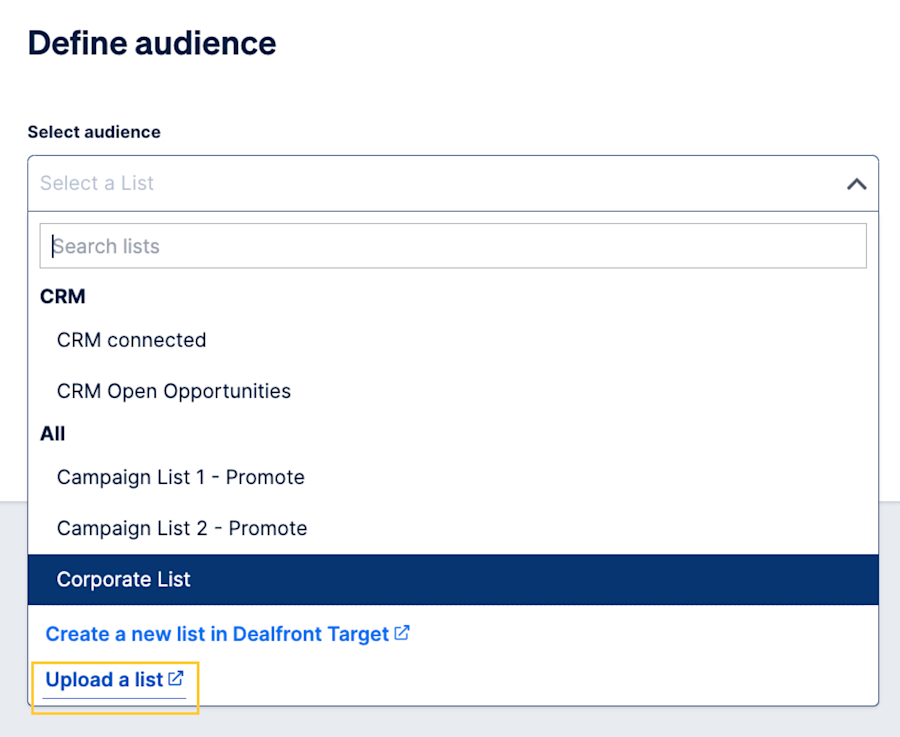
How to upload an existing customer list in Promote How to upload an existing customer list in Promote
Use Companies or Companies Basic to create a new list of ideal companies: You can use Leadfeeder's Companies database tool to find new companies you want to display your ads to. With your ICP in mind, the many available filters can help you to generate a specific target list. This list can then be saved in Leadfeeder and used as your target audience list in Promote.
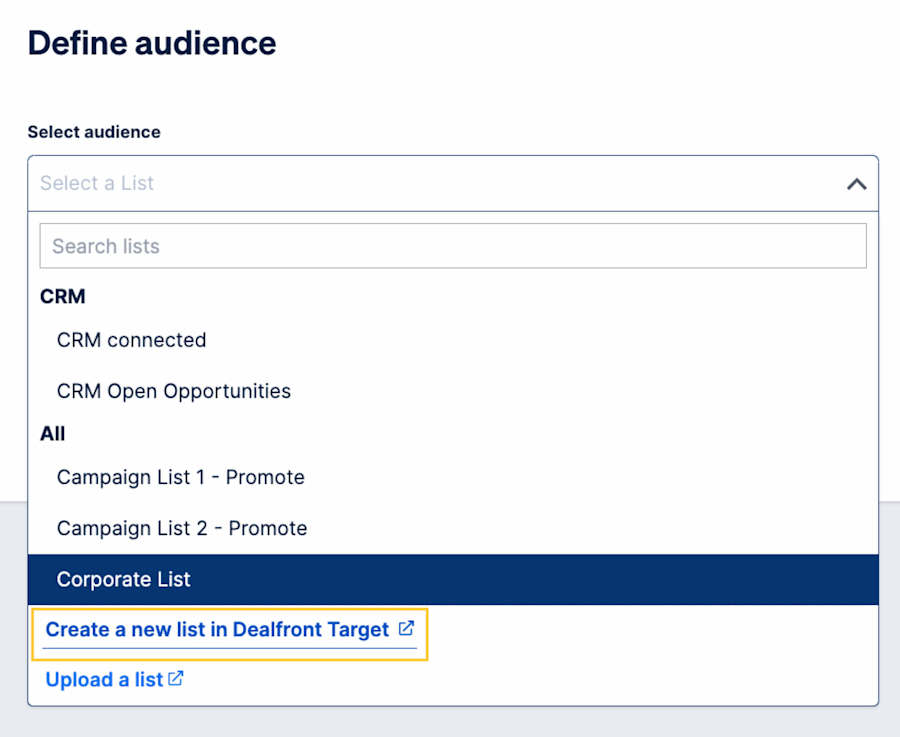
Screenshot of selecting a list this way in Promote Select your list in Promote
Create a list of your website visitors from Leadfeeder: You can create a list from a custom feed in Leadfeeder. Custom feeds help organize your website visitors into groups based on filters you apply, such as their online behavior or demographics. Once you have a custom feed of companies you’d like to advertise to, you can add them to a list and use this as your target audience list in Promote.
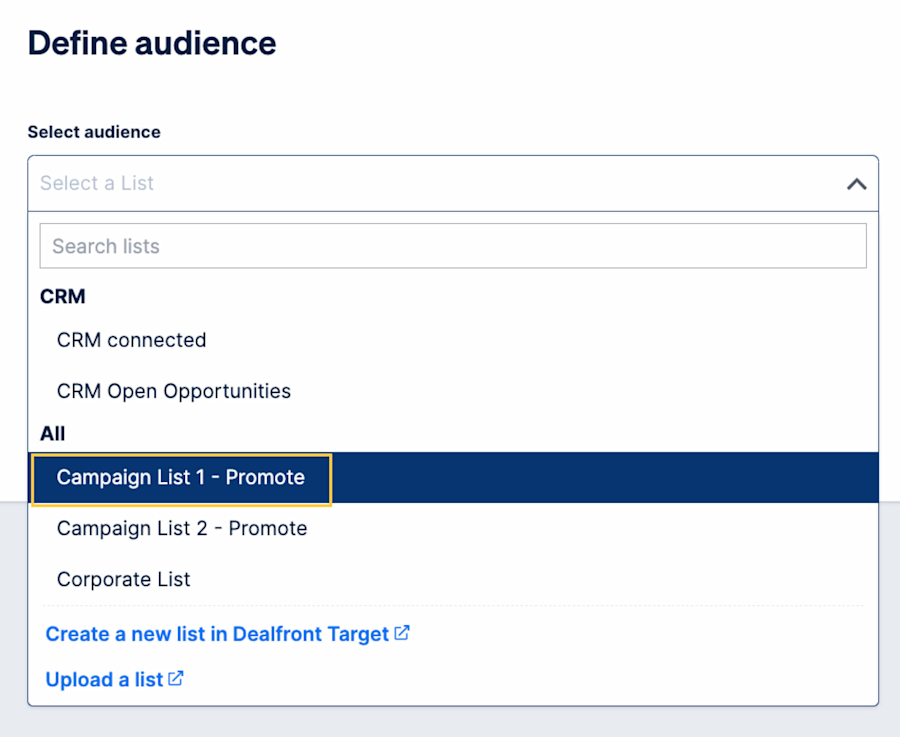
Selecting a list in Promote Select your list in Promote
2. Retarget companies instead of individuals
Traditional retargeting only reaches the individual website visitor, which is great for B2C. However, B2B buying decisions are rarely made by just one person. When you only retarget a single person in an organization, you’re limiting your brand awareness within that company.
With Promote, you can reach out to as many decision-makers as possible per company, aiming to influence them from start to finish. In this way, you’re using retargeting to both bring visitors back to your website and boost your brand awareness by the nature of repetition.
Your Leadfeeder data is a great starting point when finding companies to retarget. A website visit is an initial marker of intent, but you can use custom feeds within Leadfeeder to further qualify these companies that have visited your website, down to those with high intent.
With custom feed filters, you can qualify based on companies that have visited certain web pages, visited from a specific location, spent X amount of time on site, watched particular videos, and so much more.
Each company’s qualification criteria are different. You could find a blog post or whitepaper with a high conversion rate and want to retarget companies that have visited this page. You could also have a high-converting video, or find that users who fill out a certain form are most likely to accept sales calls. It could be a single action or multiple actions taken together that identify high intent for you.
Once you have your custom feed (s) set up and are seeing high-intent companies, you can add them to a list and target them as your audience in Promote.
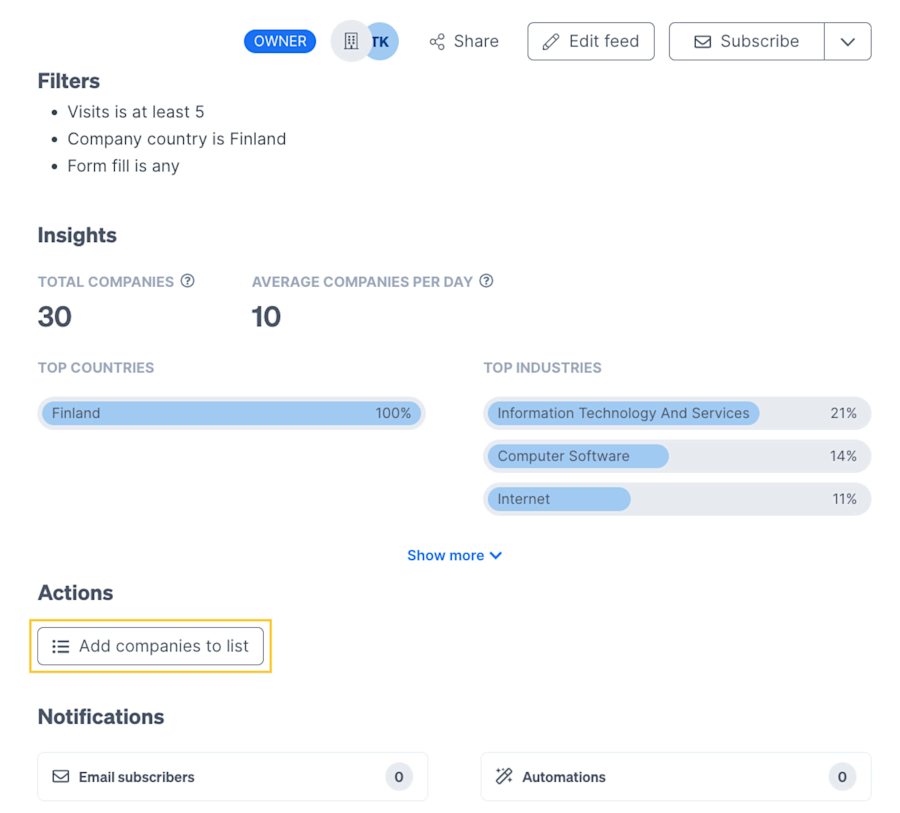
Custom Feed and the Add to List button in Leadfeeder
3. Automatically target open CRM deals
If your CRM is integrated with Leadfeeder, you have additional options available. Leadfeeder matches identified companies that have visited your website to those in your CRM. The tool then creates automatic feeds of this data.
You’ll be able to retarget companies that are either currently connected to your CRM (of any status) or companies that are marked as Open Opportunities. This feature enables you to show your display advertising to the same companies your sales teams are pursuing. You’ll be one step closer to achieving the dream of your sales and marketing teams working together to convert more prospects into customers!
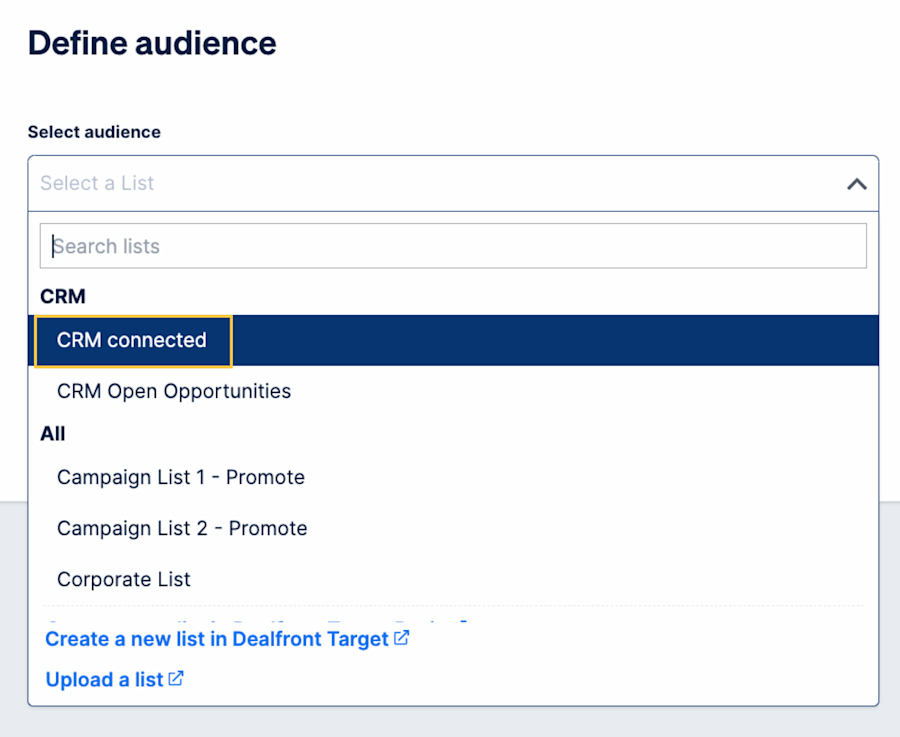
CRM options in Promote
How to Set Up a Promote Campaign
Setting up a Promote campaign is deliberately simple. Once you have your target audience ready, it takes only a few steps to launch your campaign. Here’s how.
Step 1: Create a campaign
Open Promote, then click the Create Campaign button.
Step 2: Define your audience
Use the drop-down to select your audience. This could be any one of the methods mentioned above: an ICP list, your Leadfeeder data, or opportunities within your CRM.
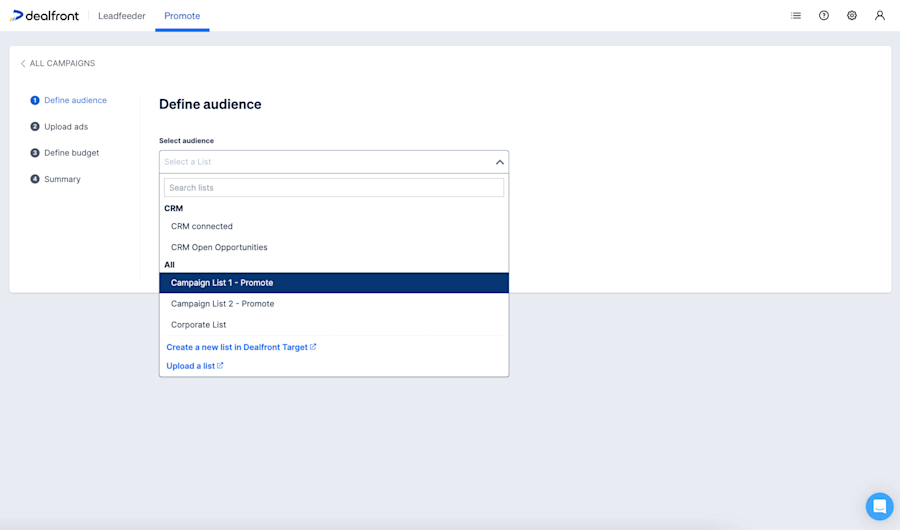
How to select your list in Promote
As part of defining your audience, you also need to select the location you wish to target: Global, a Region (e.g., EMEA), or a Country.
Step 3: Upload your ads
Choose the images you wish to use for your display ads; we have standard ad sizes you’ll need to adhere to when designing them. Then pick a Companies URL; we recommend using UTM parameters to track your ads, so we’ve provided a UTM builder.
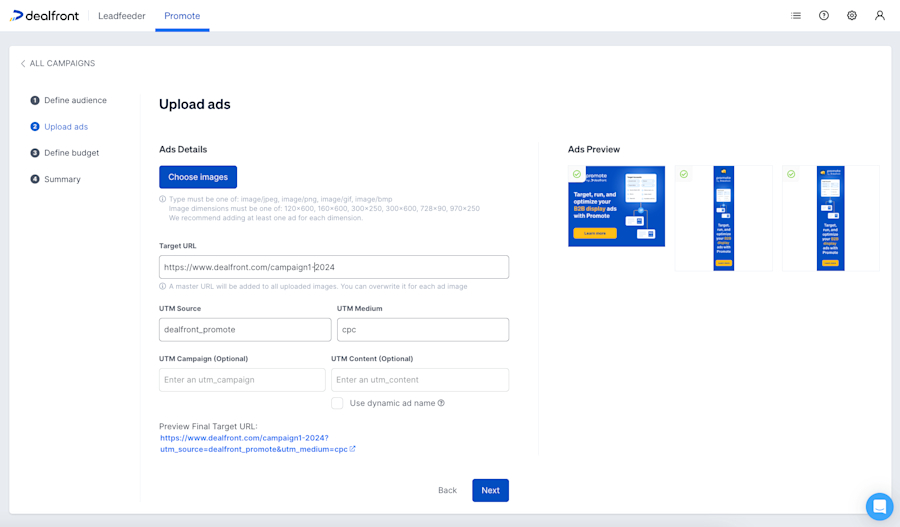
An example of ads uploaded, as well as the UTM builder
Step 4: Define your budget and campaign dates
Set your campaign budget and choose whether this is a daily or total budget. Then choose your campaign start and end dates.
Step 5: Name your campaign and check the summary
The last setup step is to choose a suitable name for your campaign and check the summary. If anything isn’t quite as you’d like, you can edit any of these parameters before you click Finish.
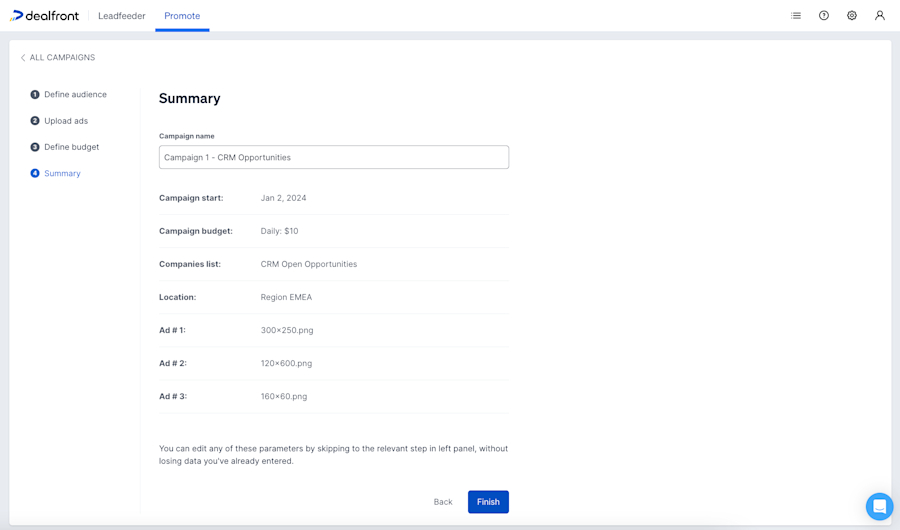
An overview of your campaign summary in Promote
On the campaign overview, when you're ready, click Start Campaign to go live.

The ‘Start Campaign’ button is for when you’re ready to go with your campaign in Promote
Step 6 (optional): Define the bid priority of your target companies
You can set the bid priority for each account on your Companies list. Depending on the selected priority level (low/medium/high), the system will automatically adjust the bidding strategy for that company.
This is useful if, for example, you have companies on your list that are worth nurturing but don't show strong engagement signals. Here, you’d change the bid priority to 'Low'. Every company is set to ‘Medium’ by default.
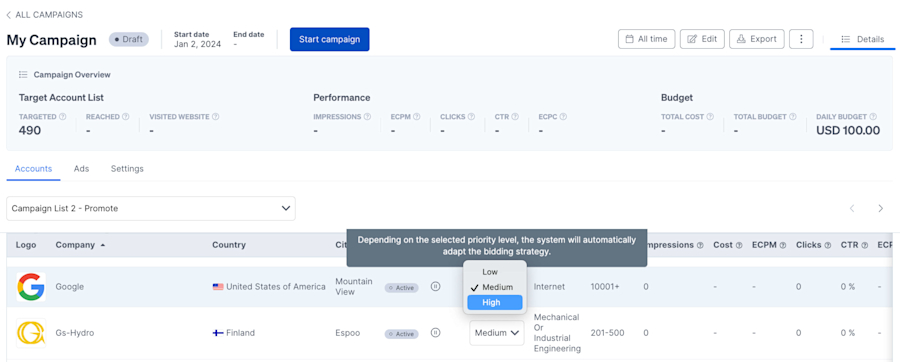
How to change the bid priority in your Promote campaign
Step 7: Pick your brand safety settings
To maintain the integrity of your brand, you can select not to have your ads shown on the websites of certain types of companies. Once your campaign is ready to launch, you will see an additional tab for ‘Settings’. By toggling the brand safety feature to ‘on’, this will prevent your ads from appearing on websites associated with adult content, tobacco, and other sensitive categories.

How Promote Analytics works
Once your ads are live, you need to know if they're working. Are they bringing valuable leads back to your website (or whatever result you were specifically hoping for)?
Promote has a comprehensive set of metrics you can view both while a campaign is running and once it’s complete.
With Promote, per campaign, you can analyze:
Number of: Companies Targeted | Companies Reached | Companies Who Visited Website
Effective Cost Per Thousand Impressions | Impressions | Clicks | Click Through Rate | Cost Per Click
Another key feature of the Promote analytics is the ability to view metrics on a per-company and per-ad basis. This highly granular data helps you to track the performance of your campaign.
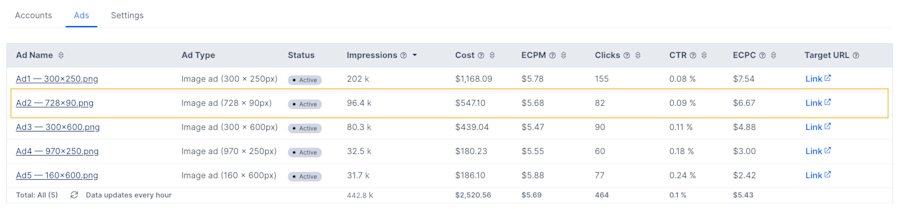
Per Ad view in Promote
Why Your Company Should Choose Promote for B2B Advertising
Display ads let you showcase your products or services in a wide variety of formats. They can also give you the potential to reach users on billions of websites worldwide.
Success with display advertising comes from targeting the right user at the right time. Promote can help you do this in four key ways:
Ad spend optimization
Promote can precisely target your chosen companies and serve your ads to them while they are working.
IP-based account targeting
There’s no need for cookies with Promote. We target company IP addresses, showing your ads to the employees of those companies, even if they are working remotely.
Account-level tracking
Your Promote dashboard instantly shows you which companies were exposed to your campaigns. We’ll also automatically set up a custom feed per campaign in Leadfeeder, so you can follow what they did if they clicked through.
Far-reaching inventory
Promote is set up to enable you to access billions of available impressions on websites worldwide.
“It was hugely encouraging to see the conversion rate on the campaigns. 70% of target companies that saw a Promote ad converted into a website visit. This supports our ABM strategy by driving our most desirable prospects further down the funnel.”
Mary Gage, Digital Marketing Specialist at Enterprise Health
Start Supercharging Your Leadfeeder Data Today
Today, you’ve discovered how valuable the high-intent web visitor data within Leadfeeder can be, and how to supercharge this with Promote’s display advertising campaigns. With more precise targeting thanks to more data insights into your ICPs, all that’s left is to try it for yourself!
If you’re already a Leadfeeder user, start exploring Promote and set up your first campaign today. You can find extra setup guides and resources in our Promote Help Center Collection.
If you’re not a Leadfeeder user, sign up for a free 14 day trial and start revealing the otherwise anonymous companies visiting your website. You’ll find everything you need to know about getting started with Leadfeeder in our dedicated Help Center Collection.
Stop wasting your budget on low-value impressions, and start putting your time to better use with Leadfeeder and Promote.
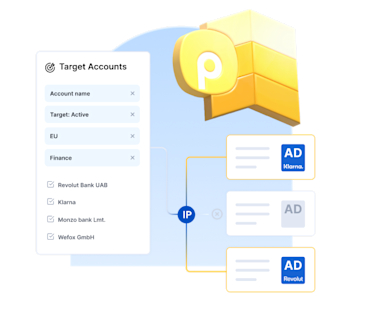
Reach your ideal customers with B2B display ads
Prepare your ad creatives, set up your campaign, and streamline your B2B marketing to always reach the right audience.
Discover PromoteRetarget your hot prospects with Promote
Discover how to identify the key companies visiting your website and retarget them with display advertising, even if they’re working remotely.